Steele1925
Members
-
Joined
-
Last visited
Everything posted by Steele1925
-
-
 @Tg22072002 Hey buddy, I see you're having an issue uninstalling. Please completely delete your PoliceScanner folder, located in GTAV/lspdfr. Once you've deleted that, go ahead and reinstall the PoliceScanner folder from the official LSPDFR mod, along with any callout packs that you use. This will ensure that you no longer have the mod.
- 311 comments
- 39 reviews
-
Well once all vanilla files have been installed, you can simply use B.D.A. 2.1. It contains the standard Dispatcher, and replaces all backup responses. It also replaces "In UHHHHHHHHHHHHHHHHHH" with "In".
- 311 comments
- 39 reviews
-
-

- 1
-
-
Well the absolute best course of action would be the following. 1. Delete your PoliceScanner folder entirely. 2. Install LSPDFR's PoliceScanner folder. 3. Install any callout pack's PoliceScanner folder that you personally use. 4. Install PoliceSmartRadio's audio files. 5. Install B.D.A. 2.1 (the one I sent you) If you're not using the Custom Pitch Dispatcher, then the PoliceSmartRadio files that I provide are not necessary. This will ensure that there are NO left over Custom Pitch dispatcher files.
- 311 comments
- 39 reviews
-
Backup audio just means the other units "Responding" over the radio, including the Helicopter.
- 311 comments
- 39 reviews
-
The way the plate is read, I sadly cannot fix. It's a slight mishap with PoliceSmartRadio, not my mod. It's only noticed when you mess with the pitch, like I did. If you wish to revert back, my advice would be to simply reinstall the audio folders from LSPDFR and your plugins. If you only want the backup audio (without messing with the dispatcher) then all you need from my mod are the cop folders (starts at s_f_y_cop_01_black_full_01 and ends at s_m_y_cop_01_white_mini_04) I recommend deleting the "Streets" folder BEFORE reinstalling your LSPDFR folder. Do this, and you should have a vanilla dispatcher, with custom backup audio
- 311 comments
- 39 reviews
-
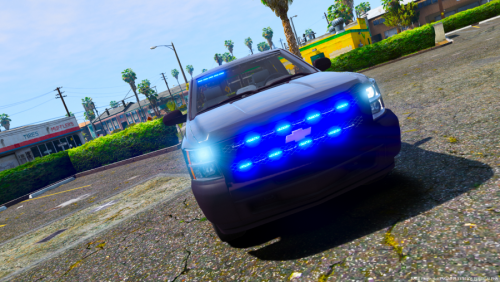 Great vehicles.. The only reason I took one star off is that I had to personally make changes to the ELS file (the reflections were red/blue although the pack is all blue, and I also swapped the Primary Light pattern to 13 and the Secondary Light pattern to 1)
- 17 comments
- 6 reviews
-
-
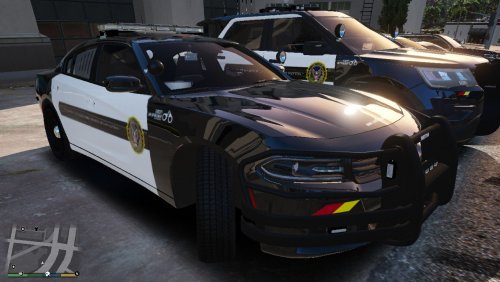 Fantastic skin!!! I was looking for a skin to fit the C.V.P.I. released recently, and yours does the trick!
- 9 comments
- 1 review
-
-
- 1
-
-
 Well I'd imagine that this is for a "Custom Steam Overlay".
 -
I'm sorry but neither of those videos are mine, just some folks who were kind enough to test the mod for me. You'd have to ask them. mikegolden Games can be found here https://www.youtube.com/channel/UCiwZzB4QRgZziLP48zQ0ymg/videos Gallonman20 can be found here https://www.youtube.com/channel/UCsybuXYJbkPAMoT8WJXwDTw
- 311 comments
- 39 reviews
-
Yeah with regards to plate reading, that's an unknown issue with PoliceSmartRadio. It's not noticed until you change the pitch (which is what my mod does). As far as the "back and forth thing", this sounds like an installation error. Two things I do personally to make sure it's installed correctly. 1'st : When extracting from the 7Zip file, I always first extract the files somewhere (random folder on the Desktop) and THEN I replace the files in my GTA folder. The reason I do this is, sometimes 7Zip won't actually extract all files when you're replacing something. Why is beyond me. 2'nd : Always remember to install B.D.A. LAST. If you update a callout pack, reinstall B.D.A. after it, to replace the audio files.
- 311 comments
- 39 reviews
-
-
- 1
-
-
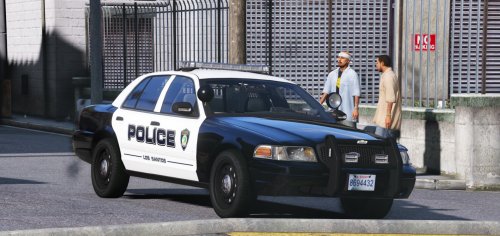 @CHiPz Well I hate to be "that guy" lol but would you consider making a texture to fit this Vic?
- 32 comments
- 4 reviews
-
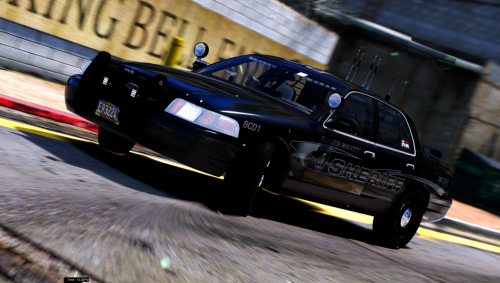 Thanks! I've recently started using "Better Visuals" with "Visual V", they work flawlessly together. But damn good texture you've provided!
- 26 comments
- 17 reviews
-
-
- 1
-
-
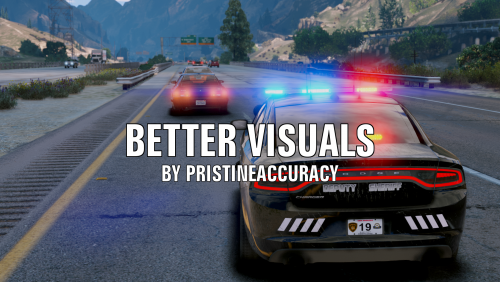 Absolute 5/5 Great visuals, works exactly as advertised (even better in my opinion) and has options. This is a new "Must Have" mod for me.
- 51 comments
- 17 reviews
-
-
- 1
-
-
Thanks bud ;) I'll give this a shot. But which ENB are you using if you don't mind me asking?
- 26 comments
- 17 reviews
-
I love this vehicle!!! But I cannot get my lights like yours (as bright) with my current setup. I'm running "Make Visuals Great Again" and "RadianceV". May I ask what you're using?
- 26 comments
- 17 reviews
-
-
-
Hello, I absolutely recommend this mod here by Albo1125. The page has an installation tutorial linked. Once you install this, ALL vehicle models (as in police2) will go here. Once you're more comfortable with that, you can then start adding vehicles that require a .meta file as well, in the same folder. Let me know if you need more assistance.
-
Hmm... At last glance, this is still working with all Callouts I use. Which are you using that aren't working? (Side note, ALWAYS remember to reinstall the files provided in this mod over the files that you update. If you update any callout pack that uses the lspdfr folder, which is where the audio files are located, then always remember to install this mod again over them.)
- 311 comments
- 39 reviews
-
-
- 1
-
-
There are, but I'm swamped at the moment. I've got quite a bit of catching up to do, and I'm also getting ready to collaborate with another Mod Author who has some great ideas. So I'll try to update everything I can, and have it release around the same time that the other author releases their mod. There is no release window at this time however, as he's also busy. But we'll get there
- 311 comments
- 39 reviews
-
-
- 1
-
-
-
-