Steele1925
Members
-
Joined
-
Last visited
Everything posted by Steele1925
-
 I know we're all bombarding you with requests (it's only because we love this pack ha ha) but.... Would you consider releasing a "Lore-Friendly" version? Meaning, the vehicle reads "Los Santos" rather than "Chicago".
- 125 comments
- 14 reviews
-
-

- 1
-
-
 @10 40 Hedda Well I used Audacity personally. Simply put, don't cut the audio off too early. I leave a few milliseconds at the beginning, and the end of the audio file. If it starts too early, or cuts too early, it will make a loud CLICK lol. I'm sorry. I wanted to and still want to. But at the end of the day this is where we are. As stated before, my goal with this always has been and always will be that someone will take what I did here, and make something even better out of it! I'm not a "Credit Hungry" guy, I don't care about that stuff. But that having been said @Requies did a significant amount of work on this mod too, so if you or anyone else wants to rip this mod, please ask her first. But from my end I don't care. I just want people to have fun!
- 311 comments
- 39 reviews
-
@Steele Nicely done, fellow with a similar name. Ha ha it still surprises me.
-
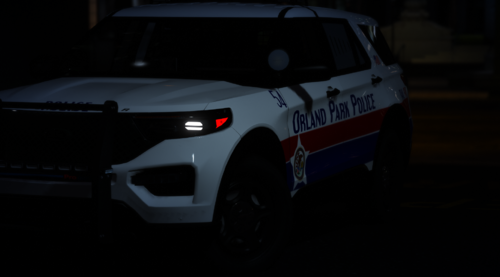
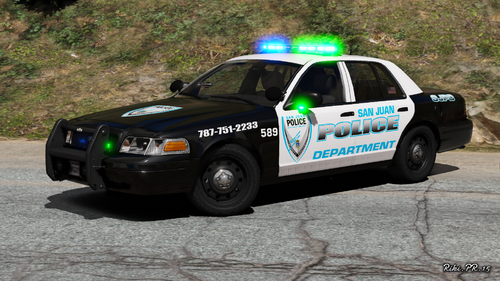
 Oh man, I really wanted that CVPI in the first screenshot ha ha. Oh well, great pack anyway!
 -
I'm sorry to mention that the Voice Actor that was working with me (my nephew) has lost interest in the project. I can't blame him, it was certainly more than either of us bargained for lol.
- 311 comments
- 39 reviews
-
 This is cool! Thank you for uploading this.
 -
-
-
Hmm... I'd imagine it should, provided you're using the Standard Dispatcher version, and not the Custom Dispatcher. I'll have to make note of Grammar Police and see if the guy doing the new voices is willing to add it to the list.
- 311 comments
- 39 reviews
-
Doesn't look too bad. I can ask him if he'll do it. Currently, we're just trying to get the initial LSPDFR audio done which is taking much longer than either of us anticipated. Once that is done, I'll probably do a quick release of that. Then see if he's willing to start messing with callout packs. People might not even like his voiceover so we need to get a feel for that as well prior to starting another project. Keep in mind he's doing all of this for free, so we'll see.
- 311 comments
- 39 reviews
-
-
- 1
-
-
Slight update as far as a release time goes for the new dispatcher... We had no idea that the Car Model folder was about the same size as the Streets folder (if using the streets mod). So it's looking like it'll be about another month on top of what was already expected. Sadly, July or August are looking likely. He can only record in his free time (which isn't much).
- 311 comments
- 39 reviews
-
Well this is going to depend on the mods you have. Specifically the Callout Packs. As a rule of thumb, ALWAYS install B.D.A. again over any callout audio. If you're using "Ultimate Backup", I notice that sometimes no backup responding audio plays, and sometimes it does. So while I have Ultimate Backup and LOVE it, I only use it for non-pursuit backup, while using LSPDFR's backup for pursuits. Also, double check that you have the files installed. The backup audio is from "s_f_y_cop_01 all the way down to s_m_y_cop_01". All of those folders are the backup units and Helicopter audio. Check it by playing the file, should be called something like "Units_Responding". Some have 2 of these files, some have 4 or more.
- 311 comments
- 39 reviews
-
-
Just thought I'd pop in and mention that there is an update of sorts coming. Should be soon (ish). It will be for the Dispatcher specifically, turning it into a Male Dispatcher courtesy of some Voice Acting! Stay tuned.
- 311 comments
- 39 reviews
-
-
- 2
-
-
-
Yours worked flawlessly. Mine did not. So the good news is it works!!! The bad news is I suck lol.
-
 For now go ahead and disable the callout in the .ini That way you can still use the other callouts in the pack while an update is worked on.
- 635 comments
- 53 reviews
-
-
- 1
-
-
@Jedahdiah Thanks I'll give it a try! It's the same method I tried, so if yours works and mine doesn't then I'll consider myself unlucky lol. Here's what one of mine looked like. I must have used too much of something, or placed a color in the wrong location.
-
That would be lovely, thank you Jed 😉
-
No problem, all I wanted to do was swap the Blue lights in the rear of these lightbars, to Red. Thus, making it an all red setup. Just thought it would look cool ha ha. Here's what I did (miserably) : I figured I could simply copy the red lights in the DDS, and plop them over the blue lights (making sure to delete the blue texture underneath). Buuuuuuuuut it caused the lightbar to no longer flash, so I realized I needed help but figured I was at least somewhat in the right direction.
-
Hello, Just wondering if anyone could point me in the right direction to learn how to change Lightbar Colors. I attempted with this pack (linked below) to change the lightbar to All Red. Just thought it would look cool. Well I tried and all I ended up doing was changing the color of the physical lightbar (texture files in OpenIV).... I also broke said lightbar ha ha. It wouldn't flash at all. So I quickly realized that I had no idea what I was doing. Anywho, is there any forum thread or post that can help me out? I tried looking for one but couldn't find one that explained HOW to do it, just that it could be done. Thank you in advance 🙂 PS : Yes I have permission to edit the textures of this pack. Found on the mod page itself "DO NOT rip, dismantle or change the vehicle in any way (except for texture files)." I figure a lightbar color change counts for personal use.
-
 See? Now... This, THIS is what we need. New creative ideas that make us all excited again. Great idea and very well implemented 🙂
- 633 comments
- 57 reviews
-
 Awesome!!! I've been looking for something like this for years! Something similar to "The First 48". I can't wait to see what else is added to this.
 -
Everything other than the Arrest Warrant callout works fine for me. But he Arrest Warrant Callout doesn't seem to even start itself properly. I'm not sure why. What happens is, the Mini-Map zooms itself out, as if it's trying to start the callout. But it never pings any location on the map, and doesn't give me any option to accept it. It then locks up my LSPDFR and I can't get any other calls, forcing me to "reloadallplugins". Is anyone else having this issue, or did I mess something up?
- 635 comments
- 53 reviews
-
-
- 1
-
-
This happens to me as well. I find that it tends to result (from my experience) from AI vehicles randomly running whenever I turn on my lights. I'll try to pull someone over, but then across the street some random car or ped takes off. If I don't notice it, then they get away and I'm stuck in pursuit mode, same as you. We really need a "Terminate All Pursuits" key or something, because pressing "N" only works when you've actually "accepted" a pursuit by holding down the "report crime" key. Even though you haven't accepted the pursuit, you're still technically in it, as far as the game is concerned. It's forced me to "reloadallplugins" several times, each playthrough since the update. As a temporary fix, pay close attention to the radar when you turn on your lights. If any NPC becomes blipped red, just shoot them lol. Then proceed with your initial traffic stop.