




TheUniT
Friends of LSPDFR
-
Joined
-
Last visited
Everything posted by TheUniT
-
 Doesn't work for me. The cursor keeps getting dragged to the center of the screen. But I don't think it's only related to this mod, because I get this issue with PoliceToolbox as well. Any idea? That's how it looks: http://youtu.be/6lpcoC7YqoE Here's a log: http://pastebin.com/Uagivx1x (Yeah, I have most of the LSPDFR plugins installed, so sorry for the unnecessary lines.) It was a struggle to spawn the vehicle, I had a lot of luck that I clicked right at the moment when the cursor was over "Request vehicle".
- 212 comments
- 28 reviews
-
 It's still a nice little addition for being a dick cop. Also, with about $200 Million on each character's bank account, $4000 wouldn't matter at all.
- 69 comments
- 16 reviews
-
-

- 1
-
-
I've got something to share too. :D
-
This topic has been moved to LCPDFR Media. Please post in the correct location in the future.
-
That's awesome. But.. If I'd be the cops, I wouldn't put a Bugatti as a bait car. What if the criminal wrecks it? :P Whatsoever, I'm looking forward to it. :D
-
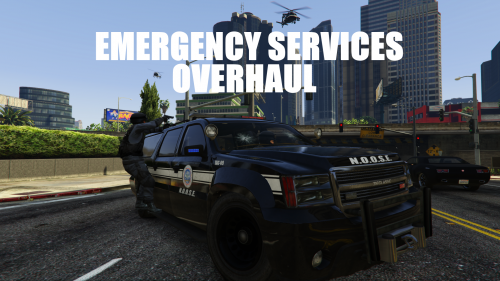 This looks awesome! Now we just need to be able to customize responding units in LSPDFR to have these actually respond properly. :D
- 42 comments
- 10 reviews
-
-
- 1
-
-
Topics merged.
-
Yes, you can change it by opening your settings and navigating to Keybindings -> Vehicle General. It's down at the bottom, called Duck. Moving to GTA V Support This topic has been moved to the appropriate forum. Please post in the correct location in the future.
-
I don't think so. I've seen some that adjust the physics a little, but the big one that changed every vehicle's handling line (I'm not sure, but was the name something like Realistic Driving?) seems to be the only if it's kind. It's quite nice though, so if you want something like that, you should definitely use that one. What a shame that the development isn't continued.
-
It should work. At least it does for many people, including me. But by the way, I'm gonna move that for you. Your topic has been moved to GTA V Support, this is not LSPDFR related. Please post in the correct location in the future.
-
Put them into a spoiler. You can insert a spoiler by hitting the eye thingy on the right. Everything that's in the dark section is in the spoiler tag.
-
I'm not sure. If you upgrade, you should upgrade your graphics card (in my opinion, you should get some more opinions than only one). I personally didn't upgrade for GTA4. I only upgraded when GTA5 was about to release. Then I tried GTA4 and I still had only 5 FPS more, which is ridiculous.
-
I'll take that. Not as good as a completely different vehicle, but quite okay. But it still needs a proper handling line. Right now, it's too light.
-
The issue is well known. That might be caused by ScriptHookV. Try removing that (the most recent version should work). Also, make sure you have a RagePluginHook.ini. And then make sure there's a line that says: ConsoleKey=F4 under the section "[Miscellaneous]". You can change the key, if you want to. There might also something else be causing this issue, but I don't know about any other causes or fixes. But these two things have helped most people. This topic has been closed by G17 Media Community Team Staff as it is a topic regarding support for the RAGE Plugin Hook. We are unable to provide support for the RAGE Plugin Hook, and require all support topics pertaining to this be posted over on the official RAGE Plugin Hook forums: http://forums.ragepluginhook.net/ If you feel this topic has been closed in error, please report this post.
-
Everything is explained in the readme and at the download page. You hit F4 to open your console and type "loadplugin PoliiceRadio.dll" (without the quotes). A radio sound should then play.
-
You can try this: Open your downloads tab. Then below the file name should be something that tells you to restore the file. I'm not exactly sure, but some users could also do this via the drop-down menu directly at the bottom when the download is finished.
-
Hope this ^ replaces this.
-
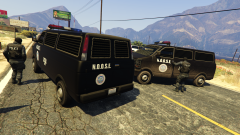 Do you have a link to the texture? Or is it yours? I quite like it.
 -
You should be able to play it. But since GTA IV's port is so bad, I don't think you can exceed medium settings.
-
I think that's caused by LSPDFR. Just remove the LSPD First Response file from your root and Plugins folder. You could also start your game using the default shortcut. At least that's how it worked for me.
-
 Just a week? Wow! I can't get my lazy ass up to actually to something. I hate it.
- 1,915 comments
- 242 reviews
-
This is pretty damn epic for your first mod (assuming that you just started learning?). And it's a must-have! :D
- 1,915 comments
- 242 reviews
-
Hey. You can see that there are lots of mods that add police vehicles (for example highway patrol cars/packs, also detectives etc... I also like the IAA guys). So, to have them actually respond, for a future update it would be nice to be able to have a setting in an ini file to customize... which vehicle models respondon what backup slotwhich cops sit insidehow many cops sit insidewhether they are available code 2whether they are available code 3whether they are only available in pursuits (like the air support unit)what guns they carry primarilywhether they are allowed to do drive-by.It could look like this: //Which backup responds [Highway_Patrol_1] slot=State //local, state, noose, swat, air, gunship vehicle=hwycar1 peds=hwyped ped_count=2 pursuit_only=false available_code2=true available_code3=true weapon_ped1=Weapon_Pistol weapon_ped2=Weapon_Shotgun allow_driveby=false [Highway_Patrol_2] vehicle=hwycar2 ... ... ...It doesn't have to be that complex, but it would be very nice to have added cars respond.
-
Because LSPDFR doesn't grab these units yet.
-

