




Iconography
Members
-
Joined
-
Last visited
Everything posted by Iconography
-
Right click --> properties --> compatibility --> always run as admin. Running as admin and having an admin account are different things.
-
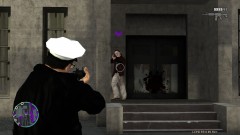 Yes. Yes I did.
 -
From the album: Psychology of Liberty City
A massive plot to break all prisoners in the Alderney State Corrections Facility was discovered early this morning. Upon the arrival of backup police forces, every prisoner, gardener and preacher opened fire with RPGs, grenades, and M4 rifles. -
Awesomeness.
-
@Nicolai Do you know if the PPM 'cheat' is still enabled?
-
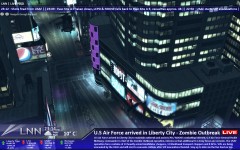 Never knew the USAF had stocks :P Another good pic.
 -
I kid. Molotovs would work though (well, for me at least).
-
Fixed :turned:
-
.91 is technically more stable (but with fewer features), since .95 RC1 has a few occasional script crashes (for some people; I have no problem) as well as quasi-broken world events and callouts (typical amount at start of duty, then trailing off to very few if any). I would recommend .95 before .91 though.
-
Should be completely safe (as long as you're running TBOGT). I did it myself a few times. I set, in Singleplayer, the Buffalo cruiser to spawn in-game by editing a group data file and then snagged one and saved it (this was before I knew SNT existed). It should be completely safe. If you want to make double sure nothing happens, you can save the game to a new slot just in case. Happens to the best of us. And you're welcome. And thanks to Jay for recovering my old thread. -- Edit: At moderator discretion, would it be possible to get this re-pinned?
-
You can try the savegame files from the site, but if they have cars saved that you modded (or they modded) the game will error out with SMPA60. You should restore GTA (or at least vehicles.img) to stock settings if using a downloaded savegame. Try that, if it still errors out, you'll have to start over or find the cars used when the savegame files were created.
-
RC1 you mean?
-
--- I had posted this a few months ago, and it was pinned, but a server failure apparently removed my post. I had no backup copy of my old post, so I had to make this one from scratch. If I forget something that was in the old post, please leave a comment! I will be updating as I remember things. --- --- Thanks Jay for merging this! --- Many people find themselves stuck wondering why their game crashes with an SMPA60 error. This post will attempt to clarify any questions involving the error, and explain what causes it and how it works. First off, the SMPA60 error is caused by modded vehicles. That's it. Single player: Whenever the game creates a savegame file it does more than just save the name of the car that is at a safe house. It seems to also record the vehicle positioning, car components, et cetera. Normally, this works just fine. The problem arises when you replace the car's data files with that of another car. When you do that, the game loads the information in the savegame file, including all the information about the car that was saved there. When you replace the data files, the game tries to apply or compare those loaded files to the files that are in the vehicle.img file. This does not work. The game is attempting to apply outdated, invalid data to data which you imported. This causes the game to "fault," which is also why the SMPA60 error is called an "Unrecoverable Fault" error. The game has no way of recovering the old car data you replaced. The only solution is to take the car you had before, place it back in the vehicles.img file, load the game, remove the car from the safe house, and then save the game. YOU CAN ONLY MOD A CAR WHEN IT IS NOT SAVED AT A SAFE HOUSE! Multiplayer: Multiplayer is a little more complex. Safe houses do not tie in with multiplayer. Instead, the problem arises when people playing a game do not have the same cars. The game becomes scrambled trying to figure out what car models and textures to load, because there are two (or more) sets of data for one car. There is no way this will work if the game tries to load a car. It has too much (different) data to work with, and errors out. THe fix here is to (preferably) use all stock vehicles, or make sure that everyone has the same cars. As a side note, editing the values in data files, such as carcols.dat, does not seem to produce errors.
-
SMPA60 error, eh? I bet you saved one of your car mods at your safe house and then saved the game. In this case, not LCPDFR related. Whatever car you replaced, swap the old version back in, remove the car from the safe house, save the game, and then replace the car. DO NOT mod a car if it is saved at a safe house. I had a guide here but it was deleted with a server failure. Will repost (sigh). EDIT: http://www.lcpdfr.com/cops/forum/topic/3000-explanation-the-smpa60-error/
-
Make sure that in ELS.ini only the cars you have in-game that are ELS enabled are set to active = 1.
-
Good to hear. Happy modding!
-
No problem :happy:
-
Cracks don't normally work with scripthooks at all, which is why there is no support for them and also why they never work. More than likely, using just the xlive that comes with his crack will not solve any problems. We just don't support cracks. http://www.lcpdfr.com/cops/forum/forum-20/announcement-6-using-an-exe-crack-read-this/
-
Not in this case. Support is for LCPDFR errors only. If you get an access denied error, you must run whatever program you are running as an administrator. Right click --> properties --> compatibility --> always run as admin. Do this for SparkIV, GTA IV, and the lcpdfr installer too.
-
Revert to the default vehicles.img for now and see if it works.
-
Use dsound OR xlive, not both. Try using just one and see how it works.
-
Yes, you can.
-
I, personally, have no problem at all with installing my applications in the default folder (x86). It really does not matter where you install them. I just place them in my programs folder since 1) they default there and 2) they are easier to keep track of if they're all in one place. It should not matter where you install applications, 32- or 64-bit. It won't affect how the game performs.
-
Please read the stickies next time. http://www.lcpdfr.co...ead-this-first/
-
You need to run the installer and the GTA IV launcher exe (launchGTAIV.exe) as an admin. Right click --> properties --> compatibility --> always run as admin. Would be wise to do this for gtaIV.exe as well.


