




Iconography
Members
-
Joined
-
Last visited
Everything posted by Iconography
-
Wish there was a graph that updated to show the number of members online. I would like to see the giant spike a few minutes after the countdown was noticed.
-
If this song gets stuck in my head, we're going to have some issues Funny, though.
-
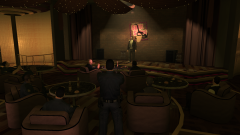 Haha this is a good one. You use SNT to position everyone?
 -
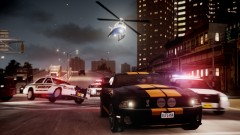 You can always spot a picture when it's from LilQ. Good work, again.
 -
If this thread was on a general GTA IV gaming website, I could possibly see it working... maybe... but recommending PPM on LCPDFR? Nope. Recommending out of date versions of the game? Not gonna work. Making statements with no links? Definitely not going to work.
-
I bought a SanDisk Ultra SSD. It had (probably still does have) the best price per GB ratio (almost 1:1). 120GB and about $130 and is stupid fast. I have never compared it to other drives personally but the specs match or beat some other drives. I know there are better ones but for the price it's amazing.
-
Try using Traffic Flow V5 R2, it's on GPM (the version on here doesn't seem to be R2). There's a setting in there that controls frequency of ambulance, police and fire dispatches. Note this limits the car pool to 20 vehicles, but TrafficControlSystem used in conjunction with Traffic Flow can create a more diverse affect. These scripts also fix the taxi bug too.
-
-
I'm surprised, myself. I saw the graphics in videos and didn't expect it to run beyond medium settings. it runs fine on ultra high.
-
Doubtful. Try removing ELS files.
-
Just go to steam, right click on your game, go to properties, go to local data and then hit verify game cache. This will restore modified or deleted files. Anyadded files, like mods, will remain.
-
Just copy in the els.asi and els.ini files, and keep the scripthooks that come with first response. It works fine with the scripthooks that come with first response. You may want to change some keybindings for ELS, since alt + m is CPR (in lcpdfr) as well as the information panel (in ELS).
-
I've always heard horror stories from people saving their game while on duty, it is not recommended at all to save while on duty as a police officer. I've never used voodooman's IV repair though, someone else will have to help with that part.
-
Well, the quick answer is yes. The long answer is yes, but only if you have a decent system. Many computers fall on their faces when using ELS (as well as high poly car mods). Car mods can cause something called the "taxi bug" where the game runs out of allocated memory and as a result only spawns taxi cabs and police vehicles. Traffic Flow V5 R2 can resolve this issue, though, but it limits the game's vehicle pool to 20 vehicles. A mod called Traffic Control System and be used in conjunction with Traffic Flow, thus removing the taxi bug to a point where it is no longer noticeable.
-
I'm guessing it's probably just something related to how the server works, probably nothing you can do to fix it. I've had multiple websites do this to me sometimes. Email notifications usually work, though.
-
If you saved while your character model was set to a police officer, your save game is completely useless. You will need to start a new game.
-
This can work, since police and police2 are the most abundant emergency vehicles. If Gnat's suggestion doesn't fix it, though, then the only other option is to not use ELS vehicles. Sometimes, there are computers that just can not do ELS to any extent.
-
You're welcome! Have fun.
-
Go to your main EFLC folder (where you installed simple native trainer) and look for the ini file that matches your game (trainertbogt or trainertlad, for example). Then open it, do a find (ctrl + f) and type in keybindingsdisabled. When you find it, change the 0 to a 1.
-
What on earth did I just watch :huh:
-
Disable hotkeys on Simple native Trainer. Either disable them with the Simple Native Trainer menu or disable them by editing the .ini file and setting keybindingsdisabled=1
-
Yeah, Jay mentioned that. I have a feeling I might be visiting it often :happy:
-
It will be interesting to see what they have to say about the mod. Sorry, I'm not big into magazines, but is it common for them to feature something twice like this?
-
Awesome, thanks for the feedback. I'm used to giving games the time they need, definitely leaning towards buying this. I've heard a little about the mods but not much. I'll have to look into those a little. Thanks.
-
Wasn't LCPDFR featured once already?


