




Iconography
Members
-
Joined
-
Last visited
Everything posted by Iconography
-
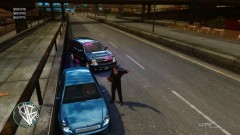 Who says I'm a fed? Just a cop. In a suit. And an undercover car ....
 -
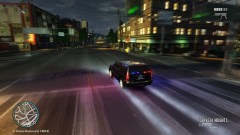 The quote Dhruv took is found in an earlier picture I uploaded, hence why it would be hard to find on this one :)
 -
From the album: Psychology of Liberty City
On my way to a very important game of darts with Roman callout in a drizzle. -
Based on Chikamru's ENB, with custom settings from flwpheonix and Original Light.
-
From the album: Psychology of Liberty City
Man, people love to speed and drive like they're drunk on the highway. Testing out an ENB (thanks, Original Light) and a Tahoe from GPM. -
I think that would be an awesome idea, myself. I would definitely be interested in that.
-
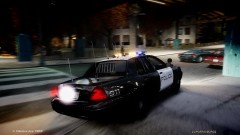 Did you modify the enb settings at all? I'm running 1.2 as well but it doesn't look like that at all.
 -
Wmai, you are a SAINT. I think EVGA Precision was screwing up ENB. I closed out of it and it did NOT crash this time. It works like a charm! Thanks man. Can be closed.
-
Thanks for the advice, but it didn't seem to work. ForceDisplaySize was already turned off, but I tried setting it to true and changing the res settings to 1920x1080, but it still crashed at the same spot.
-
 @Slimory Currently, PPM mode can not be disabled without a game restart.
 -
Hey all. I usually like to solve my own problems but this one has been nagging at me for a while now. I've seen many people, on 1.0.7.0 (though it is optimized for 1.0.4.0), running Neolux's N-RAGE ENB just fine. I've used different types of ENB before, since I stopped using ELS, but I figured that N-RAGE was too good an opportunity to pass up. I never used an ENB on my current install of GTA, so I installed all the files that came with N-RAGE after making backups, and I made sure to remove xlive since n-rage comes with dsound instead. However, after GTA gets to the main menu, where I can choose between GTA IV and EFLC, the game CTD's after a couple seconds. Typically, Windows complains about d3d9.dll, though sometimes it doesn't list anything. I've tried leaving xlive in and not using dsound, that didn't make a difference. I tried updating my DirectX, that didn't do anything. I also wiped my GTA settings (appdata\local\rockstar ...\settings\) but to no avail. I'm completely lost as to why this isn't working. If anyone has any thoughts, it would be more than appreciated. I'm running GTA via steam, if that makes a difference. Maybe someone on here has had the same issue.
-
How long did you survive? :)
-
It's definitely not an official page. Most everything is just from the trailer.
-
I found a link to the Fuel Mod on GTA Gaming. Not sure if that's the one you're thinking of. http://www.gtagaming.com/downloads/gta-iv/script-mods/2979
-
Did you install ENB or any other graphics mod? It's impossible for a data file to change all by itself. Try reinstalling Radiance mod.I haven't personally had this problem, so I'm just shooting for the most likely scenarios here. You could try uninstalling it and then reinstalling it, that has a high likelihood of fixing the problem. If it doesn't, though, someone else will have to help from here. I'm not sure what the problem is.No worries.Yes, change it to a 1.If your internet works fine for everything else except for Windows Live services, it's possible that the Live services are having technical problems. If you don't think that's the case, check to make sure it isn't behind a firewall.Find KeyBindingsDisabled in the ini and set it to 1, from 0. You can also do the same thing in-game by going into the options menu, 2nd page.
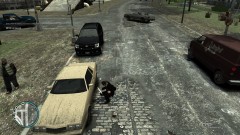
From the album: Psychology of Liberty City
The Liberty City Police Department would like to remind all citizens of the following: The LCPD will be patrolling various sectors of town with unmarked vehicles. We are searching for any citizen with a connection to drugs. The picture above shows an officer who, even from INSIDE his patrol car, was able to smell marijuana emanating from this parked vehicle. No one wants to wake up with an officer crouching next to their car. For your own safety, and for the safety of others, please do not involve yourself with drugs. Thank you.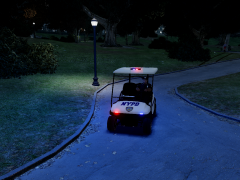 You should make a clown car next :)This is correct. Chances are your system is overloaded. Remove some car mods, and try it again.I have heard good things about Neolux's N-RAGE ENB but I could never get it to work, myself. I know a few people on here that use it, though. It is also designed to go well with ELS.


