


Custo
Members
-
Joined
-
Last visited
Everything posted by Custo
-
There isn't a template that you can follow. The most you can do is look at the current skin, and change it from there. Like for the shirt, look at the original texture and locate the front, back, left arm and right arm. I don't find it that difficult.
-
-
-
This will be updated as I update or upload mods to this site. Also, as a minor note, thanks to Cj24 for telling me how to (so call) "quote" my mods in a post. I'm going to arange them in a way so, first group of mods are mods I would recommend people to get, second group is really up to you. Would like to add, you can ask questions or discuss things about my mods. I would love to see feedback and answer questions about my mods. :) Recommended: Optional:
-
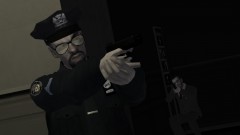
---About This Mod--- This mod gives you the missing white head model for the LCPD officers, and gives you a new set of state troopers! ---About Backing Up Files--- Just as a note to you, any and all files that have been modified has been backed up in a folder just for you! Look in the backup folder, provided in this mod, for backup files. EXCEPT! For TLAD, I forgot to backup the m_y_cop_traffic model, so that's up to you if you want to back them up. ---Authors--- Custo(Runner335) Olanov
- 7 comments
- 4 reviews
-
Even when I use them, I have no problem, nor am I annoyed by their walking style. Not like I walk around doing traffic stops, after all, that's not their purpose.Just spawn that police barrier object, works great when I'm chasing people online, they never see it comming.What police mod are you talking about? If you're referring to LCPDFR, look at this: http://www.lcpdfr.com/forum-20/announcement-5-need-support-read-this-first/Actually, don't expect any help at all. Rockstar support is a joke.I really don't understand what's wrong with their walking animation. I think it's epic and bad ass. But if you want to change it, mess with your peds.ide and look for M_Y_SWAT.Yay, I missed Caine. He was fun to play with on GTA4 and chat with, when his inbox wasn't full of course. Glad to see him comming back. Hopfully I will be able to contact him about a few things. No, not ELS related.Why would you shoot from your car anyways? The driver should, well, be driving!There isn't an option for "I joined cause my friend was on here." I would say something else, but I don't want to bash other sites. :|[quote name='Jack L
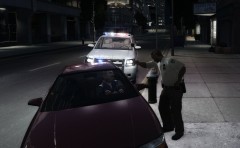 "You realize this isn't the bumper cars on Firefly?" ~M_Y_Cop_BlackBecause I want to answer your questions, I will. [quote name='Jack LYeah. And did you go through this before posting? http://www.lcpdfr.com/forum-20/announcement-5-need-support-read-this-first/That truck looks like the Enforcer's before GTA 4.Oh, he could always make a copy of the .ide, then delete everything inside it and save it while it's emepty. Then he can work on putting what ever he wants in it.These are the only two I know of for niko: http://www.gta4-mods.com/player/cop-jacket-f1936 http://www.gta4-mods.com/player/lcpd-outfit-f1915Comment on the video on YouTube, don't bump up old topics.Ok, what you said was very confusing. But what I asume is you want to mod .ide files. Just right-click, pick Open (or open with), and pick Notepad.


