


Custo
Members
-
Joined
-
Last visited
Everything posted by Custo
-
You can't replace it with the infernus, for the cops will not spawn in the car. The cops will only spawn in cop type cars. Police, police2, noose, polpatriot, ect. So, Silmory has the right idea. Just make sure your vehicle.ide line is setup correctly and you are using the correct handling line.
-
You know, I PMed him this. I didn't want to add a link to some other mod that had no relation to my mod or to even advertise some one elses mod.Don't get me wrong, it's a good mod...
- 9 comments
- 1 review
-
-
You must always consider the user asking for help might not have LCPDFR. They might be on the site, doesn't mean they always have it installed, or even installed correctly.
-
Actually, F4 is hide. 4 is left, and 6 is right. Rest you have there is correct.
-
That's if you're using Script Hook Dot Net.
-
Nope.
-
Defautly, the navigate keys are on the Numpad. Make sure Num Lock is on and start using the Numpad to navigate.
-
I use my Idle Animation Mod because I don't like standing like Niko when standing still.
-
-
Thanks to those who gave me a name suggestion. Sorry, but I didn't use them. :( I uploaded it, hope you all will enjoy it.
-
----About This Mod---- This mod improves the texture on the jacket for M_Y_STROOPER (State Trooper). Quality of his jacket is better and the color is more like the LCPD's. His shirt is colored the same as the State Trooper shirt. I know that there's no stripe, the model loads the texture weird, so the stripe looked really messed up. ----Credit---- Custo(Runner335) - I made this.
- 9 comments
- 1 review
-
So no one has anything better than "State Trooper Jacket Fix?" Don't get me wrong, I love Harper's, but something smaller than that of course. If no one has anything, I'll just release it with the name I have.
-
Did you read this before posting? http://www.lcpdfr.com/forum-20/announcement-5-need-support-read-this-first/
-
There's these two: http://www.gta4-mods.com/player/lcpd-outfit-f1915 http://www.gta4-mods.com/player/cop-jacket-f1936
-
The State Trooper Jacket Fix, I've ment to do this a long time ago, just up till now, I've been using MS Paint. Now I'm using Photoshop, and it's alot easier and faster to work on skins compared to Paint. Download: Here's a few pictures. Without texture: With texture:
-
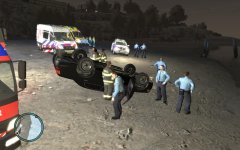 What's with all the god damn traffic cops, and no hats?
 -
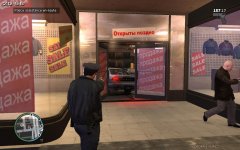 What the hell are you doing? Get your cruiser and get in there!!!
 -
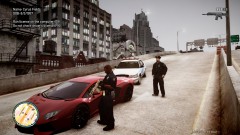 Don't use car mods. :|
 -
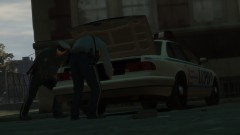
From the album: Custo's Epic Ass Pictures
My partner was searching the trunk for his walkie, still couldn't find it... Higher-res here: In-game picture:© Custo's Picture
-
Just because I am Custo, I want a Vapid Police Cruiser!
-
Thanks, glad you all enjoyed it. :)
-
I'm not sure what you need help with. As Ekalb said, EFLC is basically all the DLC Episodes for GTA4 in a seperate disc so you wouldn't need to own GTA4 just to play the new content. Other than that, I have no idea what you need steps for stuff. Please be descriptive on what you need help with.
-
I think DAS also shows the street name under the mini map.
-
TBoGT police vehicles are located here: C:Program FilesRockstar GamesEFLCTBoGTPCmodelscdimages Then you would open up vehicles.img The vehicle names are Police3, Police4, and Policeb. EDIT: Or the directory is like this C:Program FilesRockstar GamesEFLCTBoGTPCcdimagesmodels I don't remember, not at my computer at the moment. But work your way there, I'm sure you can figure it out.


