


Custo
Members
-
Joined
-
Last visited
Everything posted by Custo
-
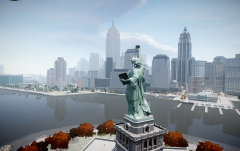 I'm glad I protect the greatest city on earth.
 -
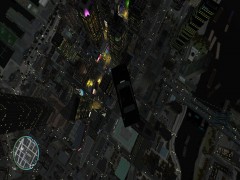 It's been converted to fly.
 -
-
I like the look of the Caprice form the 90's. :|
-
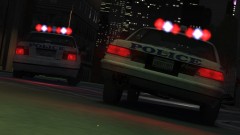
From the album: Custo's Epic Ass Pictures
Because default cars are very bad ass. Higher-res here:© Custo's Picture
-
-
Did you run the game as admin? And made sure that your Grand Theft Auto IV folder wasn't set to Read-only?
-
They are set to say a random pull over speech.
-
Yeah no...
-
It's a scenario the game spawns. There's only a few places it does this. The location you saw is one, the bridge connecting Bohan and Dukes to Algonquin is one, and at both ends of the Booth Tunnel.
-
Yo dog, we heard you liked cops...
-
That's a risk I take to protect the great city of Liberty.
-
Well, that's mostly cause the non-modders are seperated from players who mod. So players who mod mostly have to deal with the idiots who abuse trainers. Most of the time, policing a small room is more enjoyable than a large room. It's even more fun when you get a friend to join you with the policing of the server. We always try to police the crap out of free modes as much as we can. And by policing I mean, make everyone rage quit cause we are cops, lol.
-
It's a question I've been thinking about for the users of this site. For, probably, most of you just play LCPDFR and possibly car mods as well. The odds are you're probably in Single Player for most of your game time. But I rarely use LCPDFR (unless I'm really bored), and I don't use car mods, mostly because I'm joining random free modes to police. Does anyone else do this? I'm just wondering. Just joining random free modes and chasing the random players who get wanted and only when they get wanted. Anyone else do this, or you guys just play LCPDFR?
-
I'm affraid most players I meet on GTA4 and TF2 suffer from this horrible disease.
-
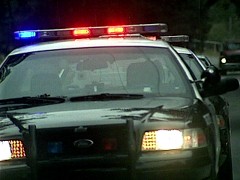 Totally GTA related...
 -
You import the original model over the moded model. That's if you remembered to backup the original.
-
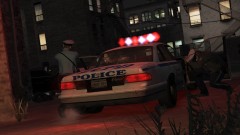
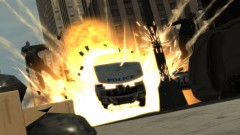
From the album: Custo's Epic Ass Pictures
"Get down, they're armed!" ~M_Y_Cop_White Higher-res here:© Custo's Picture
-
Only thing I did that's not from the normal uniform, was add a sergeant skin so cops occationally spawn with that patch.
-
Cause it is going out of style! FUUUUUUUUUUUU- But it's just the normal blue uniform. I guess I should blame my brightness and contrast, and Windows Movie Maker. >_>
-
I made a LCPD video months ago and uploaded it to YouTube. Up till now, YouTube had the video blocked. Recently they unblocked it! I have no idea if they plan on reblocking it or not, so I thought I'd should show it off! Hope you all enjoy it.
-
1. Ask for help in the support section. http://www.lcpdfr.com/forum/20-support/ 2. Consult this topic before posting. http://www.lcpdfr.com/forum-20/announcement-5-need-support-read-this-first/
-
-
If you go to the Buger Shot in Star Junction, then head west, the Police Station should be on the right.
-
I'd say go with Xfire, it's free, easy to use, and if you wanted to, you could upload it to Xfire's site and it will be linked to your account. Or you could take that video and do what you want with it.


