


Custo
Members
-
Joined
-
Last visited
Everything posted by Custo
-
I was able to get it to work a long time ago. I forgot how though. The way I did it, it's a long process and a pain in the ass. I'm sure someone else might know an easier way to get it to work.
-
I don't play San Andreas. So yeah, no.
-
For LCPDFR, I don't think it turns on any type radio. As long as you are in single player and using a police vehicle, there should be no radio on. From what I know, PPM force turns on Independence FM to play their police radio. Which is some sound files they through into the folder for Independence FM. I'm pretty sure there's no way of turning this off, other than removing the mod its self.
-
That's incorrect. There's two seperate cop models used for the DLC. The DLC does not use the default location for the cop models. For TLAD and TBoGT, you will need to go to it's directorys: C:Program FilesRockstar GamesEFLCTLADPCmodelscdimages C:Program FilesRockstar GamesEFLCTBoGTPCmodelscdimages
-
Pretty much any mod from GTA 4 (as long as it's compatible with the lastest patch) will work on EFLC.
-
The Random section sums up this topic.
-
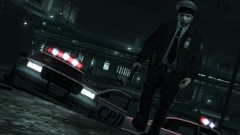
From the album: Custo's Epic Ass Pictures
Now split up! We gotta find this bastard!© Custo's Picture
-
-
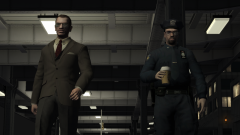
From the album: Custo's Epic Ass Pictures
Because when the player is around, you gotta be ready for anything. Higher-res here:© Custo's Picture
-
-
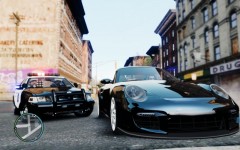 Fucking fat cops...
 -
I'm sure I've seen the LS, SF, and the LV skin already. In GTA4 I mean.
-
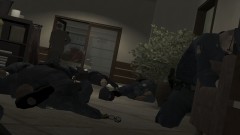
From the album: Custo's Epic Ass Pictures
Niko came by the office today, left with less ammo that's for sure. Higher-res here:© Custo's Picture
-
No, just use this one: http://www.gtagaming.com/downloads/gta-iv/script-mods/2284
-
In-game trainer works just fine for me, are you using it on GTA4? Or EFLC?
-
This: http://www.gtagaming.com/downloads/gta-iv/script-mods/2284 EDIT: No it's not, think I found the better version, updated the link.
-
What are you talking about? I've never had a problem with Player Selector.
-
Then use Player Selector.
-
Well you could give this a try: http://gtaivsa.com/
-
What you can do, is pressing Alt+F11, then if it's a call you already got, decline it and do Alt+F11 again.
-
-
I highly doubt version 7 will ever be out. For the author who created it left the modding scene.
-
ELS V5 was the first time ELS was able to set AIs to use the ELS lights. The bug was it would never set the police vehicles to be deleted, causing spam. Due to the spam, your game must prevent its self from crashing by stoping traffic spawn. Eventually you will crash due to the spam. ELS V6 fixed the spam problem. Only problem it has, is because of the ability of deleting vehicles that use ELS, this could cause an accidently deletion and crash the game. ELS is not perfect, so you will expect errors. I still perfer V6 over V5 for I don't like the spam. You could always disable the AIs using ELS, would stop alot of crashing on your end.
-
The texture problem is an easy fix. SparkIV has problems replacing huge textures, use OpenIV instead. OpenIV can handle huge texture Export, Import, and Replacing. The vehicle not spawning in-game, no idea. I've heard of players having this problem before, and of course after a while, they some how get it to work. Don't know how. I can say is try to reinstall the model, but still don't know about that. He's probably right about that.
-
As Jay said, read this before posting in the Support section: http://www.lcpdfr.com/forum-20/announcement-5-need-support-read-this-first/ And WinRAR can be found here: http://www.win-rar.com/download.html


