


Custo
Members
-
Joined
-
Last visited
Everything posted by Custo
-
You'd think so, I don't know what to call it. I am not a fan of these cop movies, but this one was really good. I do recommend going to see it.
-
Have you tried pausing your game, then Alt+Tab out of it and back? Try that and see if it recovers.
-
Another video about one of BxBugs cars. No one cares!
-
-
All you're doing is saying the pull over speech. The AI doesn't hear it. Pressing Left Shift will tell the AI to pull over.
-
In Multiplayer you can. Create a new room. Before starting the match, look for the option that says POLICE. Switch it off. Congrats, you made Liberty City vulnerable to terrorists!
-
-
-
 Whatever, I like the police spawning in their place, it's more funny.
 -

-
-
From the album: Custo's Epic Ass Pictures
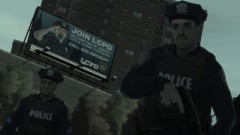
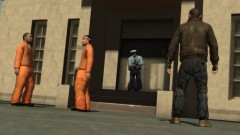
Because I hate the anoying preachers, I told the game to spawn them as cops. Now they're more likable. Higher-res here:© Custo's Picture
-
SMPA60 is an error triggered by car mods. If you have them in your game, that's an error you can get when crashing. But this error mostly comes up in Multiplayer, because players that don't know that it can crash other players will play online with them. The game notices model differences amongst the players with car mods. So once the game has a problem with the vehicle models, it will get the SMPA60 error. I didn't know you can SMPA60 in Single Player, unless you were testing in Multiplayer.
-
Well duh 1.0.7.0. Anyone using the older patches obviously can't enjoy the Multiplayer feature. How can I police without the unpredictable/predictable noobs?
-
-
4copsGrand Theft Auto IV Team Fortress 2 PAYDAY: The Heist Max Payne 3 SWAT 4Cool idea, but that wouldn't work. For when another player is in the driver seat of a vehicle, they have full control over the vehicle. No other game can tell their vehicle to turn off for any reason. For you it might be off, but it will turn its self back on when the game gets sync information from that player. You can test this theory by having a friend sit in a car, and you ride shotgun. Using Simple Native Trainer, turn his vehicle off and you will notice his vehicle turning back on almost instantly. Also, same thing with locking the vehicle, except it will be locked for you and not the other player (when the other player is driving the vehicle).You'll need the latest version of script hook dot net. http://www.gtaforums.com/index.php?showtopic=392325


