


Custo
Members
-
Joined
-
Last visited
Everything posted by Custo
-
LCPPD? Is that a piss joke?
-
It's a forum...
-
Did you change the spawn in pedgrp.dat?
-
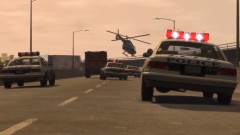 This one ended in the guy driving into the water and found a rain of fire shortly after.
 -
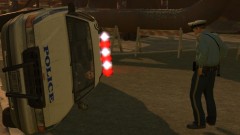 That's not Cleve, that's me.
 -
No, I don't consider my self one and for a few reasons.
-
-
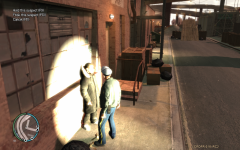 It's cause he's black.
 -
-
-
From the album: Custo's Epic Ass Pictures
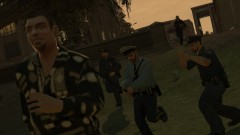
He's just like his cousin. Higher-res here:© Custo's Picture
-
That's good to know.
-
And I was replying to your reply that was aimed at the original reply.
-
Then you are able to use them. I'm saying if you're wanting some others made how you'd want them, you'd have to make them. If it's already made, you can use them without a problem.
-
It's a model, you'd have to make it your self. No, I don't know of much tutorials out there.
-
Well shit, I hope so. https://maps.google.com/maps?q=boston&oe=UTF-8&ie=UTF-8&hl=en
-
You should install the needed pedVariation needed for them so they spawn with their pants. If you check the readme, it says what they need. If you moved my model to another model besides m_y_cop, you need to move all needed information with them. As in voices (peds.ide), clothing spawn (pedVariations.dat), and if that ped wasn't originally a cop, you need to add cop attributes to that ped in pedpersonality.dat.
-
No shit. But when this bug is active, you can not customize the reflection, that's what he ment. Please try to read before posting.
-
Hello, this is something I've known for a long time now and has recently come to my attention that most players out there do not know how to do this. It's rather simple, I'll also update this post to anything new found about it either by me or other players. It will be quoted. Ok, so this is more of a bug, for it seems ELS was never setup to support added vehicles, or anything outside of the police vehicle models. This bug will glitch the mod to work on ALL vehicles that are in the game. So if you accidently press the on key in a civ car, you might see components in it fliping shit. Just turn it back off. To activate this mod can be done in one or two ways. The first way is to disable all the vehicles in the vehicle list in ELS.ini The second way is to mess up the order of the vehicles. As it starts with ambulance and works its way down a list of police vehicles, change it up a bit, or rename one. Doing this will cause it to bug out and turn its self on all of the vehicles. Known Bugs/Problems -Turns on for ALL vehicles in the game. -Environment lights are all reverted to default and can not be customized. ~as reported by Ridgerunner. -Only works on ELS V6.
-
The Job value is setup for peds who are spawned during a job sequence. Of course, this value is bugged and only works on the police. I'm sure the original idea is that when a security guard, taxi driver, food vender, or cop spawned, they'd spawn with specific clothing. So the idea is, you can see a civillian version of them. Good idea, to bad it's not setup that way. Since the cops are, well shit, always cops. Here's how the Job value works. If it's set to 0, when a cop spawns, he will not spawn with it. This rule mostly applys to hats and glasses. Clothing that is attached to the model its self is not normally affect. Just has a lower chance of spawning. So if you wanted the police to stop spawning with hats, naturally, turn the value for p_head to 0. You will notice police will stop spawning with hats. If you check their hat models via SparkIV, or OpenIV, you will notice there are glasses as well! To make them spawn with glasses, you need to set the p_eyes job value to 1. Of course, these hats/miscs that don't normally spawn are not in the list in pedVariations.dat. Since the rule is the same all around for this file. Just copy p_head line, paste it under the bottom line, and rename it to p_eyes. Now if you have a second hat you would like them to spawn with, you will just need to update the geometry value. Witch is, what number model is this? For this instance, 1. I noticed fat cops have a watch with their hats, it's model name is p_lwrist. So, same steps with the glasses. Bam! Fat cops now spawn with watchs. As a final note when adding these new lines, you must update the number next to the model name. That number tells the game, how many clothing variables that model has. If the number is under the amount of lines that are bellow, you will crash apon loading the game up. So make sure this number is up to date when adding new lines. Removing lines and not updating the number doesn't seem to affect it. EDIT: Holy fucking shit, why did I type all of this?! o_0
-
-
In-Game trainer unlocks all the doors, including the prison doors, without any hotkey needed. Only key it has is F1 to open the menu.
-
Here's my .ini setup and a video. [ CONTROLS ] ToggleLightsPri = 55 // J by default ToggleLightsSec = 56 // K by default ToggleLightsWrn = 57 // L by default BrowseModePri = 49 // U by default -- Info. panel must be toggled on for effect BrowseModeSec = 50 // I by default -- Info. panel must be toggled on for effect BrowseModeWrn = 51 // O by default -- Info. panel must be toggled on for effect ToggleInfoPanel = 54 // M by default -- Alt key must be pressed as well ToggleAutoMode = 52 // T by default -- Alt key must be pressed as well ToggleHazLights = 53 // Y by default -- Alt key must be pressed as well ToggleSirens = 48 // G by default [ GLOBAL VALUES ] Resolution_W = 1920 // Your game resolution width -- Default 1920, do not alter Resolution_H = 1080 // Your game resolution height -- Default 1080, do not alter DisplayLocation = 0 // 0 Off / 1 Only on with info. panel / 2 Always on when in a vehicle Range_LightsF = 0 // Range of headlight environment lights Intens_LightsF = 0 // Intensity headlight environment lights Range_LightsP = 0 // Range of primary environment lights Intens_LightsP = 0 // Intensity of primary environment lights FlashSoundFx = 0 // Enables or disables ticking sound when lights are active FlashDelaySP = 0 // Flash speed delay for ELS lights in SP (in milliseconds) / higher is slower FlashDelayMP = 0.5 // Flash speed delay for ELS lights in MP (in milliseconds) / higher is slower Ai_ELS_SP = 0 // Toggles ELS on/off for AI in SP Ai_ELS_MP = 0 // Toggles ELS on/off for AI in MP / Not recommended with other players [ AMBULANCE ] Active = 0 Halogen_Only = 0 Color_Light1L = 0 Color_Light2L = 0 Color_Light3R = 0 Color_Light4R = 0 Color_Light7L = 3 Color_Light8C = 3 Color_Light9R = 3 Offst_SLights = 3 [ FBI ] Active = 0 Halogen_Only = 0 Color_Light1L = 0 Color_Light2L = 0 Color_Light3R = 0 Color_Light4R = 0 Color_Light7L = 3 Color_Light8C = 3 Color_Light9R = 3 Offst_SLights = 0 [ FIRETRUCK ] Active = 0 Halogen_Only = 0 Color_Light1L = 0 Color_Light2L = 0 Color_Light3R = 0 Color_Light4R = 0 Color_Light7L = 3 Color_Light8C = 3 Color_Light9R = 3 Offst_SLights = 3 [ NOOSE ] Active = 0 Halogen_Only = 0 Color_Light1L = 0 Color_Light2L = 0 Color_Light3R = 2 Color_Light4R = 0 Color_Light7L = 3 Color_Light8C = 3 Color_Light9R = 3 Offst_SLights = 0 [ NSTOCKADE ] Active = 0 Halogen_Only = 0 Color_Light1L = 0 Color_Light2L = 0 Color_Light3R = 0 Color_Light4R = 0 Color_Light7L = 3 Color_Light8C = 3 Color_Light9R = 3 Offst_SLights = 0 [ POLICE ] Active = 0 Halogen_Only = 0 Color_Light1L = 0 Color_Light2L = 0 Color_Light3R = 0 Color_Light4R = 0 Color_Light7L = 3 Color_Light8C = 3 Color_Light9R = 3 Offst_SLights = 0 [ POLICE2 ] Active = 0 Halogen_Only = 0 Color_Light1L = 0 Color_Light2L = 0 Color_Light3R = 0 Color_Light4R = 0 Color_Light7L = 3 Color_Light8C = 3 Color_Light9R = 3 Offst_SLights = 0 [ POLICE3 ] // EFLC Active = 0 Halogen_Only = 0 Color_Light1L = 0 Color_Light2L = 0 Color_Light3R = 0 Color_Light4R = 0 Color_Light7L = 3 Color_Light8C = 3 Color_Light9R = 3 Offst_SLights = 0 [ POLICE4 ] // EFLC Active = 0 Halogen_Only = 0 Color_Light1L = 0 Color_Light2L = 0 Color_Light3R = 0 Color_Light4R = 0 Color_Light7L = 3 Color_Light8C = 3 Color_Light9R = 3 Offst_SLights = 0 [ POLICEB ] // EFLC Active = 0 Halogen_Only = 0 Color_Light1L = 0 Color_Light2L = 0 Color_Light3R = 0 Color_Light4R = 0 Color_Light7L = 3 Color_Light8C = 3 Color_Light9R = 3 Offst_SLights = 0 [ POLPATRIOT ] Active = 0 Halogen_Only = 0 Color_Light1L = 0 Color_Light2L = 0 Color_Light3R = 0 Color_Light4R = 0 Color_Light7L = 3 Color_Light8C = 3 Color_Light9R = 3 Offst_SLights = 2 [ PSTOCKADE ] Active = 0 Halogen_Only = 0 Color_Light1L = 0 Color_Light2L = 0 Color_Light3R = 0 Color_Light4R = 0 Color_Light7L = 3 Color_Light8C = 3 Color_Light9R = 3 Offst_SLights = 5
-
I mostly use in-Game trainer to unlock the doors that are locked with in the city.
-
Are you using SparkIV or OpenIV?


