


Custo
Members
-
Joined
-
Last visited
Everything posted by Custo
-
-
I'd think when some files were moved the game thinks everything is moved and starts to load incorrect objects. Then again, the game was never setup to support such modding. So you know.
-
Use in-game trainer, it's an old trainer that only works in Single Player, but it unlocks all the locked doors on the map defaultly and same online. http://www.gtagaming.com/downloads/gta-iv/script-mods/2128
-
I know I had shit at the PD missing and random huge clocks around the city when I worked with added peds. Of course, I tested this on ELFC. Since I took out my added peds, I still have giant ass clocks around the map. I think I just need to reinstall EFLC, so this might be the same case with you.
-
Ok, try this. In ELS.ini, replace police3 and police4 with something else, any vehicle model. And see if ELS works on all vehicles or w/e. If not, I notice disabling all the vehicles in the .ini seem to trigger that too.
-
-
If it says you can't spawn the model, it's probably because the model isn't in the game, or the game isn't being told to load the model. Check default.dat, gta.dat, and images.txt. C:Program FilesRockstar GamesGrand Theft Auto IVcommondata
-
policew isn't a valid model name, unless you added it in. If you want it to drive around, use Traffic Spawner. EDIT: Oh right, the broken police cruiser. No, you can't have it act like a cop car. That's coded with in the game its self, I don't know how to add cars or remove.
-
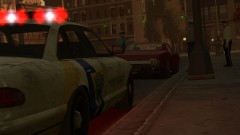
From the album: Custo's Epic Ass Pictures
State troopers doing a traffic stop on a well known mob boss. Higher-res here: Different angel:© Custo's Picture
-
Your graphics card might not be able to support the high quality car models you have in your game. You can try something, but don't be going crazy bumping up your games graphics. Create a text document with Notepad and call it commandline.txt. Insert the following into it: -availablevidmem 2.0 -percentvidmem "100" -novblank -norestrictions -noprecache Save, and place it into GTA4's directory. If you're still downgrading, you can try bumping up availablevidmem to like 5.0. But if it still downgrades and your map continues to go away, you might have to resort to removing the vehicles and staying with the default ones.
-
Mostly when we are host. Yes, but it's rather unstable online and can cause you to crash, so expect that.
-
I did some more testing. I notice if you fuck up the list of vehicles the .ini has, it will activate its self on all vehicles. So either add a vehicle with in the list or delete some vehicles. ELS will work on all. So it works on pratically any model name. Even renaming one of the existing model names, will seem to cause the glitch for it to be on every vehicle.
-
I don't know. I'd say reinstall it, but I know how slow steam is with that.
-
Try this. Make sure Steam is running as admin. If not sure, close it out and restart it as admin. Go to GTA4's directory, run GTAIV.exe application as admin once. You will get some sort of crash error. That's fine, it's expected. Then right-click LaunchGTAIV.exe and pick Properties. Go to the Combatibility tab and add a check mark for "Run this program as an administrator." Apply and close. Then run LaunchGTAIV.exe as admin, this should help the game support mods.
-
I guess you have a Steam version of the game. After validating, did you run the game and made sure it's fully patched before trying to install mods?
-
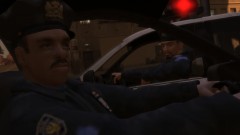
From the album: Custo's Epic Ass Pictures
Fear my medium texture quality! Higher-res here:© Custo's Picture
-
Lol, I play online with my friends, and they really wanted a few vics in their game. So I wanted to help them out with adding them in so I don't crash and I can see them as well. So after one test, ELS worked on added vehicles. I have no idea how people can't make it work on added vehicles. Actaully, I some how fucked it up to work on ALL vehicles, so that's strange. But you know, I don't plan on really using it outside of the added vehicles I intend for them.
-
-
Police5 model has no sirens or lights since the following models are set to have police aspects for them: police, police2, police3, police4, policeb, noose, polpatriot, nstockade, pstaockade, fbi. There is no way (from what I know) to get other models besides ones listed above to have this aspect. ELS can support added vehicles. Infact, I do have about 4 added car mods into my game and ELS runs off of the added vehicles with no problem.
-
Where does it crash? Loading screen isn't that specific. Are your files setup correctly for your vehicles and weapons? Usually, one miss type could cause a crash apon loading the game or loading model.
-
Cake, the answer is cake.
-
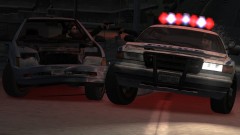
From the album: Custo's Epic Ass Pictures
Well shit, I hope the police. Higher-res here:© Custo's Picture
-
-
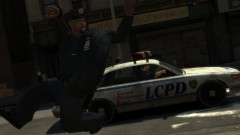
From the album: Custo's Epic Ass Pictures
Oh god, where's my partner going? Higher-res here:© Custo's Picture
-
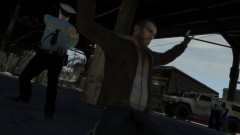
From the album: Custo's Epic Ass Pictures
Come on Niko, run faster next time. Higher-res here:© Custo's Picture


