
Skip to content
View in the app

A better way to browse. Learn more.

LCPDFR.com

A full-screen app on your home screen with push notifications, badges and more.

To install this app on iOS and iPadOS
  1. Tap the Share icon in Safari
  2. Scroll the menu and tap Add to Home Screen.
  3. Tap Add in the top-right corner.
To install this app on Android
  1. Tap the 3-dot menu (⋮) in the top-right corner of the browser.
  2. Tap Add to Home screen or Install app.
  3. Confirm by tapping Install.

Wilderness Callouts 0.6.0

(66 reviews)

16 Screenshots

Gx2GCQD.png
Requires RAGEPluginHook 0.65+LSPDFR 0.4.1+ and RAGENativeUI 1.6.3+

Current Callouts

  • Possible illegal hunting
  • Rocks blocking the road
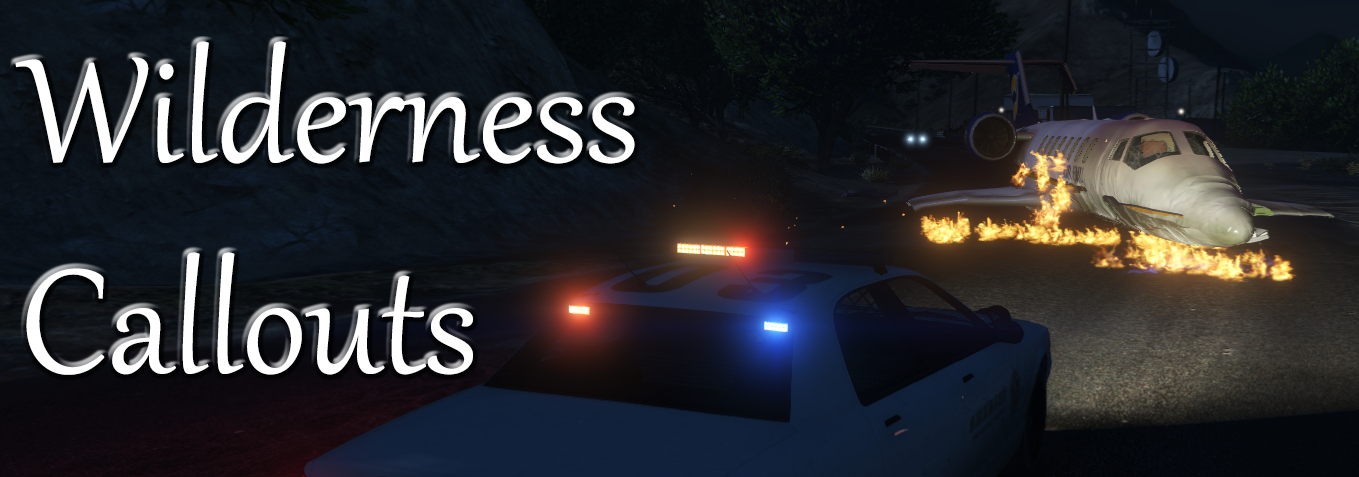
  • Aircraft crash
  • Wanted felon in vehicle
  • Suicide attempt
  • Animal attack
  • Missing person
  • Public disturbance
  • Hostage situation
  • Arson
  • Officer needs transport
  • Attacked police station
  • Demonstration


Extra Features

  • Air ambulance
  • Vet
  • Binoculars
  • Hunting and fishing license check
  • Helicopter camera


Ambient Events

  • Someone hunting
  • Public intoxication


Post

To see development progress, suggest ideas or report bugs go to this post: 

Videos


What's New in Version 0.6.0

Released

v0.6.0

Special thanks to @PeterU for contributing to this update.

  • Updated for LSPDFR 0.4.
  • Added integration with Police SmartRadio
    • Vet and air ambulance can now be called from the radio.
  • Fixed typos.
  • Source code released on GitHub.

User Feedback

Recommended Comments

LtBronco

Members

I can't begin to tell you how excited I am to see Wilderness Callouts make a comeback.  Awesome!

Guest Off Tobias

Guest Off Tobias

Guests

how to install?

kevman0922

Members

Will this plugin work with 0.4 or do I have to have 0.41?

Jonson32

Members

how do I use the binos? is it callout specific or something that i can do to get them?

Christopher0

Members

I've played with this pack for a couple of hours now and haven't gotten the demonstration callout.


To open the wilderness menu press ctr+O

Seath47

Members

Call a Vet always crash lspdfr

LostBoyLazarus

Friends of LSPDFR

I'm loving the variety of calls that this pack provides, however I'm finding myself having some issues. I've had a scan over the comments here but didn't find any solutions.


1. Ending calls sometimes doesn't work. I've had to force the call to end some of them. Not sure why this is. Sometimes they finish by pressing END, sometimes but pressing the combination as instructed on screen and others via the END CALL option on the radio. Just seems a bit complicated.


2. Following completion of a call, blips don't vanish from the map. After a few calls, it starts looking like a bit of a mess. Could this be because I am using a persistence mod? POI, if it is because of that, it doesn't appear to affect other callout packs.

Jonson32

Members

(edited)

On 4/12/2019 at 12:13 AM, Jonson32 said:

how do I use the binos? is it callout specific or something that i can do to get them?

asking again if anyone has a clue.

the ctrl + o menu doesn't have the binoculars and its enabled in the ini

is there a way to use them or is it callout specific?

edit: nevermind i didn't notice the ini had a binoculars section


Edited by Jonson32

LostBoyLazarus

Friends of LSPDFR

I've noticed that the "Attacked Police Station" callout triggers sometimes but as quick as it is given, it is cancelled again. Initially, I wondered if it was to do with the distance I was from the location, however after trying to force the call via Callout Manager in the vicinity of various police stations, the same thing happens. Can you confirm please if this call is functional and if so how I might go about getting it to work?

BadBrad134

Members

Hello I am using this callout with callout manager, and I cant seem to get the murder investigation to ever load. Can someone help me with this issue? Thanks!

mertrin1ty

Members

can i use it for LSPDFR 0.4.2?

InfamousMZ

Members

i hope this will be updated to 0.4.2! 🙂 great callouts


tempaccount123

Members

hostage situation not working . It briefly displays the questions i can ask the comander then it disapears.

JasonAdam

Members

plz update

RTK7

Members

Dear community,


i was wondering if somebody could help me with my problem. I would like to change some of the responding cars (for example the "suicide callout"). There are waiting Ambulances etc. and i was wondering if it is possible to add a responding car, which is already waiting for me on scene, or to change. 
 

Best regards

Unable to get it working Now no Callouts from this Pack seem to work anymore won't spawn and even tried using callouts manager and says the callout is unable to start on all of them

WiLKKiNG

Members

On 10/6/2019 at 11:59 AM, Aussie Copper 96 said:

Unable to get it working Now no Callouts from this Pack seem to work anymore won't spawn and even tried using callouts manager and says the callout is unable to start on all of them

we need to wait for a update i guess.

Pierruno

Members

Please update for 0.4.4

Nick181983

Members

Attacked police station: callout manager failed to start Attacked police station any reason??

tutruHacer

Members

please update for 0.4.4.

Deactivated Member

Deactivated

Sry to ask but what is "vet"?

Skenda

Members

hey why the options for Attack Station Police not working and 3 more call out not working am using call out menger and l try start options but thet police attack not  work?

crashingUser

Members

Serbian bad guys stole her money. I'm curious, how did you choose Serbia from all other countries?

Screenshot.jpg

19hargerchrisa

Members

Is this for the latest patch?

koalateatimes

Members

On 12/29/2019 at 6:03 PM, Shad0wDK6 said:

Sry to ask but what is "vet"?

I am guessing like maybe a veterinarian specialist or animal doctor of some kind at least

Create an account or sign in to comment

Latest Mods

Account

Navigation

Search

Search

Configure browser push notifications

Chrome (Android)
  1. Tap the lock icon next to the address bar.
  2. Tap Permissions → Notifications.
  3. Adjust your preference.
Chrome (Desktop)
  1. Click the padlock icon in the address bar.
  2. Select Site settings.
  3. Find Notifications and adjust your preference.

