
alexguirre
Members
-
Joined
-
Last visited
Files posted by alexguirre
-
This plugin makes the flashlight on your weapon stay on when you're not aiming and when you're in a vehicle.
To toggle the flashlight you use the same controls as in the normal game, E on the keyboard and DPad Right on the controller, by default.
OPEN SOURCE
-The source code is hosted on GitHub under the MIT license.
- 70,337 Downloads
- 60 Comments
Updated -
Installation
Install RAGEPluginHook 1.74+. Drop the "Spotlight.dll" file and "Spotlight Resources" folder into the "Plugins" folder in your game directory.
Controls
This plugin has 3 input layouts:
Keyboard:
For toggling the spotlight press I.
For moving it use the NumPad (NumPad4, NumPad6, NumPad8 and NumPad2).
For tracking peds or vehicles press NumPad3. Controller:
For toggling the spotlight press LB + X.
For moving it use the left stick. You can change this to the right stick or the DPad in the General.ini file. Mouse:
For toggling the spotlight press I.
For moving it hold down the left control key and move your mouse.
And to open the in-game editor press F11.
Check General.ini file to change which keys/buttons should be used, or if any controls should be disabled.
Source code
- 510,282 Downloads
- 476 Comments
Updated -
Requires RAGEPluginHook 0.65+, LSPDFR 0.4.1+ and RAGENativeUI 1.6.3+
Current Callouts
Possible illegal hunting Rocks blocking the road Aircraft crash Wanted felon in vehicle Suicide attempt Animal attack Missing person Public disturbance Hostage situation Arson Officer needs transport Attacked police station Demonstration
Extra Features
Air ambulance Vet Binoculars Hunting and fishing license check Helicopter camera
Ambient Events
Someone hunting Public intoxication
Post
To see development progress, suggest ideas or report bugs go to this post:
Videos
- 427,542 Downloads
- 303 Comments
Updated -
This plugin makes the headlights flash while you have your siren on or you can toggle them with T without having your sirens on.
Check the Emergency Strobes Configuration.ini file to change various settings and controls.
The patterns can be changed in the Emergency Strobes Patterns.xml file.
REQUIREMENTS
-RAGEPluginHook 0.50+
INSTALLATION
-Drop Emergency Strobes.dll, Emergency Strobes Configuration.ini and Emergency Strobes Patterns.xml into Grand Theft Auto V\Plugins\
OPEN SOURCE
-The source code is hosted on Github.
SHOWCASE VIDEO
- 71,257 Downloads
- 247 Comments
Updated -
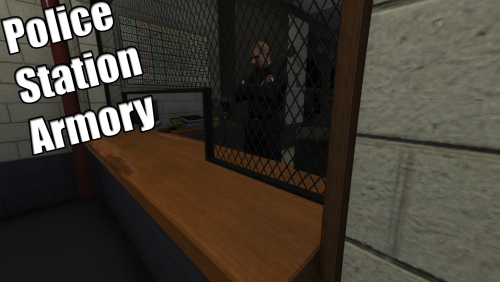
Police Station Armory
v1.4
This plugin allows you to take any weapon you need from the Downtown Police Station. You can even create your own custom loadouts to quickly get all the weapons you want at once.
Read the README.txt file for installation instructions, how to use this plugin and how to create the loadouts.
Source Code
- 107,719 Downloads
- 127 Comments
Updated -
Spike Strips V
Check the Spike Strips V Configuration.ini file to check the controls and change them and enable/disable the animations and the deploy from police vehicles option.
Source code avalaible at GitHub.
Installation
-Install RagePluginHook(Open Alpha - 0.47). Not tested with previous versions.
You can download it from here:
http://ragepluginhook.net/Downloads.aspx
-Drop the folder "Plugins" inside
the main GTA V folder, where GTA5.exe is.
- 151,892 Downloads
- 131 Comments
Updated -
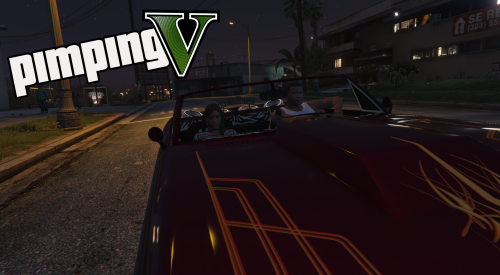
Do you remember the pimp missions from Grand Theft Auto San Andreas? This plugin brings back those missions to Grand Theft Auto V.
After installation, in-game load the plugin typing "LoadPlugin PimpingV.dll" in the RPH console, then to start the pimp missions enter in a vehicle with the model specified in the configuration file(by default BUCCANEER2) and press your context key(by default E/DPad Right). To end them, hold your context key.
Source code available at GitHub.
REQUIREMENTS
RAGEPluginHook 0.42.969.8470 or above (not tested with previous versions)
INSTALLATION
Drop the contents inside PimpingV v1.0.rar\Plugins in the Plugins folder from your GTA V directory.
PREVIEW VIDEO
- 405 Downloads
- 10 Comments
Updated -
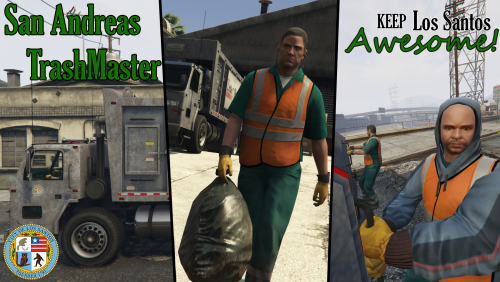
San Andreas TrashMaster is RAGEPluginHook based plugin, that finally will allow you to do what you always wanted to do... clean the trash of San Andreas!!!
Features
Two types of job: driver and trash picker. XML based routes, save and settings systems. In-game route creator. Money system(tp upgrade your truck, buy new buildings...) Please read the documentation file included in the download. There it says the requirements, how to install it, how to play it and how to use the in-game route creator. There are two. One is a notepad text file for those who cannot access the other document.
You can do your own routes, and if they are cool share them!
- 3,302 Downloads
- 35 Comments
Updated -
About
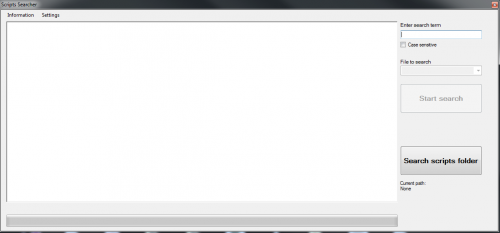
Scripts Searcher is a development tool that allows you to search throw the GTA V decompiled scripts for a specific native or any other term fast and easy. It can useful to know in which script a native is use or how it is used. It has other features like open a specific script with Notepad++ or select a native an open its page in the NativeDB.
How To Use
Search:
1.Download the GTA V decompiled scripts.
Get them here: http://www.dev-c.com/gtav/
2.Click the "Search scripts folder" button.
3.Navigate to your decompiled scripts location.
4.Type the search term.
5.Click the "Start search" button.
6.Wait. Open a decompiled script with Notepad++ directly:
1.Install Notepad++.
Get it here: https://notepad-plus-plus.org/download/
2.After a search, highlight the name of a file.
3.Press E or right click to open the context menu and select "Open Notepad++" Open NativeDB directly:
1.After a search, highlight a native name.
E.g.
Line: PLAYER::GET_PLAYER_PED(a_0); -----> Text to highlight: GET_PLAYER_PED
Line: if (UNK::_8AA464D4E0F6ACCD()) { -----> Text to highlight: 8AA464D4E0F6ACCD
2.Press Q or right click to open the context menu and select "Open NativeDB" *You can change the shortcut keys in the settings.
- 207 Downloads
alexguirre in ToolsSubmitted