
Skip to content
View in the app

A better way to browse. Learn more.

LCPDFR.com

A full-screen app on your home screen with push notifications, badges and more.

To install this app on iOS and iPadOS
  1. Tap the Share icon in Safari
  2. Scroll the menu and tap Add to Home Screen.
  3. Tap Add in the top-right corner.
To install this app on Android
  1. Tap the 3-dot menu (⋮) in the top-right corner of the browser.
  2. Tap Add to Home screen or Install app.
  3. Confirm by tapping Install.

GrammarPolice 1.8.3

(82 reviews)

4 Screenshots


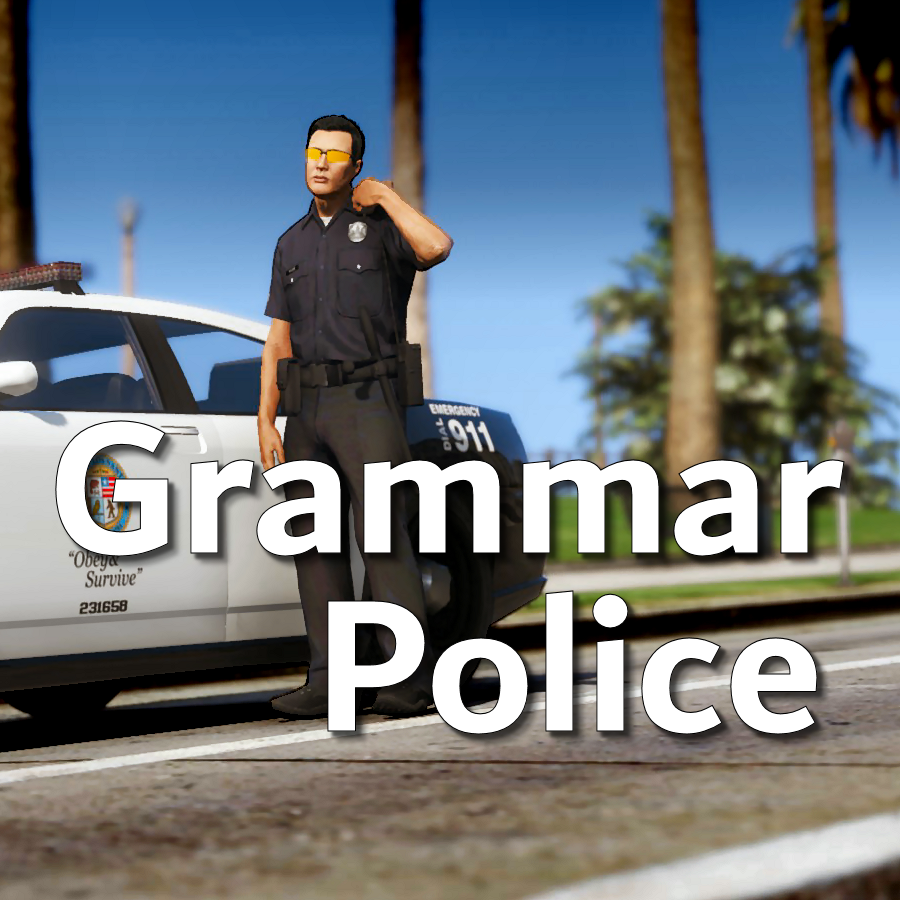
Welcome to Grammar Police!  This plugin began as a replacement for VocalDispatch but has grown into much more!


Speech Recognition

  • Issue commands to the dispatcher using your microphone
  • Includes a "hold to talk" feature that simulates a real radio
  • Supports StopThePed and UltimateBackup out of the box
  • Contains multiple sets of "10 codes" or customize yourself
  • Request backup, run plate checks, accept callouts and more!


Non-Verbal Interactions

  • Use an on-screen radio to interact with the dispatcher
  • Also includes a Officer Plugin Status style menu system
  • Both systems are fully customizable!


Language Support

  • English
  • French
  • German
  • Spanish


Technical Support


Tutorial Videos

Edited by opus49

What's New in Version 1.8.3

Released

Grammar Police 1.8

  • Restored player status display on PTT release (thanks OfficialFlipPlayz)
  • Restored the "say again" and generic response functionality
  • Restored emergency status on panic (thanks L’ère de l’a-paix)
  • Hardened radio check to prevent crash when there aren't any results
  • Adjusted timings of (non-chest) animations to look and sound more natural
  • Invalid callsigns no longer cause a failure but instead fallback to default
  • Moved speech engine handling to a separate thread to minimize UI freezes
  • Updated the radio check feature and added it to the settings menu
  • Fixed bug in felony backup request where it incorrectly saw no pullover
  • Detect Dynamic Traffic Stop from CalloutInterface and set status accordingly
  • Made configuration loading more resilient, no longer crashing on bad values
  • HoldToTalk now defaults to true and should benefit from engine worker thread
  • Made the delay between speech recognition and action execution configurable
  • Added config option for using the LSPDFR animation when using on screen radio
  • Added support for multiple handlers (e.g. UltimateBackup, PolicingRedefined)
  • Added command for cancelling backup without ending callouts, pullovers, etc
  • Fixed bug with INI where it wasn't allowing the hotkey modifier to be none
  • Added script generated HTML-based speech guides for all languages

    NOTE: THIS VERSION REQURES MICROSOFT SPEECH PLATFORM
    Microsoft has removed the interface for Windows Speech Recognition in recent versions of Windows 11.  Starting with this version of Grammar Police you will need to install Microsoft Speech Platform and the language pack you wish to use:


    Instructional video here:

    Microsoft Speech Platform: https://www.microsoft.com/en-us/download/details.aspx?id=27225
    Language Packs:  https://www.microsoft.com/en-us/download/details.aspx?id=27224
    Community Translations:   https://github.com/Immersive-Plugins-Team/GrammarPolice-Translations

Short Description

Interact with the dispatcher.

User Feedback

Recommended Comments

Igor7813

Members

1 hour ago, opus49 said:

Я опубликовал свое предложение 7 часов назад. Как он мог работать в течение 2 дней после этого?


В любом случае, это не грамматическая проблема полиции. Все, что он делает, это имитировать нажатие клавиши Вашего ключа Accept. Убедитесь, что у вас нет нескольких вещей, использующих этот ключ. И убедитесь, что ваша библиотека dll AutoIt3 не повреждена (вы можете переустановить ее из архива).


I reinstalled everything after the first request, after you suggested sending the log

1 hour ago, opus49 said:

I posted my suggestion 7 hours ago. How could it have worked for 2 days after?


Either way, this isn't a Grammar Police problem. All it does is simulate a key press of your Accept key. Make sure you don't have multiple things using that key. And make sure your AutoIt3 dll isn't corrupt (you can reinstall it from the archive).


how do I tell if it's damaged or not? Because there is nothing else assigned on the "Y" key

Igor7813

Members

2 hours ago, opus49 said:

I posted my suggestion 7 hours ago. How could it have worked for 2 days after?


Either way, this isn't a Grammar Police problem. All it does is simulate a key press of your Accept key. Make sure you don't have multiple things using that key. And make sure your AutoIt3 dll isn't corrupt (you can reinstall it from the archive).


reinstalling the autoit3 dll did nothing

jogbot500

Members

21 hours ago, Igor7813 said:

reinstalled grammarpolice and immersive dispatch. It worked for 2 days without any conflicts, now it started again. the regular version of lspdfr+ STP+ compulite+ Ultimate Backup is installed.

Lspdfr+ is basically compulite and lspdfr+ combined

We can add our own actions and commands by adding them into the custom section with the same formatting correct?.

jogbot500

Members

7 hours ago, Internal Affairs said:

We can add our own actions and commands by adding them into the custom section with the same formatting correct?.

Yes 

1 minute ago, jogbot500 said:

Yes 

Check top tutorial video

Asm424

Members

Having issues withh entire game  crashing when loading grammar police..... gets halfway through loading grammar police and theen crashes . any ideas? nothning new has bbeen added since last time it was working 

dmcole1

Members

hi opus

when i launch my game with lspdfr then i start play i press alt to speak to dispatch then i say speech engine not recognised  

panzaio

Members

so i have a issue with my gta v i have my mic plugged in and it works on everything except gta v can you help with this?


Babypig

Members

(edited)

On 5/30/2020 at 1:51 AM, 56blooni said:


Edited by Babypig

Shadow636316

Members

Any way to fix a grammar police mic?? For some reason dispatch doesnt respond and it doesnt pick up my voice when I hold ALT. I have voice chat enabled too

opus49

Insiders Author

You need to attach your RagePluginHook.log if you want support.

GeoffreyGamer

Members

Just did an updated tutorial on this mod!  Love it and will ALWAYS use it!!  Great job opus49! 


MattyIsBall

Members

I noticed there wasnt a radio animation anymore but i made this informational video on how to get it back cause ALOT of people missed it! here it is! Hope this helps! 


opus49

Insiders Author

2 hours ago, MattyIsBall said:

I noticed there wasnt a radio animation anymore but i made this informational video on how to get it back cause ALOT of people missed it! here it is! Hope this helps! 


This isn't a "fix", it's intentional starting with LSPDFR 0.4.8.  It's in the documentation.

CriminalJustice

Members

7 minutes ago, opus49 said:

This isn't a "fix", it's intentional starting with LSPDFR 0.4.8.  It's in the documentation.

Yet some people may not know that it exist or just may not know how to get to it and a lot of folks don’t even read that documentation which is where a lot of these tutorials come in handy. Great stuff Matty!!

opus49

Insiders Author

25 minutes ago, CriminalJustice said:

Yet some people may not know that it exist or just may not know how to get to it and a lot of folks don’t even read that documentation which is where a lot of these tutorials come in handy. Great stuff Matty!!


The word "fix" implies something is broken.  

MattyIsBall

Members

13 minutes ago, opus49 said:


The word "fix" implies something is broken.  

well alot of ppl dont see that so i did it too help people out.... Maybe you should make it more clear for ppl cause not everybody is gunna read documentation especially people know how to put the mod in with no issues man.... 

15 minutes ago, opus49 said:


The word "fix" implies something is broken.  

or better yet you could do it so it doesnt start out with no animation.... 

bosSdIng035

Members

GetAudioFileForAction: No file found for: STREET_SAN_ANDREAS_AVE
[1/3/2021 2:26:24 AM.569] LSPD First Response: GrammarPolice [PlayerHandler] detected callout displayed
[1/3/2021 2:26:39 AM.597] LSPD First Response: [TRACE] Cleaning UI
[1/3/2021 2:26:39 AM.598] LSPD First Response: GrammarPolice [PlayerHandler] detected callout not accepted

I cant tell if its yours or immersive

opus49

Insiders Author

1 hour ago, bosSdIng035 said:

GetAudioFileForAction: No file found for: STREET_SAN_ANDREAS_AVE
[1/3/2021 2:26:24 AM.569] LSPD First Response: GrammarPolice [PlayerHandler] detected callout displayed
[1/3/2021 2:26:39 AM.597] LSPD First Response: [TRACE] Cleaning UI
[1/3/2021 2:26:39 AM.598] LSPD First Response: GrammarPolice [PlayerHandler] detected callout not accepted

I cant tell if its yours or immersive


Tell if what?

Batman111

Members

(edited)

On 12/20/2020 at 8:09 PM, dmcole1 said:

hi opus

when i launch my game with lspdfr then i start play i press alt to speak to dispatch then i say speech engine not recognised  

same problem my homie 

🦇👨

-Batman (not the fake one!

Spoiler

I'm Robin


Edited by Batman111

Batman111

Members

On 12/20/2020 at 8:09 PM, dmcole1 said:

hi opus

when i launch my game with lspdfr then i start play i press alt to speak to dispatch then i say speech engine not recognised  

hi Its me again i know how to fix it 


1. make sure your defaults.ini has no changes and make sure all of you setting are in a custom.ini

3.customise your  settings in the custom.ini

3.load GTA 5 with lspdfr.

And it should work.

opus49

Insiders Author

1 minute ago, Batman111 said:

hi Its me again i know how to fix it 


1. make sure your defaults.ini has no changes and make sure all of you setting are in a custom.ini

3.customise your  settings in the custom.ini

3.load GTA 5 with lspdfr.

And it should work.


It depends on what language you want to use.


All of this is covered in the documentation that comes with Grammar Police.

bosSdIng035

Members

21 hours ago, opus49 said:


Tell if what?

after installing both plugins the game keeps crashing, im not sure what it is, I try to use the player status thingy, and its also another crash cause, its hard to exlain

opus49

Insiders Author

59 minutes ago, bosSdIng035 said:

after installing both plugins the game keeps crashing, im not sure what it is, I try to use the player status thingy, and its also another crash cause, its hard to exlain

I can't tell anything without seeing your RagePluginHook.log.

bosSdIng035

Members

all I can see is grammar I hope not because I enjoy this plugin and immersive for LSPDFR, and so far this is the only problem ive had.

RagePluginHook.log

Create an account or sign in to comment

Latest Mods

Account

Navigation

Search

Search

Configure browser push notifications

Chrome (Android)
  1. Tap the lock icon next to the address bar.
  2. Tap Permissions → Notifications.
  3. Adjust your preference.
Chrome (Desktop)
  1. Click the padlock icon in the address bar.
  2. Select Site settings.
  3. Find Notifications and adjust your preference.





