




ineseri
Friends of LSPDFR
-
Joined
Everything posted by ineseri
-
Someone spawned a cutscene model with the Simple Native Trainer. Not a zombie.
-
Sure, best of luck to you :)
-
I have no experience with that keyboard. You could try changing the keybindings in the LCPDFR ini file. Read the manual to find out what to edit.
-
The lightning modes are currently bugged, hang tight for a patch. Also, if you mean that an Ambulance spawn in an instant, that is not a feature of LCPDFR but the Simple Native Trainer.
-
Does it still produce the same issue you described in the OP?
-
Does LCPDFR work without those script mods and ENBs?
-
Did you try the other things I posted? Installing the redists for example..
-
It's not obvious to me you know :p Running the game as administrator? Latest patch? (http://support.rockstargames.com/hc/en-us/articles/200145406-Grand-Theft-Auto-IV-Patch-7-Title-Update-v-1-0-7-0-English-1-0-6-1-Russian-1-0-5-2-Japanese-) What other mods are you using? What operating system are you using (Windows XP is NOT supported)? Make sure that LCPDFR 0.95 is removed (http://www.lcpdfr.com/page/tutorials/index.action/_/script-data-file-modification-tutorials/how-to-uninstall-lcpdfr-r19). Also, please install these http://www.microsoft.com/en-us/download/details.aspx?id=30679 http://www.microsoft.com/en-us/download/details.aspx?id=30653 http://www.microsoft.com/en-us/download/details.aspx?id=35 http://www.microsoft.com/en-us/download/details.aspx?id=5549 (If you haven’t updated GFWL, use this). How to run the game as administrator: Go to the GTA IV folder, right click on GTAIV.exe, Properties, Compatibility and select 'Run this program as administrator', do the same exact thing to the LaunchGTAIV.exe.
-
That's not what I asked, I asked if you own GTA IV. Have you bought the game?
-
How did you install LCPDFR? Automatic install or Manual install? Do you own GTA IV? Are you running the game as administrator? Have you read the pinned topics in the knowledge base?
-
Install LCPDFR manually, read the pinned support topics in the LCPDFR Knowledge Base. Also, please install these http://www.microsoft.com/en-us/download/details.aspx?id=30679 http://www.microsoft.com/en-us/download/details.aspx?id=30653 http://www.microsoft.com/en-us/download/details.aspx?id=35 http://www.microsoft.com/en-us/download/details.aspx?id=5549 (If you haven’t updated GFWL, use this). Running the game as administrator: Go to the GTA IV folder, right click on GTAIV.exe, Properties, Compatibility and select 'Run this program as administrator', do the same exact thing to the LaunchGTAIV.exe.
-
You should reinstall the game to reacquire lost files, giving out the entire img files is not allowed afaik.
-
Run the installer as administrator. If that does not work, use the manual install instead. Also, please install these http://www.microsoft.com/en-us/download/details.aspx?id=30679 http://www.microsoft.com/en-us/download/details.aspx?id=30653 http://www.microsoft.com/en-us/download/details.aspx?id=35 http://www.microsoft.com/en-us/download/details.aspx?id=5549 (If you haven’t updated GFWL, use this).
-
1. Use the manual installer to install it into TLAD or TBOGT, it will not cause any issues since they are seperate games. 2. I think you could stage such a scene with the Simple Native Trainer, look up the various animations and there may be a tutorial somewhere.
-
Can you post a screenshot of your GTA IV folder and we'll go from there.
-
I'm gonna try this, interesting. Thanks for pointing it out.
-
Read the LCPDFR Knowledge Base and install the mod manually. Read this: ?do=embed#entry204057'' frameborder='0' data-embedContent>> As said above: Legal copy of the game? Running the game as administrator? Latest patch? What other mods are you using? What operating system are you using (Windows XP is NOT supported)? Make sure that LCPDFR 0.95 is removed (http://www.lcpdfr.com/page/tutorials/index.action/_/script-data-file-modification-tutorials/how-to-uninstall-lcpdfr-r19). Also, please install these http://www.microsoft.com/en-us/download/details.aspx?id=30679 http://www.microsoft.com/en-us/download/details.aspx?id=30653 http://www.microsoft.com/en-us/download/details.aspx?id=35 http://www.microsoft.com/en-us/download/details.aspx?id=5549 (If you haven’t updated GFWL, use this). Running the game as administrator: Go to the GTA IV folder, right click on GTAIV.exe, Properties, Compatibility and select 'Run this program as administrator', do the same exact thing to the LaunchGTAIV.exe.
-
Yes, it should work.
-
So, according to IGN, the next mission should be (http://www.ign.com/wikis/gta-5/Surveying_the_Score). I'll try and reach this point in the game and let you know what I find out. Right now I am going to bed, so for now you are on your own sadly :p Good luck!
-
I'd hope so :p If not, we try something else.
-
What cp702 said. Can you explain the exact steps you take when installing the car mods? Also, the lightbar issue: Is the car ELS enabled?
-
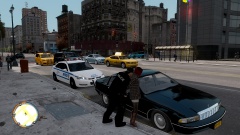 Or maybe LC state laws differs from other laws :p
 -
That some files might have been faulty and will be re-downloaded.
-
Yeah, if you want to play modded GTA IV online it's better to play with a trusted bunch of people :) Post here and ask for example (www.lcpdfr.com/topic/5287-want-to-play-mp-right-now/).
-
Oh dear, a GTA V Support request :p Have you tried calling either of the other characters? What was the latest mission you did?


