




ineseri
Friends of LSPDFR
-
Joined
Everything posted by ineseri
-
The freval error was fixed for some users by doing this: Open up your LCPDFR.ini, look under "Main", it should look something like this by default: Now, add to the bottom of that part PreLoadAllModels=TrueThe "Main" part should now look like this:
-
We need more information than that. Legal copy of the game?
-
Are you running the game as administrator? Both exe's, that is?
-
Do you have a legal, up to date version of the game?
-
If you want to overwrite the default cop, I don't think you need to do anything different from GTA IV.
-
Are you running both exe's as administrator?
-
Sounds good :) Happy gaming.
-
Can I see a screenshot of your GTA IV folder to get started?
-
I'm not really sure what could be wrong then. Do you have the latest patch? Legal copy?
-
Here is a list of the default keys for the controller. It's found in the LCPDFR.ini file. It can also be located by reading the manual , which you should read prior to using the mod.
-
-
I think you need to upgrade your computer, as LCPDFR is demanding. I have a Intel i7 processor, for example. Your rig isn't built for gaming.
-
Good luck! :D
-
What are your computer specs? Maybe you can't run the game?
-
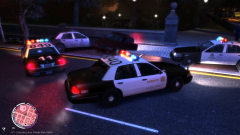 Not reported, but knowing the LCPD there must have been atleast 5 cases of "falling-down-the-stairs" incidents.
 -
Ah that's great! Glad we could solve the issue here, even if you solved it more than us. Happy gaming! :)
-
Do you have a legal copy of GTA IV?
-
Do you have a legal, up to date version of GTA IV?
-
Would this help? '?do=embed' frameborder='0' data-embedContent>>
-
I recommend uninstalling GTA IV via Steam, go to the root folder and delete any left-over files. Then, re-install it from Steam. Launch the game once to create config files and then install the mod manually. Let me know of that works. You can see in the screenshot that it is a Steam version of the game...
-
Nope, I have no more ideas really.
-
First has been suggested before, it's not a bad idea. Second thing: You can stop traffic with LCPDFR 1.0 via the hotkey menu (capslock key). Making traffic turn around isn't a good idea, that'll cause more trouble than it's worth.
-
Are you running the game as administrator?
-
Do you have a link?
-
It's not recommended to take the drivers from another computer, even if they are "the same".

