




ineseri
Friends of LSPDFR
-
Joined
Everything posted by ineseri
-
HI :) Jay replied about the mobile site here ('?do=embed' frameborder='0' data-embedContent>>)
-
Have you disabled the trainer keys in the ini file? This must be done to use ELS properly.
-
Hello, this is how ELS works and there is no way to fix it. ELS enables and disables several car components at once, which will "refresh" the car every time a light flash. You can, however, set them on steady burn (no flash) to circumvent this problem. This is why I personally do not use ELS, that and the added chance for my game to crash. Also; This is written in the ELS User Manual that you should read through prior to using the modification: Reading the readme goes with any modification, read me files are strongly recommended to be read before usage of the mod. EDIT: Hi SuperStumpje :D
-
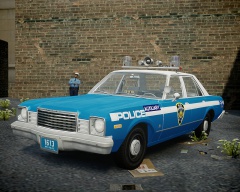 It was just a suggestion, I think they look fine. But of course, it's up to you what to do with them :)
 -
No worries. Where are you downloading the installation from?
-
More may care if you upload them, that may just me though :)
-
Hello, as far as I can see your question was answered. There is no bug with the label, because there is a new version available for download. Your question about whether it can be removed was also answered: No, there is no way to do this. About LCPDFR 1.0, I found it to be what it was advertised. It’s a great modification that modifies the game beyond the original intention with the ScriptHook which is nothing short of amazing. It’s not that many people who are working on the modification, and when they do, they do so for free in their own spare time. Bugs are to be expected, they have even stated so themselves in the user manual; I’m not really sure what the point of this thread is. You can provide suggestions for improvment, instead of showing a cutscene ped (which normally doesn’t spawn, or is a easter egg as far as I know). That's just my suggestion though.If you need help with crashes, I'll gladly do my best to help you in the support section. Also, you can still take screenshots if you are using clip-capture I think
-
Are you using the Simple Native Trainer?
-
-
That is not what I mean at all, I (and hopefully the rest of the community) gladly give support to people who are using third-party modifications. I did correct myself saying that LCPDFR will indeed work with mods using the API (Quote: Sorry for being unclear, scripts using the API are of course compatible). I think we're on the same page there. LMS did say that, Quote: "[...]we don't support third party mods". I think that means that they aren't supported. What I am saying, and as I corrected myself, is that LCPDFR will indeed work with thirdparty mods if they use the API.
-
That is also a good option, can't believe I missed that lol. Thanks :)
-
Sorry for being unclear, scripts using the API are of course compatible. I just thought I had seen a LCPDFR Developer say that they aren't supported. I could be wrong of course :) EDIT: Did some digging. LMS said here that third party mods aren't supported (>). Also, the LCPDFR troubleshooter states that third-party mods aren't supported. (http://www.lcpdfr.com/page/troubleshooter/finish.action?allowPost=&message=LCPDFR+does+not+support+other+third-party+modifications.%3Cbr+%2F%3EPlease+try+uninstalling+them+completely%2C+then+try+LCPDFR+again.%3Cbr+%2F%3EIf+the+issue+does+not+occur+with+the+third-party+modification+removed%2C+then+the+problem+is+not+an+LCPDFR+issue.)
-
If you have Steam, you can redownload missing files by verifying the game cache. (https://support.steampowered.com/kb_article.php?ref=2037-QEUH-3335) If not, reinstall and make backups next time :)
-
As you probably heard, Abraxas lost his job and won't be working on any of his stuff in the near future. The LCPDFR modification doesn't support third-party modifications, and I doubt they have the source code for the police helper, or time to make their mod compatible with another, third-party, mod. As far as I know, the LCPDFR devs said that EMS driving the way they do is part of the GTA IV charm, and won't be "fixed". I personally don't think there's anything to fix, it's Liberty City after all... LCPDFR does have roadblock, but a option to choose where would be nifty, I agree.
-
I'm using this commandline at the moment and is the one I usually recommend: -novblank -norestrictions -percentvidmem 100 -novsync -frameLimit 0 -nomemrestrict
-
Indeed, was hoping for a danish rage-quit :D
-
Hello, can you post a screenshot of your GTA IV directory while the scripthook file is in there? Also, where did you get the scripthook file from?
-
Could it have something to do with your sound settings in-game?
-
Have you tried re-installing ELS? My guess is that you're missing files.
-
LC is a cold city from time to time, and it is set in autumn/winter so realistically it should be there.
-
Oh Sam what have you done...
-
Multiplayer is really unstable when using mods, so it is not recommended really.
-
No, they are hosted through the GTA IV multiplayer menu :) (phone)
-
The G17 Media Diag tool does not work for LCPDFR 1.0 :)
-
That's the freval error, and all I know about it was added above :)

