




ineseri
Friends of LSPDFR
-
Joined
Everything posted by ineseri
-
In the INI file? Set them to 0 to reduce crashes and the last entry to false. That's the way you disable the world callouts, since these seem to cause crashes in LCPDFR 1.0a.
-
You can see his WIPs here ('?do=embed' frameborder='0' data-embedContent>>)
-
No, you can save without GFWL but you cannot use GFWL saves when you are using XLIVE.
-
Try to start the game without the mod, play the first mission and save and try again. Also, please install these http://www.microsoft.com/en-us/download/details.aspx?id=30679 http://www.microsoft.com/en-us/download/details.aspx?id=30653 http://www.microsoft.com/en-us/download/details.aspx?id=35 http://www.microsoft.com/en-us/download/details.aspx?id=5549 (If you haven’t updated GFWL, use this).
-
Exactly! You do not need them, but they enhance the game :)
-
Try to use the manual installer instead. If that doesb't help, try to use the mod and game without any other mods. See if that works better.
-
No problem, it's what I do :) It can be combined, but it was scripted for LCPDFR 0.95RC2. The developer of the vDH -series (Abraxas) has retired from GTA modding for a unspecified amount of time. and as such the stability won't be improved for the time being. Disabling world events should help though.
-
If you disable the world events in your police helper ini, it shouldn't crash as often. The police helper wasn't meant to run on LCPDFR 1.0, hence all the crashes. You can disable world events in this section of the ini file: [ EVENTS ] TrafficEventsTimeout = 90 // Set timeout for creating traffic events (speeders will be created 2x more often). // Set it to 0 to turn off traffic events. WorldEventsTimeout = 210 // Set timeout for creating world events. Set it to 0 to turn off world events. EnableOtherEvents = True // Enable casual events like tourists asking for directions etc. Edit it to suit your needs.
-
To run LCPDFR, you need a legal, up to date version of GTA IV and these installed: http://www.microsoft.com/en-us/download/details.aspx?id=30679 http://www.microsoft.com/en-us/download/details.aspx?id=30653 http://www.microsoft.com/en-us/download/details.aspx?id=35 http://www.microsoft.com/en-us/download/details.aspx?id=5549 (If you haven’t updated GFWL, install this). Nothing more than that is needed to run LCPDFR. You can, of course add the trainer for making playing easier, and ELS for prettier lights on some cars (at the cost of performance and more crashes).
-
Hello, what are your computer specs? could you post a screenshot of your GTA IV directory?
-
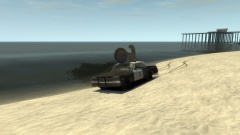
From the album: ineseris LCPDFR images
-
From the album: ineseris LCPDFR images
-
From the album: ineseris LCPDFR images
-
From the album: ineseris LCPDFR images
-
Please install these http://www.microsoft.com/en-us/download/details.aspx?id=30679 http://www.microsoft.com/en-us/download/details.aspx?id=30653 http://www.microsoft.com/en-us/download/details.aspx?id=35 http://www.microsoft.com/en-us/download/details.aspx?id=5549 (If you haven’t updated GFWL, use this).
-
Hello, can you post a screenshot of your GTA IV directory?
-
Hello. -noprecache Will force GTA not to precache resources (not preload objects, as far as I know). -novblank Will disable wait for vblank. It will increase performance.
-
It's no problem :)
-
It's easier to drive with a controller, but it is easier to aim with mouse. It's up to you. I use both and alternate from keyboard to controller.
-
GTA IV and LCPDFR 1.0a will work fine on any platform of Windows 7, but a 64-bit version is recommended over a 32-bit version. Also, it's not only the OS who decides if you can play GTA IV. GTA IV is a very demanding game, even for high-end PCs so make sure that your laptop meets the recommended specs: Minimum: Processor: Intel Core 2 Duo 1.8Ghz, AMD Athlon X2 64 2.4Ghz Memory: 1.5GB Free Hard Drive Space: 16GB Video Card: 256MB NVidia 7900 / 256MB ATI X1900 DirectX 9 compatible Stereo Sound Card Keyboard Mouse Recommended: Processor: Intel Core 2 Quad 2.4Ghz, AMD Phenom X3 2.1Ghz Memory: 2GB (Windows XP) 2.5GB (Windows Vista) Free Hard Drive Space: 18GB Video Card: 512MB NVIDIA 8600 / 512MB ATI 3870 DirectX 9 compatible Surround Sound Card
-
Have you been able to launch this, or LCPDFR 0.95RC2 before this?
-
To add what Stumpje said, go here (http://www.lcpdfr.com/files/download/4607-lcpd-first-response/) and download the files you need. Either Automatic installer + Hotfix OR the manual installer. You can use 7zip (http://www.7-zip.org/) to extract the files you need. Be sure to read the readme when installing either of these linked softwares.
-
Which car did you replace it with? Do you have any special handling line for it? That's all I can think of.
-
Indeed, that is good advice. I use that too :)
-
Hey. Legal copy of the game? What other mind of mods are you using? Did you use the manual or automatic installer? Running game as administrator?


