




ineseri
Friends of LSPDFR
-
Joined
Everything posted by ineseri
-
-
GTA IV is only officially supported on Windows XP SP3 or Vista.
-
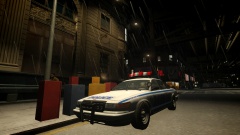 I'm using CryEnb1 for this and the other Night themed photos. I am planning on releasing a bunch of of night-themed onces, with the same kind of desolate look. Stay tuned :)
 -
You're wrong. LCPDFR isn't being a baby about it. GTA IV is.
-
Yes, what Slimory said works just fine.
-
1. This has been brought up countless times before. It is possible to slightly improve the driving and AI, and LCPDFR has done this. The rest is hardcoded. 2. Seems like a lot of trouble for nothing. LCPD doesn't use spike-strips, they shoot the tires out.
-
Have you reinstalled it? What was the latest change you made to the game?
-
I see you have the freval error in there. The freval error was fixed for some users by doing this: Open up your LCPDFR.ini, look under "Main", it should look something like this by default: Now, add to the bottom of that part PreloadAllModels=TrueThe "Main" part should now look like this:
-
When is this happening?
-
There is no ultimate fix for GTA IV crashes. But yes, if you are using high-poly ELS crash cars, remove them and see if it still crashes.
-
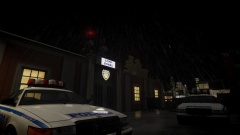 It's really nice. I do not use it for normal gameplay, but for photo-sessions, such as this, it suits me fine :)
 -
I don't think that is a very good idea. Look at Sam. Someone gave him full HTML access. *shrugs* Seriously though, I think it's best to keep it staff-only as several problems could arise with such a reward system. Equality is important :)
-
LCPDFR 1.0 is on its own very stable. It isn't supported with other mods.
-
He is a moderator. Music on profiles are a staff-only feature. The music is embedded into the HTML on the profile, something that only staff can do. EDIT: Nice try with the HTML on your profile though lol
-
LCPDFR is only supported on a unmodded copy of the game. I'd try that. Remove all mods, except LCPDFR and try to launch the game again. Most likely it's GTA IV crashing because of your mods, not a LCPDFR crash directly.
-
You can't possibly be running a 62 bit operating system. You are either running 32-bit, or 64-bit. The latest patch for GTA IV is 1.0.7.0. The freval error was fixed for some users by doing this: Open up your LCPDFR.ini, look under "Main", it should look something like this by default: Now, add to the bottom of that part PreloadAllModels=TrueThe "Main" part should now look like this: Let me know if this works.
-
No mods other than CryEnb 1. It's part of a photo-series I have been working on. I should release it soon :)
-
From the album: Ineseri's GTA IV Pics
-
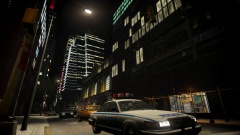
From the album: Ineseri's GTA IV Pics
-
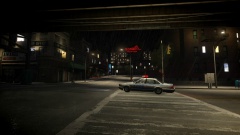
From the album: Ineseri's GTA IV Pics
-
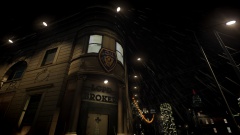
From the album: Ineseri's GTA IV Pics
-
From the album: Ineseri's GTA IV Pics
-
Something similar happened to me when using a VGA cable, or when I forgot to turn on v-sync.
-
This one, standard LCPD Police Patrol/Cruiser lightbar.
-


