




ineseri
Friends of LSPDFR
-
Joined
Everything posted by ineseri
-
Strange, I remember the topic... But I still don't understand what the fuss was about that "logo". Did the Squid escape again?
-
Welcome to LCPDFR.com! Beware of Squids and some angry dude named Ben. After that, you're all set. Glad to have you aboard! :)
-
I wish atleast What are you doing tomorrow?
-
I do like the FIB Stanier actually, looks like something that could be used in LC.
-
The uploader of this file was Last Active Dec 31 2011 04:40 AM. I doubt he will reupload it.
- 2 comments
- 5 reviews
-
This is one of the issues with the site at the moment, but the development team is working on a fix.
-
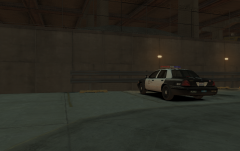 You dont have to use paint to remove players, just because you use paint to create the skin. The trainer is a lot easier :)
 -
I prefer Windows 7 most of the time, I do like Windows 8.1 now after been using it for a few days. Linux is awesome for everything servers though.
-
MODERATOR NOTICE The LCPDFR Support Requests section is for issues relating to the LCPDFR Modification itself. Moving topic to GTA IV Support Requests as this is not related to the functionality of the LCPDFR Modification.
-
-
 This was taken with CryEnb V.2 if I remember correctly.
 -
http://grammarist.com/spelling/realise-realize/ Please keep on topic in the future and not to post irrelevant information.
-
Can't we just get along? OP: You will get nowhere by issuing threats to the Community. No need to be rude, as Original Light said. Please be more thoughtful before and when posting in the future. No one is forcing you to stay, by the way. It's a pretty friendly and open community, people go as they please. No need to make a fuss about it.
-
MODERATOR NOTICE I am not sure how this is relevant to LCPDFR Discussion. I will move this to GTA IV Discussion & Media.
-
That is for a lack of a better term, a complete blatant lie made up to mislead. Please do not try to mislead people on LCPDFR.com with false hope and false information. We have not confirmed there will be a LCPDFR-esque mod for GTA V, since there isn't a PC version released to work with yet.
-
Ummm.... If you could drive anywhere, where would you go?
-
Get Money for Nothing If you had any super power, what would it be?
-
Happy Thursday!
-
Please install the latest version of LCPDFR (LCPDFR 1.0c) with the manual installer. "LSPDFR" does not exist, so I highly doubt you have that in your game.
-
The rocky mountain way What do you do for a living?
-
MODERATOR NOTICE This topic belongs in GTA IV Support, as I instructed you in the PM. Moving.
-
Did you guys miss this? Denseography Iconography also just created this new forum game: ?do=embed#entry290177'' frameborder='0' data-embedContent>>
-
Hello there -- welcome to LCPDFR.com and thanks for trying out LCPDFR. You failed to read the instructions before posting in this forum. So we'll remind you of them. Please do the following: Make sure you aren't using a crack - We don't support cracks Update GTA IV to 1.0.7.0 (the latest version of the game, or 1.1.2.0 for EFLC) - This sometimes fixes a wide variety of issues Make sure that you run the game as an administrator. Make sure that your GTA IV root folder (and every subdirectory) is not set to "read-only" Ensure that ScriptHook.dll, ScriptHookDotNet.asi and Dsound.dll OR Xlive.dll are in the GTA IV ROOT folder Ensure that there is a folder titled 'LCPDFR' in the ROOT GTA IV folder. Check that all the above files exist, if they do not, reinstall LCPDFR with the MANUAL installation. Ensure that you are using up to date versions of every LCPDFR dependency and LCPDFR itself. Install these: .Net Framework 4.5, Microsoft Visual C++ Redist 2012 If your problem has been solved after following these basic instructions, hit 'Mark Solved' next to this post. If not, please now reply to this thread, and make sure that you do the following: Give a clear, detailed description of the problem. Explain any circumstances surrounding the problem. State what solutions you have tried. Post ALL relevant logs (LCPDFR.log, Scripthook.log, ScriptHookDotNet.log, AdvancedHook.log). Include as much information as possible. Post your system specifications. Post what other mods you are using. This includes car and script mods. Please note that failure to follow these instructions may cause this thread to be closed.
-
Let's not, shall we? Nothing to see here! This topic has been closed by LCPDFR.com staff. If you feel that this topic has been closed in error, please report this post.
-
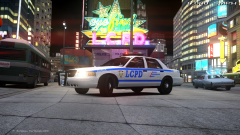 Nice! :) https://www.facebook.com/lcpdfr/photos/a.609874359106869.1073741825.185574198203556/741071399320497/?type=1


