




ineseri
Friends of LSPDFR
-
Joined
Everything posted by ineseri
-
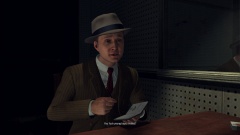
From the album: L.A. Noire
... Cole is always direct. -
Nothing to see here! This thread has been closed by LCPDFR.com staff, because it has been created in an incorrect forum. We require that LCPDFR support requests are created in the LCPDFR Support Requests forum, so that users are presented with the troubleshooter. Please use that forum and follow the clearly presented instructions. If you feel that this topic has been closed in error, please report this post.
-
MODERATOR NOTICE Your thread has been moved to the GTA IV Support Requests forum, as it is not an LCPDFR support request. Try running it in compability mode with XP / Vista. http://www.sevenforums.com/tutorials/316-compatibility-mode.html
-
Hello there -- welcome to LCPDFR.com and thanks for trying out LCPDFR. You failed to read the instructions before posting in this forum. So we'll remind you of them. Please do the following: Make sure you aren't using a crack - We don't support cracks Update GTA IV to 1.0.7.0 (the latest version of the game, or 1.1.2.0 for EFLC) - This sometimes fixes a wide variety of issues Make sure that you run the game as an administrator. Make sure that your GTA IV root folder (and every subdirectory) is not set to "read-only" Ensure that ScriptHook.dll, ScriptHookDotNet.asi and Dsound.dll OR Xlive.dll are in the GTA IV ROOT folder Ensure that there is a folder titled 'LCPDFR' in the ROOT GTA IV folder. Check that all the above files exist, if they do not, reinstall LCPDFR with the MANUAL installation. Ensure that you are using up to date versions of every LCPDFR dependency and LCPDFR itself. Install these: .Net Framework 4.5, Microsoft Visual C++ Redist 2012 If your problem has been solved after following these basic instructions, hit 'Mark Solved' next to this post. If not, please now reply to this thread, and make sure that you do the following: Give a clear, detailed description of the problem. Explain any circumstances surrounding the problem. State what solutions you have tried. Post ALL relevant logs (LCPDFR.log, Scripthook.log, ScriptHookDotNet.log, AdvancedHook.log). Include as much information as possible. Post your system specifications. Post what other mods you are using. This includes car and script mods. Please note that failure to follow these instructions may cause this thread to be closed.
-
Gets me everytime.
-
-

From the album: L.A. Noire
-
-
-

From the album: L.A. Noire
-
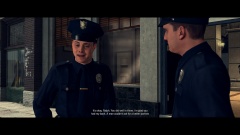
From the album: L.A. Noire
-
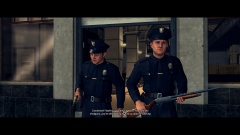
From the album: L.A. Noire
-
The LCPDFR release topic. Who the hell decided to release LCPDFR!?! :D
-
MODERATOR NOTICE Topics merged. There is really no need to create a new topic regarding the same thing.
-
Now that's not true. A KMS is a Key Management Server. I, hower, doubt that it is activated in that way on your local network (since KMS is most often used in a corporate enviroment). There shouldn't be any issues, but most common issues are; 1. Software not working. 2. Updates not applied. 3. No desktop background
-
Yeah, it's dead. RIP.
-
I'll guess I'll just keep playing offline like I always do then :(
-
What cp said. With that said, there shouldn't be any issue to use it for a while but you should think about finding another place to position your PC, closer to an outlet.
-
Goodbye, you've been here for a long time and It's sad to see such a long standing member to leave. But of course, it's for the greater good! Feel free to pop in at any time and tell us of your endeavours!
-
Sad to say, LCPDFR 1.0c is not supported with that mod. vDH PoliceHelper was designed for LCPDFR 0.95RC2, an older, obsolete version.
-
Nothing to see here! This thread has been closed by LCPDFR.com staff, because it has been created in an incorrect forum. We require that LCPDFR support requests are created in the LCPDFR Support Requests forum, so that users are presented with the troubleshooter. Please use that forum and follow the clearly presented instructions. If you feel that this topic has been closed in error, please report this post.
-
Didn't ask for anything, bought quite a few items though (the company I work at has great deals for employees).
-
The LCPDFR modification can always get better, but for a modification that is developed for free and as a hobby, it's quite darn good. I can imagine quite a few sales of GTA IV is because of G17 Media.
-
You know what I would choose if I had to choose an anime, Thankfully, other characters exist for me :D
-
Göteborg, Sweden. Ghettoburg as Sam (among others) likes to call it. Just a few shootings here and there, fires, murders and such. Just going to the store to get my consumeables is quite the adventure!




