




Pavy
Members
-
Joined
Everything posted by Pavy
-
-
Yes, stick to that patchday16, but if one day rockstar updates the game and they update something in police vehicles they will have that update in the latest patchday, say for example patchday25. You would need to put all modded police vehicles into that patchday25 because it would overwrite whatever is in patchday16. Although I highly doubt this would ever happen but just in case it does, you know what to do.
-
Go into openiv>Tools>Asi Manager uninstall all 3 things and then reinstall them. Restart your pc and try ingame again.
-
You can use 16 as well. If you don't see 19 that means you aren't on the latest version of gta 5 but that's fine. Put the police files in patch day16
-
Since disabling your mods folder fixes the issue, then I highly suggest you try and remember what you installed. Go through all your downloads. I have no idea what mod can cause this, it makes no sense. Restarting your mods folder from scratch is a last resort if You can't figure it out.
-
Go to Grand Theft Auto V\update\x64\dlcpacks\ and copy over the patchday
-
Wrong location. Copy over a patchday folder into mods. Please use patchday19. So put the police files here Grand Theft Auto V\mods\update\x64\dlcpacks\patchday19ng\dlc.rpf\x64\levels\gta5\vehicles.rpf\
-
 Exception message: Cannot load invalid model with hash 0x72935408. Your backup.xml might be calling an invalid transport unit.
- 1,915 comments
- 242 reviews
-
are you Pressing E or Holding E? You need to press It once. whats up with ur vanilla sheriff 2?
-
In openIV>Tools>Asi Manager Uninstall all 3 things and reinstall them again. Restart your pc. Try that out.
-
You have the vehicles xml files in \Grand Theft Auto V\ELS\pack_default right?
-
Wow, never heard of this. Pressing the ESC button does nothing at all? Try restarting your computer? Do you play with a controller? The only thing I recommend is restarting with a brand new mods folder if disabling it fixed your issue.
-
[12/11/2018 9:12:00 AM] [23444] ERROR -> Unable to replace file "common\data\levels\gta5\time.xml" with file "content/update.rpf/common/data/levels/gta5/time.xml" Contact the VisualV Author or figure out a way to install it manually. The latest version of gta 5 is unsupported by visualV
-
Screenshot your main GTA V folder. The whole thing.
-
I was going to suggest a Donater Badge underneath the name of the user. Thoughts? Also, I can't find the donation page for lspdfr anywhere on the site. Is it hidden? I have to google search it : lspdfr donate https://www.lcpdfr.com/donate/
-
Did you download the latest update of scripthookV? You need that.
-
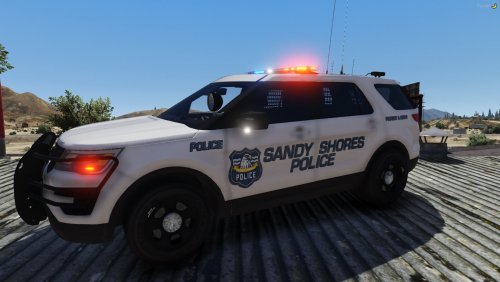 Nice readme
 -
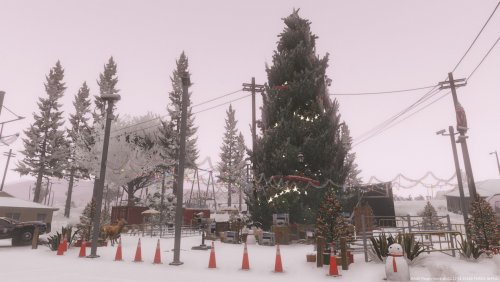 I like this map but it requires Menyoo. Menyoo is severely outdated and is not working for the majority of people. You should use either Map editor or Ymap. I converted this to ymap but I'm missing a few decorations such as the lights.
 -
What antivirus do you have? Inside commandline Enter this -DX11 -windowed and try again
-
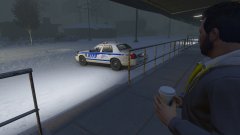
From the album: New York City/State Police Vehicles
-
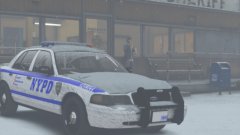
From the album: New York City/State Police Vehicles
-
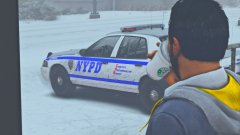
From the album: New York City/State Police Vehicles
-
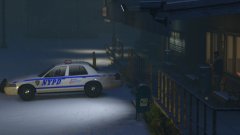
From the album: New York City/State Police Vehicles
-
-
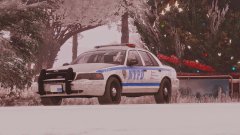
From the album: New York City/State Police Vehicles



