




Pavy
Members
-
Joined
Everything posted by Pavy
-
You simply copy over everything inside the download from http://www.dev-c.com/gtav/scripthookv/ and drag it into the main directory and Click Replace All. You can remove the native trainer you don't need that it's optional. As for the GtaVlauncher.exe Cut that exe out of the folder and verify your game again. It will download the missing file and make it 1493.1
-
In some cases Gio is correct, but he didn't spot the discrepancy in your image. Since you say you were successful in updating your game, you would be on 1.0.1493.1 The scripthookV image says support version 1.0.1493.0 Thats the previous version. You didn't correctly install the latest scripthookV
-
Reply back when you find the plugin
-
Right click gta5 in steam library>Properties>Local Files>Verify integrity
-
Remove all the plugins inside plugins/lspdfr Go on duty ingame and see if it occurs.
-
Why did you teleport to waypoint? Try reloading cop holster after going on-duty. Unload and then Load.
-
No just stock.
-
Can you show us a video of this happening please?
-
Can you test it with a default gta 5 pistol.
-
Updating your game has absolute nothing to do with Sirens and lights. The update itself was like 60mb or something. Each DLC changes the update.rpf in your game. Inside update.rpf contains basically any Visual graphical mods, the gameconfig.xml which controls the amount of modded cars you have, your dlclist.xml which you need to add lines if you have any Add-on dlc packs you created. Nothing else. Your audio files are located elsewhere.
-
What gun are you trying to put back in and is it a modded pistol or standard gta weapon? Try to Remove the pistol>Go-Onduty>Add the pistol back.
-
I don't need any screenshots. Your sentences are run-on and making things confusing. You still didn't answer my question. What is CURRENTLY the issue you are having.
-
Cop holster doesn't work with every model just so you know. What model are you trying it on?
-
You are making this very confusing. Do your sirens work in-game yes or no
-
-
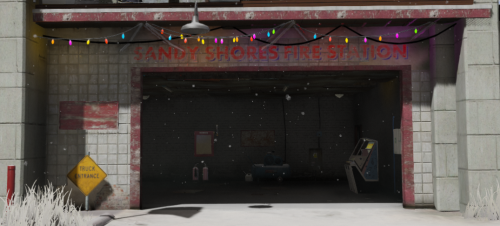 Can you add a few more screenshots?or a video at least. All I see is Christmas for the fire/police station.
- 3 comments
- 3 reviews
-
What?
-
What is your FPS in-game while on-duty
-
Go to Grand Theft Auto V\x64\audio\sfx\RESIDENT.rpf\ take that vehicles.awc and copy it into the modded location. Grand Theft Auto V\mods\x64\audio\sfx\RESIDENT.rpf\ Test ur game out. Keep mods named mods
-
Crash report here would not help. Since you say restoring the backup of the siren audio didn't fix crashing, it must be something else. Make sure you have this https://www.gta5-mods.com/misc/gta-5-gameconfig-300-cars If that doesn't help, You'd need to start your mods folder from scratch unless you can backtrack what else you installed wrong.
-
Search warrant and this
-
Upload ur ragepluginhook. Log from ur main gta5 directory
-
If sirens are muted you need to verify your game files and rename ur mods folder to mods_ As for the static els go to openiv >tools>ask manager and uninstall the 3 things and click install. Restart your computer.
-
I agree with Gio, This is a result of lagging ingame. For example if you run at 10FPS and try to spawn a car, it will be very difficult. The trainer is also different than Rage Console.
-
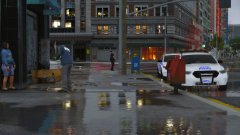
From the album: New York City/State Police Vehicles



