


NickieB
Members
-
Joined
-
Last visited
Everything posted by NickieB
-
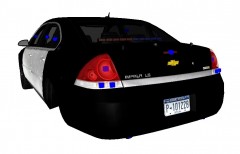
From the album: NickieB Upcoming Releases
[WIP] 2010 Impala - Narcotics/Gang/Vice. Unknown release date. This will probably be released before the patrol version. -
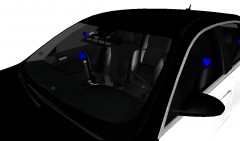
From the album: NickieB Upcoming Releases
[WIP] 2010 Impala - Narcotics/Gang/Vice. Unknown release date. This will probably be released before the patrol version. -
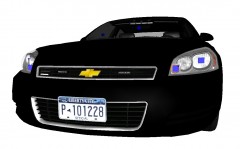
From the album: NickieB Upcoming Releases
[WIP] 2010 Impala - Narcotics/Gang/Vice. Unknown release date. This will probably be released before the patrol version. -
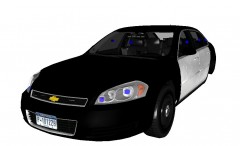
From the album: NickieB Upcoming Releases
[WIP] 2010 Impala - Narcotics/Gang/Vice. Unknown release date. This will probably be released before the patrol version. -
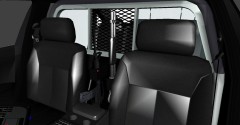
From the album: NickieB Upcoming Releases
[WIP] 2010 Patrol Impala with Code 3 21-TR Lightbar. This is just a little teaser shot. Unknown release date at this time -
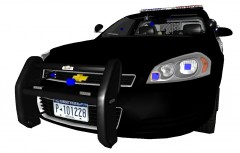
From the album: NickieB Upcoming Releases
[WIP] 2010 Patrol Impala with Code 3 21-TR Lightbar. This is just a little teaser shot. Unknown release date at this time. Light bar glass will be mapped to a template for easier customization. Rambar/No Rambar options may be offered -
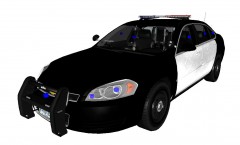
From the album: NickieB Upcoming Releases
[WIP] 2010 Patrol Impala with Code 3 21-TR Lightbar. This is just a little teaser shot. Unknown release date at this time. Light bar glass will be mapped to a template for easier customization. Rambar/No Rambar options may be offered -
 Looks great! What can I do for you to get the Tomar The Blade lightbar you used on the Fairfax Cty CVPI you released awhile ago. Donation?
 -
Right here: http://gtapolicemods.com/downloads.php?do=file&id=459 And here is the steel rim version: http://gtapolicemods.com/downloads.php?do=file&id=460
-
Congrats everyone! I knew it would be close between me and EVI and I was hoping for 1st but he pulled out the victory. Nice job EVI
-
-
Plus when your chasing a suspect there isn't a red dot on the map. So you need to keep eye sight of them. I use hardcore mode, I think its more realistic and I don't like knowing where the suspect has ran to if he gets slightly ahead of me.
-
Did you look very close at the WTD? Its possible its drawing the colors somewhere in the wtd file. Watch what colors it spawns with and see if you can locate a texture or a small section of a texture which might contain those colors. The texture wont neccesarily be named "Headlight Colors", you may have to do some searching around.
-
Like Ekalb told you, F5544 mostly makes only D:SF models and CJ24 has been using the model for awhile too. You can find their work by clicking on the downloads section and then their names will be listed somewhere on the left hand side of the page. Click on one or the other and it will display their files. I made one D:SF model with a FedSig Legend,
-
You need to disable the trainer keys like he said and then I think ALT+M opens the ELS menu (you need to be in a car) It may be a different key than M, I remapped mine and I can't remember what it originally is. You can change this and the other mappings in the ELS.INI file. As for the siren, it will be the default GTA IV one until you change it yourself. ELS has nothing to do with the sound of the siren. The siren can be changed by downloading the siren you wish and replacing the horns.ivaud file with SparkIV. GTA IV>AUDIO>SFX>RESIDENT>HORNS.ivaud
-
I made something similar to your first picture for a private vehicle once. PM me and I'll send you a picture later. We'll talk more about it in the PM
-
You need an ASI Loader. I don't know if that would cause the game to crash or not but install a ASI Loader, DSound or Xliveless and try again. I recommend dsound unless you don't plan to play online. Did the game work when it was just a fresh install? Prior to you installing any mods?
-
No, sorry. I don't have the time to take on another project at this time. I have wishes to release a 2012 Charger but not right now. Other projects and real life stuff that are more important right now
-
Either in this section or the GTA IV Discussion section. There is no guarantee that your request will be honored but you can post and see if someone will do it. If its something similar to a car already released I would recommend just using the car that already exists because most modders won't take on a project just to change one or two minor things.
-
1) Is numlock on? 2) Are there other keys mapped to the 8/5/6/4/2/0 keys?
-
I have no idea, I've always just done it in the in game pause menu. I don't know if the game saves the controls to a editable file or not
-
Its possible the traffic advisors are built into the bars or the back light setups. But if you tried all the models in game and none of them have advisors then its likely there isn't one that exists yet since there isn't many 11-2012 Charger models out there
-
Did you even look through the downloads?
-
"even after installing the obvious new "Paths" file."
-


