




Illusionyary
Members
-
Joined
-
Last visited
Everything posted by Illusionyary
-
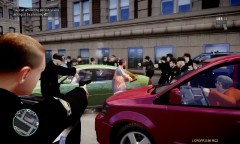 Meanwhile on the other-side of the city... lol
 -
...Everyone? Thanks everybody and congratz to the other mods too, can't wait to start working with you!
-
Watching that RPG bit back still makes me crack up everytime... that was too funny. I love non-serious patrols.
-
Okay, these aren't in any sort of order... 1) I Ran - A Flock of Seagulls 2) Nightcall - Kavinsky 3) I Remember - Tristam 4) Needy Girl - Chromeo (Oscillator Z Remix) 5) Natural - Infusion 6) Time - Chase and Status 7) Blind Faith - Chase and Status 8) Watercolour - Pendulum 9) Promised Land - B.S.C. Project (Nightcore Version) 10) Burn - Ellie Goulding (Nightcore Version) 11) Pyromania - Cascada (Nightcore Version) 12) Hymn - Björn Winter (Nightcore Version) I like almost every type of genre, from Nightcore to Metal. Haha.
-
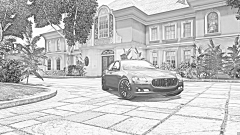 You did a better job than me, I would of butchered the name so much haha. It looks good, is that the convert by Chippy?
 -
It really depends what you're after, some people like different sirens to others so nobody really knows what you mean by "sexy" haha. I've made a few sirens myself so maybe you'll like some of those!
-
Let's see... Saving Private Ryan We Were Soldiers The Green Mile The Disappearance of Haruhi Suzumiya (The best anime film I've watched so far, really interesting plotline) Back to the Future The Lone Ranger That's all I can come up with now haha.
-
I have to agree, I've been here since late 2010 and I've seen my fair share of flamewars of which most of those are over really stupid things. The best thing to do is simply ignore it and possibly report the post (if it's quite offensive or such) rather than "challenging" the person, that just makes things worse.
-
Okay, we don't need another flamewar. So let's just all calm down before one erupts.
- 24 comments
- 20 reviews
-
-

- 1
-
-
I never understood these "piracy" bills and most likely never will, does privacy mean nothing to people these days? I doubt it'll pass though, however if it does happen to pass I'm sure there will be a massive public backlash and something will be done... I hope.
-
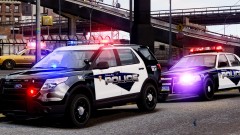 Lovin' that Explorer! :3
 -
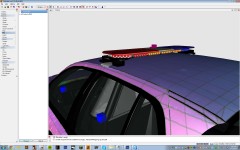 Knock it off guys, quit with the flaming.
 -
Well it's a massive christmas tree, but it does look cool. I like the decals.
-
LCPSR's is different to that one since we use different beats, it was custom made by one of our members. But that zonemap is good too!
-
Oh yeah, the boat chase thing was brilliant. Haha.
-
These look great! Really nice work JSD, thanks for sharing.
-
It is more than likely that the one you've seen in videos is for private use only. That skin is pretty easy to make, try posting a request here: '?do=embed' frameborder='0' data-embedContent>> If nobody else does it, I'll do it for you.
-
Emergency Lighting System V7 added a staging system. You need to press "J" three times before the siren is able to be activated.
-
Here's WA's newest addition, the SV6 "Concept Car". Base markings (No state logo) I've only ever seen one of these cars myself and that was just outside the city center. I love the lighting setup on them.
-
-
It's not bad, but your fonts are a little off, also the decals look a bit too small for the car. Other than that, nice work!
- 5 comments
- 5 reviews
-
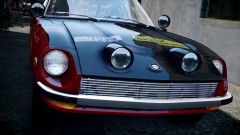 Cool looking car, and awesome screenshot as always.
 -
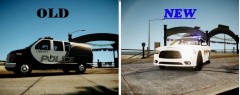 I believe it's an ENB comparison, not textures.
 -
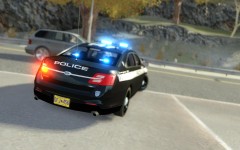 Dat ENB
 -
It looks like a Jaguar crossed with an Aston Martin. It's a cool car to look at but I'm not a fan, I'll pick a Ford CVPI over it any day.

