




Illusionyary
Members
-
Joined
-
Last visited
Everything posted by Illusionyary
-
I'm fairly sure that it's a Federal Signal siren but I don't think it's a Touchmaster, the Touchmaster has a higher pitched wail compare to that siren.
-
Ah, I wasn't sure how it worked in the US since most of the cars I've seen pictures of and the cars over here both have the red lights on the drivers side. Personally I think the reds look better on the drivers side but that's just me.
- 9 comments
- 10 reviews
-
-

- 1
-
-
Recording on a different hard drive does help quite a bit; from my experience Gamebooster does nothing but it depends how many background programs you have running. You could always try it.
-
Your Fraps settings are probably set wrong. I get around the same amount of FPS as you while not recording and I get at least 30FPS while recording. Set it to record at 35FPS (Change this depending on average Framerate - Make it lower), Half Size and Lock Framerate. You should only loose 5-10 frames with those settings.
-
Just so you know the red lights should be on the drivers (left) side but that can be solved with a simple texture change, so it's not really an issue.
- 9 comments
- 10 reviews
-
There's one in this pack, not to mentioned a few others lying around on GTA4Mods.
-
Nice cars! The skins look awesome, someone really cool must of made them! :3
- 24 comments
- 19 reviews
-
-
- 2
-
-
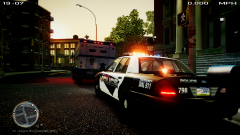 Glad to see people are still using my skin pack! :D
 -
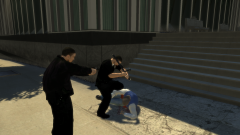 QUIT RESISTIN'
 -
I have no idea why it's doing that then. Sorry, hopefully someone else knows.
-
It's most likely 1 or 3. Your Fraps settings are pretty much the same as mine however I have mine set to record at 35FPS but that shouldn't matter. Although, your Fraps is outdated.
-
Yes, always leave it in 16:9. I'm not really sure why yours is doing this, since I use the same programs and have no issues.
-
Click the little blue button above the Paste button and then hover your mouse over the little arrow next to the Save movie option. Scroll all the way down to the bottom and create a new setting. Make the ratio 1920x1080 for 1080p or 1280x720 for 720p and save it with those settings. I think that will fix it.
-
That doesn't work. I've tried several times and no matter what it's still N that skips the song.
-
http://windows.microsoft.com/en-au/windows-live/movie-maker#t1=overview ?
-
Movie Maker. The Fraps settings really shouldn't effect it, I have mine pretty much set up the same as yours and I don't have the blackbars on my videos so that's why I believe it's WLMM causing it.
-
What version are you using? It looks quite different to mine.
-
Set it to Widescreen 16:9 in the Project tab. That should do it.
-
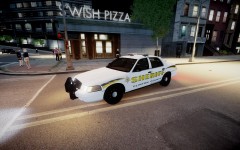 Looks nice, I would release it. Probably not by itself though, maybe a pack? Good work.
 -
What do you use to render/edit your videos? Since the raw videos that Bandicam/Fraps produces doesn't have the black bars.
-
-
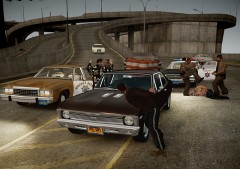 I love how Brucie is just getting beaten up :P
 -
My reaction to that video:
-
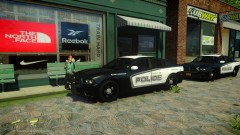 Well if it's one of Beckugan1's models it most likely has a skin by either myself or Michael.V on it since Beck can't skin for crap :P But yeah it actually looks really nice, I like the colours of it.
 -
Thank you! I don't make sirens very often but when I do I try my best to get them looping properly and sounding good. :D
- 9 comments
- 14 reviews

