




Will
Management Team
-
Joined
-
Last visited
Everything posted by Will
-
This topic has been moved to the appropriate forum. Please post in the correct location in the future.
-
Hello there -- welcome to LCPDFR.com and thanks for trying out LCPDFR! Please do the following: Make sure you aren't using a crack - We don't support cracks or people using pirated softwareUpdate GTA IV to 1.0.7.0 (the latest version of the game, or 1.1.2.0 for EFLC) - These patches are needed. Make sure that you run the game as an administrator.Make sure that your GTA IV root folder (and every subdirectory) is not set to "read-only"Ensure that AdvancedHook.dll, ScriptHook.dll, ScriptHookDotNet.asi and Dsound.dll OR Xlive.dll are in the GTA IV ROOT folderEnsure that there is a folder titled 'LCPDFR' in the ROOT GTA IV folder.Check that all the above files exist, if they do not, reinstall LCPDFR with the MANUAL installation.Ensure that you are using up to date versions of every LCPDFR dependency and LCPDFR itself.Install these: https://www.microsoft.com/en-us/download/details.aspx?id=30653 , https://www.microsoft.com/en-us/download/details.aspx?id=30679 In some cases, your issue is resolved after following the above steps. If it did help, please let everyone know in the topic that your issue is resolved. If you do have to post a topic, do the following; Give a clear, detailed description of the problem.Explain any circumstances surrounding the problem.State what solutions you have tried.Post ALL relevant logs (LCPDFR.log, Scripthook.log, ScriptHookDotNet.log, AdvancedHook.log).Include as much information as possible.Post your system specifications.Post what other mods you are using. This includes car and script mods.Post a screenshot of your GTA IV or EFLC game directory. Please note that failure to follow these instructions may cause this thread to be closed.
-
Your topic has been moved to LCPDFR Support Requests. Please post in the correct location in the future.
-
Only download the updates from the official source: https://support.rockstargames.com/hc/en-us/articles/200145406-Grand-Theft-Auto-IV-Patch-7-Title-Update-v-1-0-7-0-English-1-0-6-1-Russian-1-0-5-2-Japanese- Your best bet would be to delete and reinstall the game, that way the crack is completely removed.
-
I'm pretty sure it was coincidental that no cars were turning on the other side. I think the intersections cycle through lights differently, depending on the location. Some cycle each direction (all cars coming from the North get green while the rest have red, cycle through for East, West, and South), some cycle through turning lights (left turn lights for North and South only, then straight through lights for North and South only, cycle continues for East and West).
-
CalloutsV crashes when you try to repair a broken down vehicle because of the animation. The rest of the callouts should work fine, I think the only one I haven't done is the street race (I never accept this since I don't really like pursuits).
-
I'll summarize. Use a mods folder for content mods (anything that replaces default GTA V files) by following this tutorial. Install any script mods (.asi, .lua, or RPH plugins) like normal. When you want to play online, remove dinput8.dll and run GTA V normally (not through RPH). Removing dinput8.dll will stop OpenIV.asi from loading the modded files in the mods folder, and any non-RPH scripts from loading. Running GTA V normally and not through RPH will stop RPH plugins from loading.
-
The mod crashes or the whole game? If it's the whole game, it most likely is just due to the poor stability of GTA IV. If it's the mod, please upload LCPDFR.log.
-
Your thread has been moved to the GTA IV Support Requests forum, as it is not an LCPDFR support request. The actual lights are out of place, or the environment effect of the lights is out of place? If the actual lights are out of place, there's nothing you can without editing the model or using an old version of ELS.
-
Try removing AdvancedHookInit.asi. You will not be able to use the taser without manually installing it: http://www.lcpdfr.com/forums/topic/25936-how-to-manually-install-the-lcpdfr-taser-in-lcpdfr-10/
-
Install these: http://www.microsoft.com/en-us/download/details.aspx?id=5555 http://www.microsoft.com/en-us/download/details.aspx?id=30679 (pick x86)
-
Please check your installation with the diagnostic tool and post the log it creates. The tool should be in one of the LCPDFR folders.
-
Don't run RagePluginHook.exe and remove dinput.dll.
-
Click the plus sign next to "Quote" on the posts you wish to quote. Nevermind that, I have to learn to read. If you press the "Quote" button twice, the post will show up twice in the editor. You can then strip each quote down to the pieces that you want.
-
Well, this is what I have: http://www.amazon.com/AMD-FD8350FRHKBOX-FX-8350-FX-Series-Processor/dp/B009O7YUF6/ref=pd_sim_147_4?ie=UTF8&refRID=0YP3PVT3BRTJ2B1K9SJ9 I'm not really sure if I can recommend it though, cheaper AMD processors might have similar performance.
-
More cores doesn't necessarily mean more performance. Do you know what type of motherboard you have and/or what your current CPU is?
-
Make sure you have these installed: http://www.microsoft.com/en-us/download/details.aspx?id=30679 (pick x86) http://www.microsoft.com/en-us/download/details.aspx?id=5555 http://www.microsoft.com/en-us/download/details.aspx?id=35 http://www.microsoft.com/en-us/download/details.aspx?id=30653
-
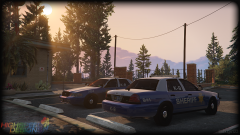 Fair enough.
 -
Rockstar worked very hard and spends a lot of time doing what they do, but I bet you would be pissed if they completely block modding, right?
-
This topic has been moved to the appropriate forum. Please post in the correct location in the future.
-
The speed limit signs are really just scenery, they don't mean anything to the AI.
-
-
There is a game function for this. I believe it is H on the keyboard, check your game controls if not.
-
Hello there -- welcome to LCPDFR.com and thanks for trying out LCPDFR! Please do the following: Make sure you aren't using a crack - We don't support cracks or people using pirated softwareUpdate GTA IV to 1.0.7.0 (the latest version of the game, or 1.1.2.0 for EFLC) - These patches are needed. Make sure that you run the game as an administrator.Make sure that your GTA IV root folder (and every subdirectory) is not set to "read-only"Ensure that AdvancedHook.dll, ScriptHook.dll, ScriptHookDotNet.asi and Dsound.dll OR Xlive.dll are in the GTA IV ROOT folderEnsure that there is a folder titled 'LCPDFR' in the ROOT GTA IV folder.Check that all the above files exist, if they do not, reinstall LCPDFR with the MANUAL installation.Ensure that you are using up to date versions of every LCPDFR dependency and LCPDFR itself.Install these: https://www.microsoft.com/en-us/download/details.aspx?id=30653 , https://www.microsoft.com/en-us/download/details.aspx?id=30679 In some cases, your issue is resolved after following the above steps. If it did help, please let everyone know in the topic that your issue is resolved. If you do have to post a topic, do the following; Give a clear, detailed description of the problem.Explain any circumstances surrounding the problem.State what solutions you have tried.Post ALL relevant logs (LCPDFR.log, Scripthook.log, ScriptHookDotNet.log, AdvancedHook.log).Include as much information as possible.Post your system specifications.Post what other mods you are using. This includes car and script mods.Post a screenshot of your GTA IV or EFLC game directory. Please note that failure to follow these instructions may cause this thread to be closed.
-
This topic has been moved to the appropriate forum. Please post in the correct location in the future.


