




Will
Management Team
-
Joined
-
Last visited
Everything posted by Will
-
This topic has been moved to the appropriate forum. Please post in the correct location in the future.
-
This topic has been moved to the appropriate forum. Please post in the correct location in the future.
-
It's been in the mod since names were first introduced. In fact, it looks like you pulled over @Sam. Might want to run now.
-
Your thread has been moved to the GTA IV Support Requests forum, as it is not an LCPDFR support request.
-
-
I'm assuming you want this made for GTA V since you posted it in the LSPDFR section (as well as the website specific section; also please only create one topic). This topic has been moved to the appropriate forum. Please post in the correct location in the future.
-
This topic has been closed by G17 Media Community Team Staff as it is a topic regarding support for the RAGE Plugin Hook. We are unable to provide support for the RAGE Plugin Hook, and require all support topics pertaining to this be posted over on the official RAGE Plugin Hook forums: http://forums.ragepluginhook.net/ If you feel this topic has been closed in error, please report this post.
-
Like ineseri, I also recommend GreenManGaming. I buy pretty much every major game from them, and always at a discounted price. One thing with GTA V though - you will get a RGSC code. Rockstar's download servers are not the most reliable, and it will probably take much longer to download than a Steam copy.
-
That doesn't really tell anyone anything. Just because there is something wrong with your card doesn't mean there is a problem with every card of that type. You should contact support for whoever the manufacturer of your card is, and possibly RMA it if it is in fact a problem with the card itself.
-
Since you posted in the LSPDFR section, I assume you mean for GTA V. Moved to GTA V Suggestions & Requests. This topic has been moved to the appropriate forum. Please post in the correct location in the future.
-
This topic has been moved to the appropriate forum. Please post in the correct location in the future.
-
To be safe, yes, but if the old ones still work in game then I don't see any need. I'm pretty sure they only touch the update folder, and even then I think they only add things to a new "patchday#ng" folder anyway. It's possible that some of the files you modified were updated, and are now loaded from that new patch folder, though.
-
This is a support request for LCPDFR, the mod for GTA IV. There is no RageHook. Install this: http://www.microsoft.com/en-us/download/details.aspx?id=5555
-
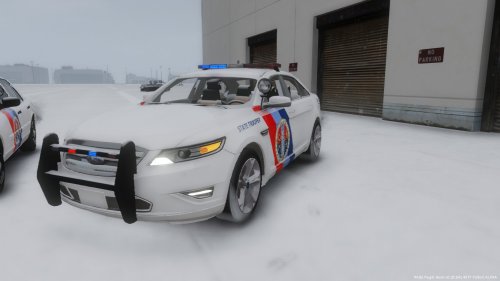 We do not allow models to be included with texture submissions. It is generally okay with the default cars, I think, but this texture is not for default cars.
- 14 comments
- 5 reviews
-
-

- 2
-
-
For LSPDFR, I don't believe it works like this. LCPDFR did, but that was because it pulled from a database of a bunch of first names and a bunch of last names. LSPDFR pulls from the FCRP (Fort Carson Roleplay, a San Andreas Multiplayer server run by G17) player list. My character was Will_Peavey, so it is possible to have Will Peavey as a ped name; one of Sam's characters was Jessica_Smith, so it is possible to have Jessica Smith as a ped name; but I don't think it would be possible to have Jessica Peavey as a ped name. (Unless someone joined with the name Jessica_Peavey, but I'm pretty sure that never happened...)
-
Your thread has been moved to LCPDFR Support Requests as it isn't a LSPDFR Support Request.
-
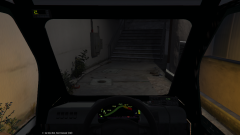 You might want to fix the oil pressure while you're at it.
 -
Correct.
-
You have to make the update folder then...GTA V loads the sheriff cars from /update/x64/dlcpacks/patchday3ng/dlc.rpf/x64/levels/gat5/vehicles.rpf, therefore you need that exact directory in the mods folder in order to replace it. Also, moving to GTA V Modding Discussion & Information. This topic has been moved to the appropriate forum. Please post in the correct location in the future.
-
Your thread has been moved to GTA V Development Suggestions and Requests. Please post in the correct location in the future.
-
RAGEPluginHook is only for LSPDFR, the mod for GTA V. It has nothing to do with LCPDFR, the mod for GTA IV.
-
This topic has been moved to the appropriate forum. Please post in the correct location in the future.
-
Your thread has been moved to the GTA IV Support Requests forum, as it is not an LCPDFR support request.
-
Your topic has been moved to LCPDFR Support Requests. Please post in the correct location in the future. This topic has been closed by LCPDFR.com staff as it is a support topic concerning an unsupported version of LCPDFR. We do not support old versions of LCPDFR, and recommend you use and download the latest version (http://www.lcpdfr.com/files/file/4607-lcpd-first-response/) If you feel that this topic has been closed in error, please report this post.
-
I believe you need to add FLAG_EXTRAS_STRONG to the car's <flags> section of vehicles.meta.

