




James
Members
-
Joined
-
Last visited
Everything posted by James
-
Sigh. Topic moved.
-
Did you install any mods before this started occurring? LCPDFR? Script Mods? Music\Sound Mods?
-
-
Nothing to see here! This topic has been closed by G17 Media staff. If you feel that this topic has been closed in error, please report this post. -- Issue has been resolved.
-
Nothing to see here! This topic has been closed by G17 Media staff. If you feel that this topic has been closed in error, please report this post. -- Issue has been resolved.
-
Well I know some pretty cool tricks in VB. Catch me in TS some time and we can TeamViewer or something.
-
What was the most recent mod (car, script, sound, etc.) that you installed?
-
Thank you for taking the time to create this. It would be useful if we had something similar to this, with better buttons I'd say, while installing LCPDFR. What language did you code this in?
-
Congratulations Sam. You really deserve it for creating such a mod that is enjoyed by tens and hundreds of thousands. I am also glad that I met you and can be apart of this sites everlasting growth. Also, eger.
-
You don't. You go and buy the game. G17 Media does not condone in, or support, pirated copies of any video game. Try messing around with the secondary light patterns (press K to activate). Also, please try to stay away from double posting. Simply editing your post and adding the message will be fine.
-
Man, you can really take a bullet.
-
Totally irrelevant, but Wisconsin!! <3333
-
It looks like one of the first 4 patterns. I'm not sure which one.
-
Not to brag, but I can run Arma 2 on full settings with no lag. So this should be fine for me, lol.
-
I went from IE, to Chrome, to Opera, to FireFox, and back to Chrome. I've even tried Safari for a few days. Chrome is the best browser you will find. Also, you will get nowhere that you want to coding a browser in vb. Learn CC++ and get advanced in it. Again, vb will get you nowhere.. You can make something pretty, but you cannot really create the features you will be looking for and the speeds will be the equivalent of IE. I've tried, lol.
-
How do you suck at Arma? Lol. Unless you hack, you are amazing at CoD.
-
Oh.. Yes! -- Topic Cleaned.
-
Well I know that there any many members of the Community Team that play Arma 2 regularly, including myself. Who all is waiting for Arma 3 and how enhanced do you think it will be? Check out some of the videos at : http://www.youtube.c...official/videos. Apart from the videos and what appears to already be great graphics, my only suggestion for Arma 3 would be server-side. Something that probably won't go far in discussion here.
-
Well, under certain circumstances. You could to the slightest extent, count me as a brony.
-
In-game pictures?
-
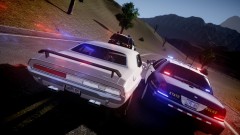 Looks very nice!
 -
-
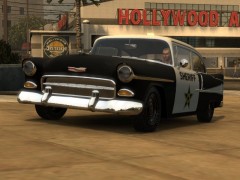 He textured it. I have done this a few times. They also have police cars in game (but those are DLC, and they cannot be textured unfortunately.)
 -
-
Yakadafi; Ever since you started at GPM, to when you helped me out with development at my website, I've always considered you a good friend of mine. I was glad to see you join LCPDFR and start releasing mods here months ago. That boosted attaction to our site big time and I'm sure that all the CT here are over thankful for that. I am especially sad to see another great modeler go and I hope that you can pursue your dream successfully! * Special thank's to gtapolicetrucker for notifying me of EVI's dismissal.


