


br100x
Members
-
Joined
-
Last visited
Everything posted by br100x
-
If you want to increase the graphics quality at the expense of performance, you can use the -norestrictions parameter in the command line.
-
Take the whole GTAIV folder and copy it somewhere else. If you want to save disk space, you can put it into a zip. The only disadvantage of the zip is that you can not play it while zipped (for example, if you wanted to play a vanilla game and then have a separate GTAIV folder to play a modded game).
-
I have not encountered this issue personally, but as Grant said, restoring from a backup or re-installing is easiest fix I know of. Always make sure to make a backup of GTA IV before installing mods in the case something goes sour.
-
Have you tried removing the mods or re-installing? Also, this should be in the GTA IV support forum, not discussion forum.
-
I sent you a pm.
-
Which vehicles in specific are you looking for?
-
In his first link, you can download the cars directly as a z3d file, while on gamemodels.ru you have to use forza studio to convert the models.
-
It could be that the strobes are flashing at a faster rate than the fps the camera is recording at, thus creating the illusion that they are flashing at the same time.
-
If you have a different PC, try running it on that.
-
Ok, hope it works! :)
-
It didn't come with one, but it says some about it here in the description: http://codeescape.com/2012/05/forza-studio-4-0-forza-motorsport-resource-extraction-tool/
-
So it didn't install correctly?
-
No, you can't even install forza on PC (that I know of), it was only released for xbox 360. Try this download for XNA 3.1: http://www.microsoft.com/en-us/download/details.aspx?id=15163
-
You may not have installed .net framework and/or XNA framework 3.1, which are both required to run the program (both 4.0 and 4.1): http://codeescape.com/2012/05/forza-studio-4-0-forza-motorsport-resource-extraction-tool/
-
Try running it in compatibility mode. I don't know what requirements it has, but it should run fine on most pc's. Where did you download it from?
-
Ok, what are your computers specifications? (like what OS it's running, proccessor, etc...)
-
I haven't had forza studio crash for me, but make sure you are opening the correct file (the main .carbin file). Also, it would help if you posted your computer's specs.
-
Yeah, I wasn't sure what to call it. I know the developers plan to make it into a game with multiplayer and police chases, but as of now all you can do is drive around on different maps and crash your car in different ways (don't get me wrong, the alpha is still super fun to mess around in ).
-
I love this simulator, its so fun to play around in. I can't wait to see what the developers have in store!
-
 Looks great, though it's a bit ironic that the hood is so shiny; I believe it's painted black to reduce glare.
 -
Thanks for posting this! Sounds like an exciting day!
-
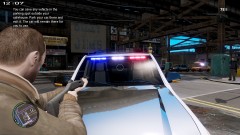
The siren only works when lighting stage 3 is activated. The keybindings for the siren also changed from v6 to v7. I would suggest reading through the pdf that came with the mod and reading this topic: '?do=embed' frameborder='0' data-embedContent>>.
-
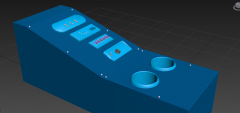 Yeah, it looks great!
 -
Please don't bump posts, it does not get you help any faster. Try removing all the mods and scripts (includes all files ending in .asi in the root folder and everything out of the scripts folder). If that fixes the problem, add back in the mods and scripts one by one, that way you will be able to tell which mod/script is causing the crash.
-
Yeah, great job on the skin, the only thing I would say is that the font looks slightly too big (or it is a slightly different font). The motorcycle looks great too!


