



Captain Peanut
Members
-
Joined
-
Last visited
Everything posted by Captain Peanut
-
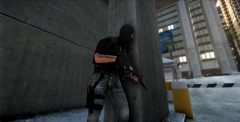 It's now finnished and published. Please give me some feedback if you decide to download it! ;) Download link: '?do=embed' frameborder='0' data-embedContent>>
 -
This is my first real skin and it wasn't ment to be released, but since so many people requested it, I decided to publish it. It's not based on any real life SWAT uniform, it's just my imagination. You can choose to have white or black skin as well as if you want tattoos or not. I may add a version 2.0 of this if I come up with more ideas for clothing, otherwise this ped is done. :) Feedback is greatly apreciated! THIS MOD CONTAINS: -WHITE SWAT OFFICER -WHITE SWAT OFFICER TATTOO -BLACK SWAT OFFICER -BLACK SWAT OFFICER TATTOO -GREY PANTS -BLACK PANTS
- 20 comments
- 3 reviews
-
-

- 1
-
-
Yea I figured it out, but thanks! :)
-
Sorry to ask again, but would it be possible to add a second skin for the head moddel? Would that require a code in the mesh file? Nevermind, I got it! :)
-
Wow thanks guys! It's still in beta stage, but if you want me to, I can release it once it's finnished. ;)
-
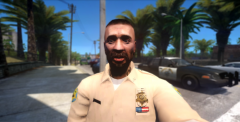
From the album: Liberty City Patrol
-
Haha, okay. Well once again thanks! :D
-
I don't really know what you mean, but thanks for the tip! :D
-
From the album: Liberty City Patrol
Special thanks to Shekure and OfficerLund for making this moddel possible. They helped my with adding the head moddel :) -
Once again, thank you guys for making this moddel possible! :D
-
So do I import them as three new files or do I replace one of the heads? Also do I need to edit some sort of code in a mesh file? Nevermind, I added them as new files AND I FUCKING GOT IT! THANK YOU BOTH! :D
-
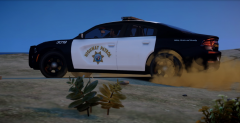
From the album: Liberty City Patrol
-
Export? Shouldn't I be imporing the 3 images I showed in the picture and then rename some code in a mesh file? I just want to be sure that I understand.
-
Ok thanks, now I have the correct head model, but it's pink because it doesn't have a texture. Now. What files do I replace with the three images I got for it to apply to the head moddel?
-
I'm pasting this into the "m_y_swat.odd" file for the mod, but when I drag in into OpenIV, this message pops up:
-
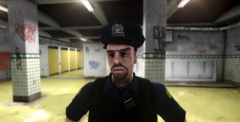
From the album: Liberty City Patrol
-
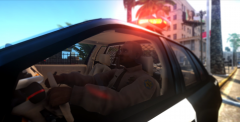
From the album: Liberty City Patrol
-
I don't know what's going on. Now I can't even get the head onto the model. Can you tell me what the files you edited was called? I undertand what I need to do, it's just actually doing it that's difficult.
-
I have to go for about an hour, but i'll be back. I might need some more help. If you aren't online anymore today, can you possibly be tomorrow? I would really apreciate it!
-
For some reason it now says "Fatal error: File "m_y_swat.skel" not found? I did ecactly what I did before.
-
When you say copy the vanilla files AND "textures and extract them to open formats." Do you mean that the texture files should be extracted as open formats or just copied? Also, should I edit anything in this line? gtaDrawable head_000_u { shadinggroup { Shaders 2 { gta_ped.sps head_diff_000_a_blaUNI head_normal_000_a_bla 35.00000000 0.20000000 1.00000000;0.00000000;0.00000000 head_spec_000_a_bla 1.00000000 gta_default.sps head_diff_000_a_blaUNI } }
-
No problem. I'm happy that you are willing to help me out here :)
-
I believe I did. The correct shape for the head shows up if I view the ped with OpenIV, but it's pink and doesn't have textures.
-
This is the model I want to change the head on: '&do=embed' frameborder='0' data-embedContent>>
-
I get what you mean, but either I'm not doing it correctly or it just doesnt work. Don't know what to edit. Also the texture is called head_diff_000_a_bla. Here is the line i copied (original m_y_swat) and pasted into the mesh for the ped skin: gtaDrawable head_000_u { shadinggroup { Shaders 2 { gta_ped.sps head_diff_000_a_UNI head_normal_000 35.00000000 0.20000000 1.00000000;0.00000000;0.00000000 head_spec_000 1.00000000 gta_default.sps head_diff_000_a_UNI } } skel { skel m_y_swatm_y_swat.skel } lodgroup { high 1 m_y_swathead_000_u_high.mesh 0 9999.00000000 med 1 m_y_swathead_000_u_med.mesh 0 9999.00000000 low none 9999.00000000 vlow none 9999.00000000 center -0.00211000 0.02600300 0.13527500 AABBMin -0.60171400 -0.07030900 -0.17783100 AABBMax 0.59790100 0.16044700 0.80799300 radius 0.67349100 } }

