




TheRealNoodle
Members
-
Joined
-
Last visited
Everything posted by TheRealNoodle
-
60 mph is 100 km/h
-
it seems like Polecat removed it
-
I agree with that one
-
but still... if a cop has a gun pointed at you and says that you need to stay in the car, would you get out?
-
the officer said that he needed to stay in the car...
-
-
welcome to the most awesome site ever :D
-
happy birthday :D
-
-
I think that those are jays mini leds, can be found in the dev section
-
omg your game is laggy!
-
maybe move the antenna on the side a bit more to the front (not much, just a little) and a little bit up, I think its too close to the taillight. other than that, great job :D
-
whats the x-files? IM JOKING DON'T KILL ME AND OMFG YEEES :D
-
nice :D
-
finished making a MX7000 drot, here's a preview video
-
never knew this, thx :D
-
yea I thought the same
-
hey guys, just a little update: I tried to make an els drot light last light and it turned out better that I thought here's a video of how it looks (I might use this light on future projects)
-
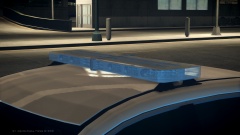 "Release expected in the next week."
 -
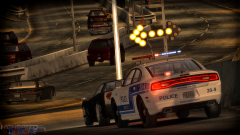 looks awesome :D
 -
I have no idea, never tried it but the coronas automatticly detect the headlights so I think it might work
-
I am not sure but I think you just enable that in the els config
-
-
well... I want to become a police officer here in belgium when I finish high school.
-
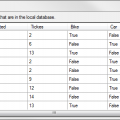 awesome but could you make so we can choose how many police panels we need? I kinda need more that 8 :p
- 29 comments
- 4 reviews


