




TheRealNoodle
Members
-
Joined
-
Last visited
Everything posted by TheRealNoodle
-
I wish I could :D
-
yea I think thats the problem :p
-
im from Belgium and I kinda love NASCAR :p
-
he said non DSF models... those are all DSF
-
you could use any weapon ( -even the default ones) the format they come in is ok for zmodeler, you just need to change the matrerial from gtadefault to interior2
-
im currently working on a big pack, here's a video of me making the cvpi
-
-
-
I had this problem as well, do you know how to fix it?
-
ok thx :D
-
hi guys, I am searching for a good site to get (free) 3D models of cars and weapons, if you know any good sites to get them please a reply thx :D
-
I found this tutorial on how to convert a sa car to IV, I don't know if it will help you but here you go
-
-
-
I once drove my dads audi.... I crashed it (5-6 years ago)
-
-
-
They are hd, dont worry, my game was just not working right when i recorded the video
- 9 comments
- 2 reviews
-
Lol nobody cares :p (i do, happy b-day :D)
-
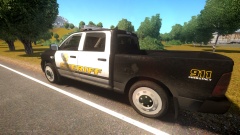 looks really nice :D
 -
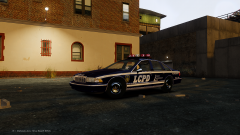 looks awesome, if you don't have anyone yet I would love to test it :)
 -
-
NEW VEHICLE RELEASED: '?do=embed' frameborder='0' data-embedContent>>
-
Brute AMR Ambulance this model was requested by GeorgeJetSam credits:ambulance:Model is composed of original Speedo and original Ambulance by Rockstar Games, each fused and modified by Lt.Caine. Wheels made by Lt.Caine. Main textures made by Lt.Caine. EMT lights:Model made by Toothpick22 Textures Made By Toothpick22 leds side: scratch modeled and converted to gta iv by jasonct203 textured by jasonct203 leds front: Whelen TIR 6 Super LED created and ELS mapped by tomcat8492 skins: all skins made by GeorgeJetSam
- 9 comments
- 2 reviews
-




