




TheRealNoodle
Members
-
Joined
-
Last visited
Everything posted by TheRealNoodle
-
you could try but you will need to convert them to gta iv
-
nice :D
-
awesome :D
-
ask Polecat to send it to you, he might do it
-
there is a taxi mod somewhere... I have used it a long time ago
-
yea I like it better on top
-
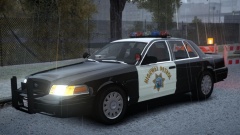 :o what a beauty
 -
I like the new layout and I hope that the new approval system works out :)
-
you know that you need to name your lights extra_1 or 2 or whatever right?
-
ehrm... you didn't type anything
-
moar files to download nothing changes for you guys :p
-
-
-
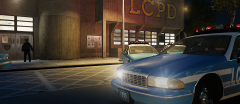 drot 4 the win :D
 -
well it worked so I guess we are all happy then :D
-
wasn't there an els config included? because if the car is not made for drot you can't make it drot. you should have a look at kinksta's vehicle models, he made some great old school drot vehicles :p
-
just a suggestion :) quote members if you want them to respond quick, just typing @username isn't working on this site. bdw its not forbidden to use that font, its just better if everybody uses the same size and font
-
do you even english bro? no but serious, is that vehicle els v8 mapped?
-
oh and its Brute, not Speedo :p
-
they look really nice :D can't wait to put them on my ambulance :)
-
looks nice :D
-
oh ok :p thx :)
-
well... the problem is that hav no idea how to fix the non els problem....
-
youtube and google are your best friends :)
-
I'm currently working on an ambulance requested by GeorgeJetSam, here is a .gif of the vehicle: http://gyazo.com/3f3166d29b1a27cda28e7c2d6419f397 and here are some pictures ( the light textures need to be changed, don't worry about em :D) http://www.lcpdfr.com/uploads/monthly_02_2015/post-73204-0-81741700-1423062063.pnghttp://www.lcpdfr.com/uploads/monthly_02_2015/post-73204-0-37907800-1423062065.png


