249Xeno
Members
-
Joined
-
Last visited
Everything posted by 249Xeno
-
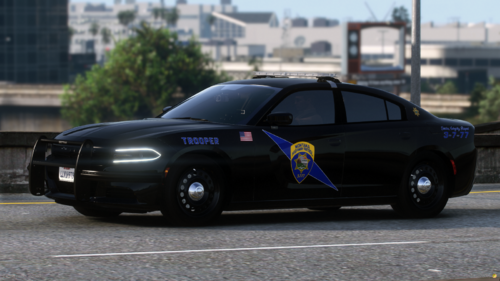 yah... i think someone already made those. but it looks good and I like it.
 -
 Dont read too deeply into the comment, but more of a humor.
 -
English, please... Others can't understand the language you are writing.
-
yesh, I have texture problems... the problem is that my texture isn't as sexy as yours
-
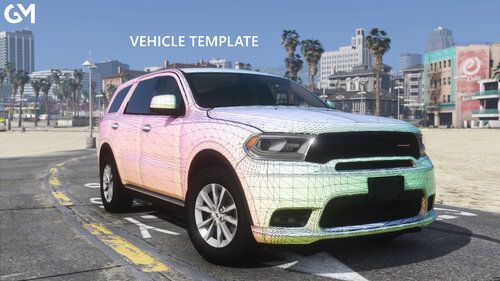 is there any way you can do a 2022 Ford Expedition AO Map and a 2011 AO Map?
 -
 by the way, I forgot to ask you. Are you going to make it from March to November too? for the following year when Daylight Saving starts all over again.
- 27 comments
- 4 reviews
-
-

- 1
-
-
I did that, and it still crashed. It's not the mod that was the cause, and if it was, I would've replaced it without posting it here for minor troubleshooting. Either way. I figured out the issue but that TLS does confuse people nonetheless.
-
Yes, the Automatic siren cutout is out of date, but it doesn't crash the game as much or cause me any issues. However, that is the funny part. I have look through my RPH log over and over again and I can't seem to find the issue as well, but my game does crash consistently. I went ahead and spoke to other individuals to isolate the troubleshooting, it turned out that Xscanner was the cause of the crash. But at the same time, this does throw you off if the person does not know how to read it right...
-
-
-
Hello, So I am having an issue with my lspdfr. I'm not sure what its cause is, but I have been receiving this message in my RPH log. I have been trying for several days now to figure out the cause of this troubleshooting but have not been able to find any solutions to fix the problem. [11/6/2024 6:53:37 PM.595] LSPD First Response: GameFiber::Main() - Critical error on fiber shutdown: TLS no longer matches initial TLS [11/6/2024 6:53:37 PM.597] LSPD First Response: GameFiber::Main() - Critical error on fiber shutdown: TLS no longer matches initial TLS [11/6/2024 6:53:38 PM.597] LSPD First Response: GameFiber::Main() - Critical error on fiber shutdown: TLS no longer matches initial TLS I have also uploaded my RPH log so you guys can take a look at it and tell me what went wrong because I am lost. Anyway, I will be waiting for a reply and answer/solution to this troubleshooting. RagePluginHook.log
-
-
 I like the idea of having random vehicles having some issues. I think this can get better. suggestion, if not in there yet Crack windshields smog vehicles from muffer smoking from the engine broken side mirrors falling front and/or rear bumper etc.... I think this plugin is going to be great.
- 28 comments
- 1 review
-
-
- 2
-
-
-
-
that is a pretty good script. But some states have Daylight saving which its sucks for us all.
- 27 comments
- 4 reviews
-
-
- 1
-
-
-
 this has always the best plugin out there. The second would be traffic suit. Both combination makes the game very fun.
- 528 comments
- 42 reviews
-
-
 I received a note when forced on duty that said that exiting Korio.common.dll needs an update.
- 637 comments
- 51 reviews
-
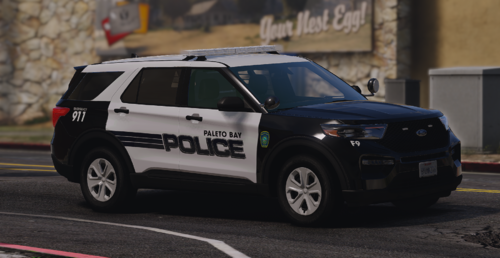 more lights on the vehicle plz...
 -
I never had this issue before either until now, when I tried everything I could think of, even a back door to try and fix it but nothing seemed to work. I suggest doing another update or an update of the RPH itself and hope that will fix the issue. It is very troublesome, to be honest, and annoying and on top of that, it will affect random players and not all.
-
-
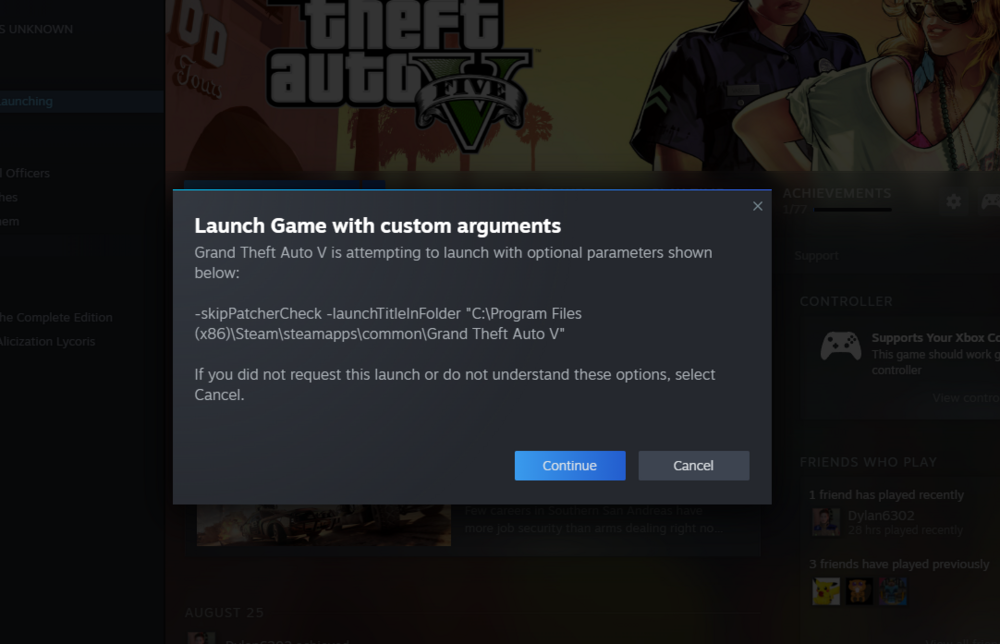
Hello. So I have Googled this and YouTubed it to find an answer to resolve this troubleshooting issue. I am aware that someone had also posted regarding this but there was no answer to this issue. I had tried everything that I could think of to fix this issue but nothing seemed to be working. One that I found out is that if a user decided to launch their game through Steam, the message would not pop up as to what this image is showing, but rather if a user decided to launch " RPH launcher, " this would pop up. The RPH would not start until the user clicked on Continue before the game would run. With that said, the regular RockStar GTA V game has no issue, but the RPH itself does. I have already tried to do another manually drag and drop and that does not help. I had followed this YouTube link and it does not help either. So this is my last resource to see if any of the support team in this LCPDFR would know how to fix the issue. Note: I even went into Steam --> Library ---> GTA V ---> Properties ----> General and attempted to remove it, but it does not allow me to do that. I only have three options, Ask when starting game, Play Grand Theft Auto V, or Play GTA Online. Neither of those options will do any good, that message will pop up the minute a user clicks on RPH Launcher to run LSPDFR. I have also attempted to start fresh and hoped that this would help, but it did not. I also uninstalled my Steam App and re-installed it, still had the same issue. I don't have any other option besides this. So does anyone know how to troubleshoot this issue?
-