


249Xeno
Members
-
Joined
-
Last visited
Everything posted by 249Xeno
-
 go into your trainer ingame and change the color from there. as I stated... go into the trainer ingame and change the vehicle color from there.
- 476 comments
- 18 reviews
-
-

- 3
-
-
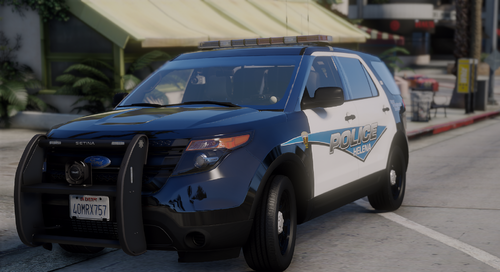 Can I get the vehicle instead?
 -
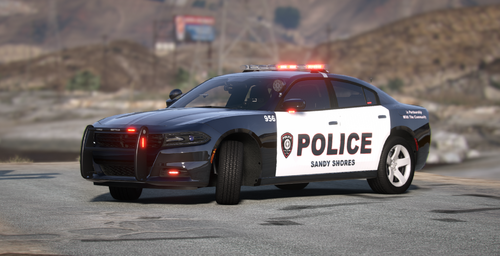 because it took me here and i saw it. Dont get me wrong, the skin looks good. nice and simple... but the car is sexy.
 -
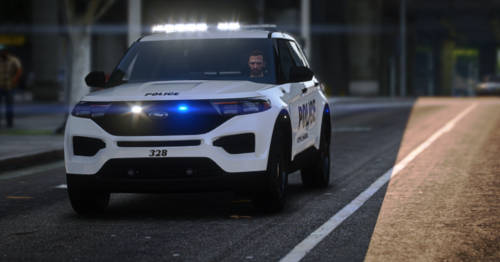 Update.... I took your skin and added AO to it, so this is how it looks. The light looks better.
 -
I copy that. I will go ahead and check it out. Okay on the 4 yrs of Zmodding. I don't have a problem either way for me, whatever the dev likes. That is cool with me.
-
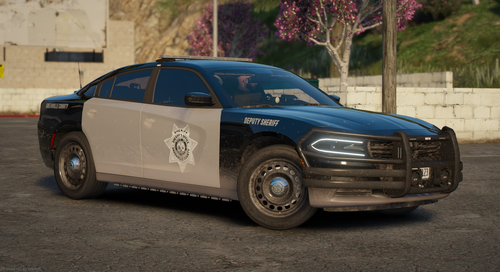 is this just going to be liveries only or the model too?
 -
I get what you mean... It isn't the XML. As I stated, I'm not sure if @Emergencymodder112 knows how to attach the light within Zmods to get it right. It is up to what he wants to do, either take it down and rework the light or leave it as it is... Hes the maker, so I can't say anything about it.
-
So I read your post and I get the first part... that the lightbar isn't the same as the one shown on YouTube. I'm not sure if the dev is new to using Zmods, but I agree that it does not match It's his car and his style of how he wants his light to show. Don't get me wrong, I would love to have the demo, but if he wants it this way, I won't complain about it. Secondly, I don't understand what are you talking about. Can you specify what is wrong?
-
-
-
-
@Emergencymodder112 Tell me that is a mistake ... lol. "Shite" I notice there is red for the prim 1 - 4 which was supposed to be white and blue. there is no red emissive at the front, aside from the rear.
-
I am more interested in the car than the livery... sorry, but just being honest. I can make my own livery...
-
He can change it to blue or you can change it to blue through XML file. As for the park mode, you can't do that with ELS, it has to be a hybrid or Non Els.
-
 No rush dude.. take your time.
 -
@Gelse16 here is an image after I installed your darker nights. It works, but for some reason, half of the screen are not showing. I have NvE, but it is working because I did not install Darker Nights from NvE.
-
I don't think he will. He is following what the RL department has on their vehicle and I like it how it looks too. It is clean looking. Now he CAN make another vehicle that is not based in RL and add the r/b or r/w...
-
oh, btw the way... while you're at it. During Code 2, the right side reflective is blue, but the left reflects red while the emissive is white. sorry, I almost forgot to let you know that so you are aware of it before others tell you that 😃
-
light bar. The ions looks awesome but the flash should alternate like how the ions on the fenders does it...
-
actually, I was wondering about that... However, I noticed that the white light and the blue light are separate connections. In the video, the blue and white go hand and hand as it switches from blue to white and back to blue again. On yours, the white flashing itself while the blue is flashing itself... it doesn't match the video you have shown here. Don't get me wrong, I like it but it would work well if you attach the blue and white emissive together so it'll flash together instead of separately. its just my suggestion. I don't mind how you do it for your model but it does look overlaying one another in the emissive nor it be hard to set a pattern for stages.
-
yes it does
-
nah, dont be... i'm fine by it. i guess I'll have to use the old one for now
-
This is the first time I have ever seen an ion like that. It is unique. But I like how you did with the light.
-
yeah.. i saw that lol. sux though
-
I'm not sure if this is compatible with NvE Dark Zone. After I uninstalled the dark zone from nvE and added this in, my game went dark unable to see anything even in the daytime. I will try to add the Dark Zone from NvE and then add this in to see what will happen. Will keep updating with the result.


