



Mr.Quiggles
Members
-
Joined
-
Last visited
Everything posted by Mr.Quiggles
-
Nice! GTX 760 will definitely fly. 0.95 definitely requires more power from the GPU, as it is a much more in depth script with more features. In comparison, I have 2 GTX 660's in SLI and they run everything with scripts, car mods, ENBs, ELS ect with no problems and at the highest settings. Occasionally, my SLI will disable itself and I will see texture loss with my current settings. (In other words, 1 GTX 660 isn't powerful enough). Looks like your bud's computers may need some upgrading as well. :)
-
 I still prefer the Naked Gun series over Airplane. RIP Leslie
 -
Additionally, texture loss may be caused by LCPDFR, but generally it occurs when your video card runs out of memory, perhaps your system is not powerful enough to LCPDFR and the cars, ENBs, textures, scripts, and whatever else you got.
-
Hopefully you'll be able to return it if you don't like how the performance handles.
-
I posted this in the LCPDFR support because this has to do with the LCPDFR script rather than the game from the way I see it. Basically for me, the default walk style for the cop model walks too slow (move_m@cop), and the holding LEFT+ALT Speed walk is too laggy and glitchy for me. To combat this under LCPDFR v0.95, I changed my "Walk style" to move_m@generic, which was a much more balanced walk style. (It also got rid of the pulling up the belt animation every 3 seconds). However, I've had problems with this under LCPDFR v1.0. The left ALT key automatically changes the walk style to move_m@cop, and additionally other features such as grabbing ahold of suspects to walk them around changes the walk style back to move m@cop. My question is, is there a way I can edit either the LCPDFR files or the GTAIV ped game files to change the LCPDFR from changing the walk style to move_m@cop, and maybe instead have it change to move_m@generic instead? Thanks, I appreciate your time and response. -Q
-
Oh yeah extremely basic stuff like that should run on the GTX 650 easy.
-
tl;dr = Too long, didn't read. Texture loss in a phenomenon in GTAIV where everything starts to disappear when the game runs out of memory. I still suggest the 3rd out of those 3 models.
-
Definitely not the second one because it is integrated graphics. Second, I really only know Nvidia and Intel Products, so I can't help you out with the CPU Choice, however the third has a GTX 650 which isn't great, but isn't bad at the same time. It could definitely run GTAIV at High Settings without mods, if you add a bunch of texture mods, vehicular mods, and ENBs you may get some texture loss. Additionally, from what I see the CPU looks better on the third option but again, I have absolutely no clue about AMD products. tl;dr, 3rd option.
-
Rooftop beacon light? I'm not too sure, but there is spotlight mods but you'd have to toggle them manually, and move them to the top of the vehicles. Additionally, this vehicle has a "Rooftop Beacon Light" that is enabled I believe with the ELS lights. http://www.youtube.com/watch?v=53L7Hh_qTmw
-
 rofl
rofl -
I'm not going to even mention the Metro UI because not only is it garbage, but the vision of a "unified operating system" is appalling to me, and most likely why Steve Balmer is stepping down (Huge failure). However, as a user who has used Windows 8 and 8.1 ever since I built my computer in Early 2013 (So about 1 year), I absolutely love Windows 8 Desktop mode. It is much snappier than Windows 7, and is pretty much the exact same OS as Windows 7 minus a start menu to put it simple (I also use Start8). There isn't as many improvements on Windows 8 as I'd like to see because the folks over at MS were all focusing on the Metro UI, but the desktop UI has gained some serious improvements like a beautiful new task manager (Finally), increased sleep/wake/power on speeds, and overall snappier response of the OS. For newer hardware, I highly recommend Windows 8. If you're running an older computer, you may not get the best bang for your buck (Because Win8 is designed for newer hardware).
-
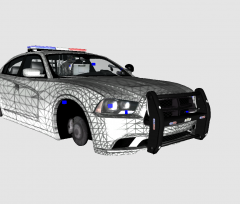 nice!
nice! -
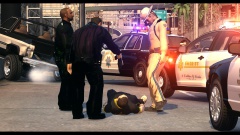 rofl with the gun in hand too
 -
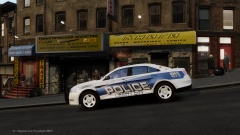 Looks solid to me.
 -
 This is really absolutely stunning.
 -
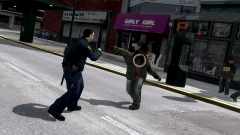 Now trending on twitter, #VisitLiberty
 -
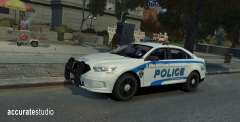 I like both the model and skin, they go together well. Reminds me a little of a modern version of the old US Capitol Police
 -
![[WIP] Slicktop Explorer](//s3-gallery.int-cdn.lcpdfrusercontent.com/gallery/album_1177/sml_gallery_9139_1177_49060.jpg) DAMN! so good.
DAMN! so good. -
Like the first guy, I'm not too sure either. PC desktop is the way to go. My guess is you could run it though. Gaming on a laptop is just something that's really distracting and not meant to be.
-
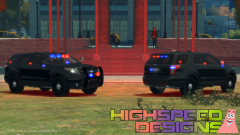 I'm loving all these new explorer models coming out. Keep up the good work!
 -
 There better be a release, that thing is fricken BEAUTIFUL
 -
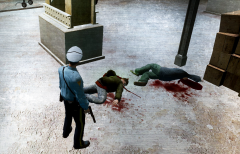 I love it. Reminds me of something out of The Departed style type movies.
 -
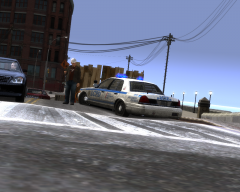 I like it!
 -
There's nothing really wrong with it, but I recommend buying the newest software (In this case Win 8.1) because then you won't be bottle-necking yourself in the future. Newer OS is always the best to buy because it'll have the best support for software/hardware for the longest time. Programs are written with the newest hardware and software ect. For example, Windows XP wouldn't run games very well because it's old and outdated, sure it will run things, but you're bottle-necking what your system has to offer (Especially if you've build a system with brand new hardware). It's just my opinion, I always recommend buying the newest software. (It's just assumed, but let me make clear I'm talking Win8.1 Desktop Version + Some sort of Start Button, no metro version bullshit at all should be ever seen).
-
Hmm, I'm not too good with buying computers prebuilt. I highly recommend building your own, but if you can't check out http://www.Newegg.com and http://www.cyberpowerpc.com/ My advice is do the research on your own (I'm not going to do it for you), and then find a few models for us the go over. We can tell you if your chosen model is of good performance and cost effective (Will never be for prebuilts, but we'll have to let it go). Additionally, I would've recommended Nvidia, Intel, and Asus as companies anyways, so good choices there. I don't agree with the Windows 7 but we'll let that go.

![[WIP] Slicktop Explorer](http://s3-gallery.int-cdn.lcpdfrusercontent.com/gallery/album_1177/sml_gallery_9139_1177_49060.jpg)
