Darkangel
Members
-
Joined
-
Last visited
Everything posted by Darkangel
-
-
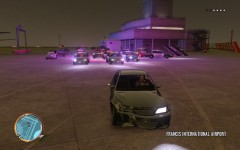
 ENB?
ENB? -
there is soming for everyone
-
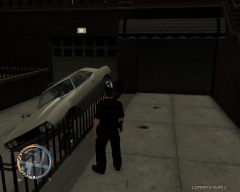 He needs a parking ticket...
 -
I think it was big foot or maybe a alien or something, OR MAYBE A ALIEN GHOST BIGFOOT
-
Are you living inside a rock or something or maybe you are posting from the future? Today is the 8th unless I missed something saying it goes 5, 6, 7, 8, 11 now... lol But any ways ya, so many people killed for nothing. Also to anyone who thinks our government did it can go suck a fat one...
-
Here you go, think it only dropped my FPS by like 5 or so
-
You could do better for cheaper how much is this costing you?
-
Pictures don't work I don't think, well atleast I can't see them
-
You shitting me? Every other day people get arrested in Milwaukee for murder, rape, kidnapping ect... So your telling me I can Google and find every signal fucking murder in the Milwaukee area just by Google it? Your name is right you are just a troll Also if you knew anything about the law you would know a kid involved in something like this can't have his name on the news or new paper or anything all they can say is some kid or child. @Hunter This happened over 10 years ago, your telling me you can remember such a common news report from 10 years ago? People that kill 15 people only get about 30 minutes of news time. Like the movie theater shooter shot and killed 11 people do you still hear about him? Not here in Wisconsin there to worried about some famous person got a tattoo on there ass... I don't know what problem you have with me but every time I post something you come on the post and dick around trying to turn the words on me. Go head don't believe it I don't care but I will say whats true and that is true.
-
-
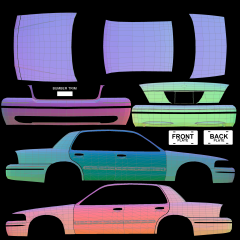 Point of this is? Looks the same as the other 40000 templates out there
 -
Was there a point to that? Like he said make sure your running the LAUNCHGTAIV.EXE as admin that will fix alot of problems. Also try to delete the ASI loader fully than reinstall it. Also make sure you are installing it in the right place..
-
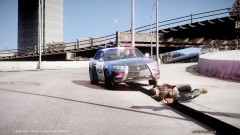 Thought it was a real pic at 1st lol
 -
You didn't search hard enough... http://www.gta4-mods...ompatible-f9171 Make sure you have a ASI loader this mod needs it....
-
This is what you can do, you can but the video card and go on the Internet to learn how to do. You can buy the card and go to best buy or someplace and have them do it for you. Which will cost about another $50. Than there is the option that no one in their right mine would do and that is to forget about it. =oooooo ( not recommend) You might need to get a better power supply because I'm guessing your computer came with one in the 400 watt area which is way to low to be running games and what not on. Let me recommend a good card http://www.newegg.co...N82E16814130625 Wouldn't get anything better than that because than your graphics card will be running faster than your CPU. So you would just be wasting money anything better than that 550ti For the powersupply i would get something around 600 give or take a few I have a 520 watt ( going to get a 600 watt soon)
-
You could but 1/5 people that crack that get caught and end up paying 8x the price of it. On another note I use bandicam 10x better than FRAPS....
-
Could be a number of things... Try running the launchGTAIV.EXE as an administrator Steps 1.) Find the launchGTAIV.EXE 2.) Right Click on it 3.) Go to properties 4.) Than comparability 5.) Than check Run this program as an administrator 6.) Click apply 7.) exit and try launching the game from that LaunchGTAIV.EXE ( if a window comes up asking for you to allow this program just allow it)
-
-
Than just download this and copy and paste everything it says to here http://www.piriform.com/speccy All the way from the OS to the Hardrives.
-
I might if you would post your specs it might be your computer being to slow. Once again not trying to be a dick here but before you say this computer is new it dosnt matter if the specs are crap. Just tell me the specs of your computer again. CPU: RAM: Video/graphics card: OS: ect...
-
This is going to be more of a helping thing towards you go into your ELS config file and change all your cop cars that have all blue lights to this Active = 1 Halogen_Only = 1 Color_Light1L = 1 Color_Light2L = 1 Color_Light3R = 1 Color_Light4R = 1 Color_Light7L = 1 Color_Light8C = 1 Color_Light9R = 1 Offst_SLights = 1 So for the SUV it should be [ POLPATRIOT ] Active = 1 Halogen_Only = 1 Color_Light1L = 1 Color_Light2L = 1 Color_Light3R = 1 Color_Light4R = 1 Color_Light7L = 1 Color_Light8C = 1 Color_Light9R = 1 Offst_SLights = 1 Makes it so the ground around it and what not is blue when the lights flash..........
-
We still need your graphics card, ram, CPU Just download this http://www.piriform.com/speccy It will tell you all your specs also will tell you how hot your system is.....
-
You don't have a clue how computers work do you? Sorry if i'm sounding like a dick but kind of getting sick of helping you and you just ignore everything we say. If it was skipping and lagging restoring your computer won't help anything. Unless I fell asleep for 500 years and now when you do that it upgrades your computer. If you had a virus or something wouldn't just effect GTA 4. Now listen to the people trying to help you and go to the run menu ( NOT IN GTA 4) in your windows and type dxdiag.exe Than tell us your specs so we can help you. Also stop bumping threads people will get to you soon enough your not the only one on this forums.... Admins if you think I was to harsh just tell me lol
-
Computer specs? Such as CPU RAM Graphics card ect....