


Darkangel
Members
-
Joined
-
Last visited
Everything posted by Darkangel
-
Make sure you run it as admin.... If you have it on steam make sure steam is running as admin to.
-
@seri98 there never has been a ELS boat. ELS doesn't work with boats. Also nice work!
- 16 comments
- 2 reviews
-
Get a new script hook files, this happened to me just need to replace the script hook files.
-
Go to objects than some where on the right side it will say like spawn object by number or something like that, just type that in than. In the simple trainer also spawns about 10 feet in front of you.
-
Need to spawn it by code ( that's the easiest way) the code is 4079608389
-
http://www.youtube.com/watch?v=BT8fhX2ZYdg&feature=plcp Was a video I made testing out a new recording soft ware as you can see the new one sucks....
-
They won't, they said they are going to have it be more complex than lets say COD. Also at this point it would take a very long time to rewrite all the code to make it easier....
-
I love the new lighting system! Can't wait for it to come out think it will be pretty awesome with all the new futures like under water diving and stealing someone else uniform and getting past enemy guards because they think its you. ( my comma key is broke so can't put commas lol) Also the new rag doll effects look awesome and the powerplant gives power to the citys if you blow it up than the lights go out =).... OMG I just can't wait lol
-
-
2.1 works with both 1.0.4.0 and 1.0.7.0, try taking out the time sync as they seem to always screw it up when they release it. Haven't use 2.1 yet and don't plan on it, for the guy that said icehancer dosn't work with ELS. Your wrong as you can change the settings in the Iceconfig file to look awesome with ELS. All you need to do is download a ENB that looks good with ELS. ( ENB no config with LCPDFR) and rename the ENBseries.ini file to the iceconfig.ini They are the same thing just a different name =)
-
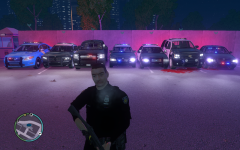
From the album: DarkAngels PD
This is the police set up we use for a clan i'm making, took a lot of trial and error but we been able to play online for hours with this mod pack. DigitalGamingUSA is now open!!!! Here is the website ( we are still new so we will be getting a better website soon.) http://digitalgamingtoday.enjin.com/ Come and check us out =) -
What are you going to tell the police? This guy on xbox live threatening to kick my ass when we get back to school? They wouldn't be able to do anything about that as its only a threat now, but if there is violence behind the threat it can be dealt with than. Here is a example, " im going to kick your ass" Cops can't do anything about it. "Im going to come to school and shoot you and every one else there" That can be dealt with as its showing how and what he is going to do.
-
-
I just updated my CPU,RAM,Motherboard and I play at about 90 fps ( depending on what im running) my total price was about 300. Think you got ripped off lol Sorry got off topic, make sure you check for virus's and malware at least once a week. Some you won't know are installed but will slowly eat away at your computer...
-
Use Advanced system care the newest version they have a free version out thats My guess is you got a virus as if it was a hardware problem you would of notice it over time. Like I said download advanced system care 5 and do a scan and fix all the errors it gives you. http://www.iobit.com/advancedsystemcareper.html
-
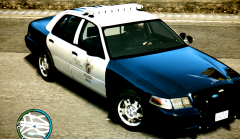 where can I download that ENB?
 -
were only human =)
-
If you wanted them to be all blue wouldn't you want to be like this? If it was all 3 than wouldn't it only amber? Halogen_Only = 0 Color_Light1L = 1 Color_Light2L = 1 Color_Light3R = 1 Color_Light4R = 1 Color_Light7L = 1 Color_Light8C = 1 Color_Light9R = 1 Offst_SLights = 0 This is the light code from the ELS config. // Red 0 // Blue 1 // White 2 // Amber 3 // Green 4
-
You will have to mess around with your gamma brightness and contrast to make it look just right.
-
go into the ELS config file and than just scroll down and you will see that same thing I posted, just change the numbers to how I have it. May need to change GTA 4 settings a little bit not with graphics but with gamma,brightness and contrast. To get it to look just right. If you really want the ENB I use is ENB no config with LCPDFR or something like that. Didn't even drop my FPS, if anything I think it went up lol
-
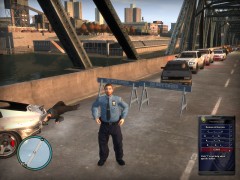 where do you get the police helper 2000? lol
 -
Yup I use a ENB
-
So I downloaded Dxtory, ( a program that records like fraps, but I think its better than FRAPS) when ever I start GTA 4 it will say program has stopped responding. Once I get in game, I can launch Dxtory and be ok. But as soon as I try to launch GTA 4 and with, Dxtory running it will make the game stop responding, any one know how to fix this? Before any one gets ants in the paints, and starts saying how fraps is the best let me tell you why I stopped using fraps. 1st, fraps makes me lag like none other, second when i'm playing at 100 fps and I have it set to record at 30 fps in game it will record at a max of 12.
-
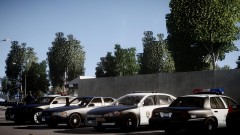 What CV is that on the very right?
 -
This is what I have mine set to and it looks pretty good, Resolution_W = 1920 // Your game resolution width -- Default 1920, do not alter Resolution_H = 1080 // Your game resolution height -- Default 1080, do not alter DisplayLocation = 2 // 0 Off / 1 Only on with info. panel / 2 Always on when in a vehicle Range_LightsF = 7 // Range of headlight environment lights Intens_LightsF = 9 // Intensity headlight environment lights Range_LightsP = 90 // Range of primary environment lights Intens_LightsP = 2 // Intensity of primary environment lights FlashSoundFx = 1 // Enables or disables ticking sound when lights are active This is what it looks like ingame http://www.youtube.com/watch?v=9OLiSuIHyqg&feature=plcp I know I have a ENB but, before it was just like your gave off no light on the ground. Also tested it without the ENB and still looks good. almost forgot the way I got it so it flashes blue and red was changing the light thing to this Active = 1 Halogen_Only = 0 Color_Light1L = 1 Color_Light2L = 0 Color_Light3R = 1 Color_Light4R = 0 Color_Light7L = 3 Color_Light8C = 3 Color_Light9R = 3 Offst_SLights = 0



