


Creators: Due to background reprocessing of files, approvals and file security checks may be delayed. Thanks for your patience.

Slimory
Members
-
Joined
-
Last visited
Everything posted by Slimory
-
-
weird, i've never had that problem, could be photoshop, i use Paint.NET
-
google search bar is your best friend
-
For the NYPD Cruiser's i use A-02 for Primaries and C-04 for secondaries Whelen Liberty Cruiser's i either use A-02 or A-06 for the primaries, depending on how it's mapped, A-06 gives the blue light a really quick flash and alway's C-04 for every secondary light i use
-
It has the same rim's as the one he want's, not sure about the grill though.
-
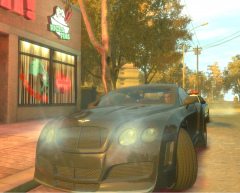 that look's like the car from Saints Row 3 :D
 -
No problem man, glad it helped!
-
i don't use those graphic's mods, right now i'm using Sgt. Kanyo realistic Time Cycle mod and everything look's the way it should
-
when you download the file it sounds like you didn't save it before running the program/installer (it's been awhile since i had to install it)
-
there's one on GPM that i'm using in EFLC right now, the site is down again so i can't give a link.
-
EDIT: Sorry for the double post
-
i can't remember the layout of V6 but i use V5 and this is how you get red and blue surroundings :[ POLICE ] Active = 1 Color_Light1L = 0 Color_Light2L = 0 Color_Light3R = 1 Color_Light4R = 1 Offst_SLights = 0 EDIT: ninja' by birthofahereo EDIT 2:Red 0 Blue 1 White 2 Amber 3 Green 4 use those numbers as a refernce if you'd like just go half n half starting from the top Colour_Light1L=0 rinse and repeat :)
-
I never even thought about downloading this when i saw it, i thought it was pointless, but since you put it like that Tom H, downloading, +1 :)
-
I'm almost 100% sure i saw a non-ELS on GPM, for some reason i can't get onto the site but i know it's there
-
if i get what i think your saying then yes, you can just rename 3 of the cop files you wish to edit to the one you want and import via SparkIV example: the skinny cop can replace fat cop or you can change all your cops to the same one. as for the second part i think someone did a script mod that allowed you to choose which officer's are in which vehicle, can't remeber the name or who did it, but it on LCPDFR. hope this help's!
-
I think you may be right david, i'm leaning more toward the yellow light's being incorporated with the paramedic mod.
-
Okay so, my Xbox360 controller completely died on me a few days ago, luckily i have a PS3 and figured out how to get it to work in game, the only issue i'm having is calibrating it, the camera goes everywhere, anyway, this is for those who don't have a 360 controller but have a PS3, these button's have been tested by me several times to get the right one's (except R2 &L2) they make the camera spin, but, i'm sure everyone can somehow figure it out so i can add it too this so others can do it, as most of you may not know, GTAIV does not support the PS3 controller so you have to put the key's in yourself they are not the same as the Xbox 360 controller believe me i tried, anywho here are the key's FOLLOW STEP BY STEP SO IT'S NOT CONFUSING: 1st download motionJoy GamePad Tool here: http://www.filecrop....otioninJoy.html then run the EXE. it'll explain how to install the controller and it should say (once your controller is cinnected) Connected game controller(s) 1.Dualshock 3/sixxaxxis (USB) DISCONNECT 100% once it say's 100% go down to Playstation 3==> Options click Options inside it will say this: DirectX Input Button 1- Square Button 2- Cross (X) Button 3- Circle Button 4- Triangle Button 5- L1 Button 6- R1 Button 7- L2 Button 8- R2 Button 9- SELECT Button 10- START Button 11- None Button 12- None Button 13- None Button 14- None Button 15- None Button 16- None Button 17- None Button 18- None Button 19- None Button 20- None D-pad up- D-pad up D-pad right- D-pad right D-pad down- D-pad down D-pad left- D-pad left Axis X- Left Stick X Axis Y-Left Stick Y Axis Z+-Left Stick X Axis Z- Right Stick Y Axis RX- Right Stick X Axis RY- Right Stick Y Axis RZ- None Axis Slider- None Axis Dial- None These key's are what i have, keep in mind i only figured this out a few hours ago with about a dozen or so restarts, if you get the camera the way it should be, by all mean's post your result's here and i will keep this topic updated for those who are interested in the PS3 Controller for GTA IV, i don't know any key's for any other games and i won't be learning any as GTAIV is my ONLY PC game :D, enjoy all!
-
-
those lights look built into the model, i don't know much about non els models, i use ELS, you could try changing the glass and light colour? however the yellow ones are probably synced with the primaries.
-
Those are non ELS light's, meaning they do not require ELS for them to work, the strobe effect's with the back light's and the headlight's is incorporated with PPM. sadly, you can't get the strobe effect without PPM.
-
this really makes me want to play... stupid Xbox controller :(
-
-
don't forget to edit the sound to so your bike doeesn't sound like pstockade :P
-
FINALLY! someone took the time to make silenced glock! 10/10 bro!
-
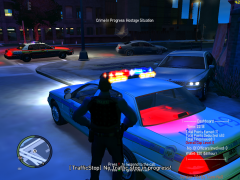 should post a pic with the strobe effect :D


