


Slimory
Members
-
Joined
-
Last visited
Everything posted by Slimory
-
he's not on the forum's at all?
-
I just changed the key's to "A" & "S", cause they also turn on when changing both primary and secondary light pattern's.
-
I like christmas tree's i don't think there is one out there, you could check bugs' section on GPM though, he like christmas tree's :D
-
one of LT.Caines cvpi's has an aerodynamic lightbar on it, maybe you could ask him if you could use it? EDIT: @Dhruv, guess i shoulda read your your post :P OFF TOPIC: man, lightbar's have come a long way since the 90's lol
-
 How much wanted level did you have? lol
 -
you need ELS
-
Instead of telling someone (jokingly) they have 1 disease, might as well tell them they have all :D : Herpa-Herpes ,gauna-gaunarhea, syphal-syphillis, aides-aid's :biggrin: :biggrin:
-
i found the snow mod, that disables the ticking, but thats alot of work if just to turn the ticking off,as for the fluctuating rambar, i do believe that, that is an outdated car mod or it's missing something, LCPDFR has the 3 lighting modes that still work with non-ELS car's but not the ELS effect, they still flash but not the ELS effect lol, the fluctuating i had a problem with that with an FBI cruiser and an NYPD cruiser, i just use the newer models now, less headache. either that, the model is buggy, but it does happen when you use a model nobody has updated in awhile, my luck, when i first started modding, that seemed to be the only thing i found lol
-
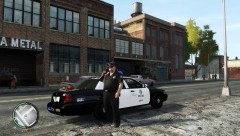 I like how he is standing there, shotgun in hand lol
 -
I use V5 and haven't had 1 crash at all, but there aern't as many options, you can't turn on primaries when the spot light is on, you can't disable the annoying ticking (but i found out the snow mod disables the ticking, you can't turn on the spotlight in V5 unless the menu panel is on at all times, V6 i would get crashes every 20-30mins, V5 i get 2-4 hours constant playing before any crashes at all., as for AI that still crashes in V5
-
 and import the textures before you import any model parts
 -
Herpogaunasypheledes :D
-
-
-
when i import the textures for some reason there is png and dds, both of the same file so i import the dds textures, @EVI the list with polygon's, mesh etc?
-
you can just change the light pattern?
-
what's heirarchy? lol
-
I remeber reading some post's with people attacking bug's, any way sorry for going off topic
-
gonna say that EVI probably isn't a fan of Bugz' i take :P @Corba640, don't hijack thread's make your own.
-
-
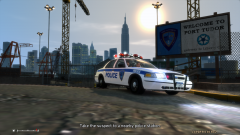 Like the gas mod, very realistic
 -
I'm having a fair bit of trouble, either my police equipment won't appear in game or the wtd files say's it has 0 bytes, i think i did everything i needed to do, i load all the textures before i imported any model's, also can anyone tell me why my police equipment does not appear in-game? also, do all loaded textures need to be "dds"? and i get an error after i get everything loading in "could not find grey.dds" any thought's?
-
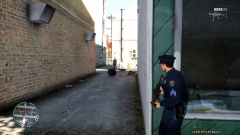 how did you get the patches to come out so good?
 -
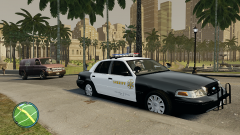 i got really confused for a second there lol, is that the San Andreas RAGE?
 -
i tried that, cop's still can't make up there minds whether or not to put there weapon's away lol


