




Lennyy
Community Team
-
Joined
-
Last visited
Everything posted by Lennyy
-
Please forward the one from your main directory. That one hasn’t got any numbers in the file name. Not from your logs folder.
-
I don't exactly understand your question. Do you want to know how to enable the priority tone via voice commands? Your topic has been moved to LSPDFR 0.4 Support. Please post in the correct location in the future.
-
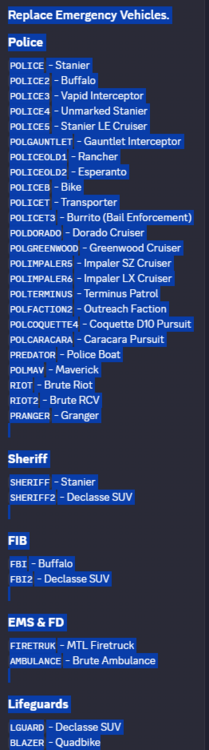
This should be up-to-date: Preferably the latest patchday that has a vehicles.rpf. Yes. In the download section > vehicle models.
-
Perhaps because this hasn't been updated since 2017. You may want to take a look at ViewPointV.
-
I'm not sure what I am looking at so no probably not.
-
Either MegaphoneUI or OfficerPorciPlugin has some sort of feature similar to what you are looking for.
-
Could you please force those crashes again and attach a new log?
-
Unless somebody made a mod replacing the voice lines of the AI officers, no. At least I'm not aware of one.
-
Your topic has been moved to GTA V Support, this is not LSPDFR related. Please post in the correct location in the future.
-
Remove PoliceLifeS and retry. Your topic has been moved to LSPDFR 0.4 Support. Please post in the correct location in the future.
-
Attach your RagePluginHook.log found in your main directory.
-
Your topic has been moved to GTA V Support, this is not LSPDFR related. Please post in the correct location in the future.
-
Your topic has been moved to GTA V Support, this is not LSPDFR related. Please post in the correct location in the future.
-
-
I can’t tell you about any possible updates to RPH because I don’t work on its development.
-
Install heap and packfile limit adjuster as well as a gameconfig. Your topic has been moved to GTA V Support, this is not LSPDFR related. Please post in the correct location in the future.
-
-
You're missing RNUI. Download the latest version here: https://github.com/alexguirre/ragenativeui/releases/
-
I will let LMS know. Could you get them to also post topics with more information? The more topics with information about the problem we have, the better.
-
 Yes, upon the next time going on duty, PR will convert them.
 -
It only works for 9.6+. A 9.3.1 version is not planned at the moment. You can use the UB configs from Joe C Wilson and have PR convert them automatically.
-
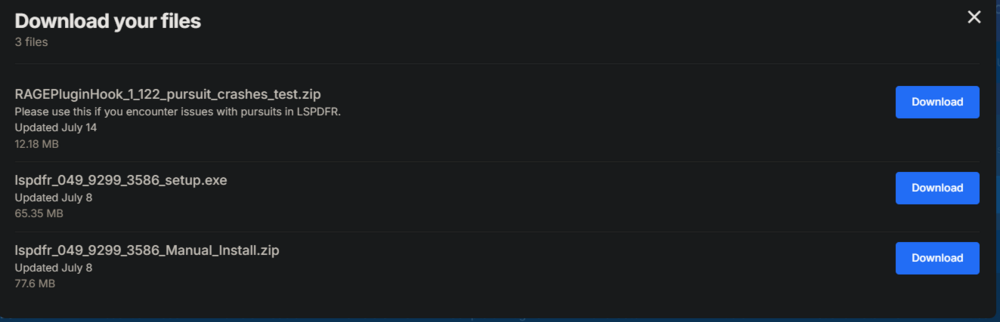
You'll want the top one.
-
Since I’m on an AMD system, I personally cannot tell whether this is a issue only for you or generally broken.
-
Have you edited any XMLs or INI files lately? This indicates that either a setting or a keybinding was set up incorrectly.
-
Can you please state the game version, RPH version and whether you are using an NVIDIA graphics card (and its version number)? This topic has been moved to the appropriate forum. Please post in the correct location in the future.



.thumb.png.656f907bc2febc81911b0b821cb502c8.png)


