




Lennyy
Community Team
-
Joined
-
Last visited
Everything posted by Lennyy
-
.thumb.png.656f907bc2febc81911b0b821cb502c8.png) You need both the server and application files. You can either use the server on your main PC and the application on a secondary laptop or both on the same device.
You need both the server and application files. You can either use the server on your main PC and the application on a secondary laptop or both on the same device.- 340 comments
- 43 reviews
-
-

- 1
-
-
What exactly isn’t working about EUP? Do the uniforms not show up? Do they show up weirdly? Double check whether the dlclist lines exist as well as the EUP folder inside your dlcpacks. Your topic has been moved to GTA V Support, this is not LSPDFR related. Please post in the correct location in the future.
-
Start RPH, click on the gear ⚙️ icon and set the displayed number from 10000 to 60000 (sixtythousand). Hit save and launch. Your topic has been moved to LSPDFR 0.4 Support. Please post in the correct location in the future.
-
-
 Congratulations to the PR Team for finally getting to release this to the public! Glad to be a part of your guys' testing team for so long.
- 625 comments
- 48 reviews
-
-
-

- 6
-
-
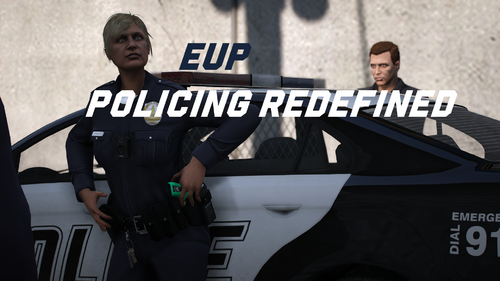 Seamlessly integrate EUP 9.10 outfits into Policing Redefined with realistic configurations. Thank you for your interest in EUP Policing Redefined. This config pack allows you to use EUP 9.10 outfits with PR. ⚠️ Important Note This release was made and tested using EUP 9.10, which can be obtained by pledging to the EUP Teams Patreon page. While I have not personally tested it, it should theoretically work with EUP 9.7, 9.8 and 9.9 as well. 📦 Installation 1. Back up your files (recommended) Navigate to GTAV\Plugins\LSPDFR\PolicingRedefined\Backup\ and save a copy of your current XML files (4 in total) somewhere on your PC. 2. Install EUP Policing Redefined Drag and drop the Plugins folder from the EUP PR download archive into your main GTA V directory. You will be prompted to replace existing files. Select 'Yes' to overwrite your old files. 3. Customise your XMLs After installing EUP PR, you can edit the XML files to fit your installed (addon) weapons, cars, EUP items, adjust loadouts, vehicle assignments, and other configurations. For more information regarding edits to the backup files, please consult the PR Team’s User Guide: https://policing-redefined.netlify.app/docs/user-docs/configuration/backup The XMLs provided with EUP PR only include default content provided by Alex Ashfold and the EUP Team in EUP 9.10. No edits have been made to any outfits apart from sergeant rank insignias. 4. Switching from Ultimate backup If you are switching from Ultimate Backup and wish to keep your current XML files, you can just drag those into GTAV\Plugins\LSPDFR\PolicingRedefined\Backup\ Policing Redefined will automatically convert them to their XML structure Converted XML files from Ultimate Backup will be missing the following: - Custom Name List IDs - Comments - Custom Offsets ⚡ Features Preconfigured XMLs ready to use for EUP 9.10 Includes standard agencies such as LSPD, BCSO, LSSD, SAHP, SASP, LSFD, LSCoFD, Coroner and much more... Ready for drag-and-drop installation Realistic spawn chance distribution based on real-life data 💬 Support If you encounter any issues, please leave a comment on the download page or PM me here on the forums. If we share a server on Discord, you may also PM me there (probablylenny). While all files have been thoroughly checked, some issues may still occur.
 -
There won't. However, there's ReportsPlus which is fully supported by PR.
-
You're welcome!
-
Since it happened right after installing their mod, have you tried asking on their Discord server for help? They might have a better understanding of their mod than most of us on here. This topic has been moved to the appropriate forum. Please post in the correct location in the future.
-
Do you have a mods folder? If so, rename it to _mods.
-
Older versions of LSPDFR are not kept for download by us. We only provide the latest version available, sorry.
-
That's called texture loss. Try to install the resource adjuster and see if that helps. Otherwise, either try to lower your graphic settings or remove high-polygon vehicles or high-resolution car liveries.
-
Id start by renaming the LSPDFR folder inside your plugins folder to -LSPDFR. If that works, one of your plugins is at fault. If that doesn’t work, rename the custom folder inside the lowercase lspdfr\data folder to -custom.
-
That's the entire purpose of doing that. It means your mods folder is faulty, and you will have to create a new one.
-
One of your XML files is faulty.
-
Did renaming (disabling) the mods folder fix your issue then?
-
There are no pending updates for RPH. You're simply on an outdated version of either RPH or GTA V. Consider using the manual download of LSPDFR to update RPH or delete your PlayGTAV.exe and verify your game files to update your GTA V.
-
You cannot upload others' models without their permission. You may upload any textures you made for their packs (only texture files such as .ytd .pngs etc.).
-
Please consult the RPH FAQ regarding the "SlimDX" error: https://faq.ragepluginhook.dev/.
-
Ensure your SHV is up to date as well as your GTA V. Redownload ELS 1.05 and place its files in your main GTA V directory. Also, take the AdvancedHookV file from that same download. Not the separate option you're given when downloading ELS. Your topic has been moved to GTA V Support, this is not LSPDFR related. Please post in the correct location in the future.
-
Rename the LSPDFR folder inside your Plugins folder to _LSPDFR and retry. I'd like to see if one of your plugins is at fault.
-
Your LSPDFR crashes trying to load outfit data from an XML file. [9/14/2025 8:53:27 AM.438] LSPD First Response: [FATAL] Error loading outfits System.Xml.XmlException: There are multiple root elements. Line 417, position 2.
-
Cars and EUP need converting. Some map mods such as LWE have already been updated supporting GTA V EE. If you mean plugins, callouts should work flawlessly. Anything that uses memory editing won’t work.
-
Either add those dlcpacks to your mods folder and the dlclist or set the dlc check skip to true in the eup menu ini.
-
If you need a visual guide, there's plenty of installation tutorials on youtube. Otherwise, the packages you are trying to download should come with instructions. Your topic has been moved to GTA V Support, this is not LSPDFR related. Please post in the correct location in the future.

.thumb.png.656f907bc2febc81911b0b821cb502c8.png)

