




Lennyy
Community Team
-
Joined
-
Last visited
Everything posted by Lennyy
-
Please attach your latest RagePluginHook.log found in your main directory. It's a text file.
-
I see. Please refer to this thread in order to attempt to solve your problem.
-
That is certainly one of the more interesting issues I've seen. Can you attach a screenshot of your \lspdfr\data\ai folder please.
-
Alright let’s start at the beginning. You were instructed to rename your mods folder to _mods to prevent a faulty mod crashing your game. This means that your mods folder is no longer recognised by openiv/the game itself, hence why your cars are not showing up. Renaming _mods back to mods causes crashes. What you want to do is start fresh with a new mods folder, install the cars you want including all (potentially) necessary addons such as packfile limit adjuster, heap limit adjuster and a gameconfig.
-
Please attach your RagePluginHook.log. It’s a text file found in your main directory.
-
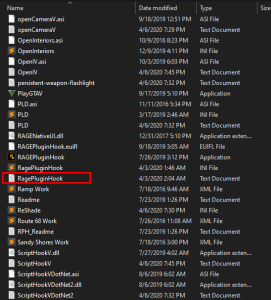
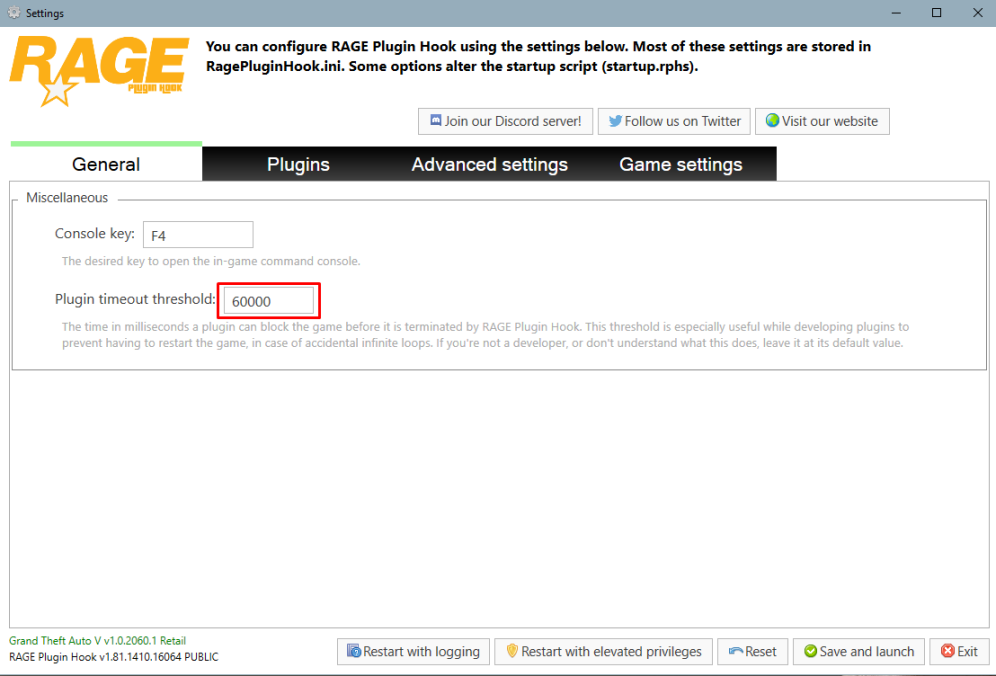
Hey Ensure your RageNativeUI is up to date: https://github.com/alexguirre/RAGENativeUI/releases Simply drag and drop the .dll in your main directory. Also increase your plugin timeout threshold to 60000. You can do that by launching rage and clicking on the cog ⚙️icon on the splash screen. See the attachment for a visual guide.
-
It has been a while since I’ve messed with the vehshare. Have you tried looking for swedish license plates on gta5mods? It’s hard to help you with editing the textures without exactly knowing what you did.
-
Well, all of the plates appear on some car in the game.
-
-
-
Das bedeutet, dass du einen Problem mit deinem mods Ordner hast. Entweder du machst die letzten Änderungen rückgängig oder erstellst einen neuen Mods Ordner.
-
Nenne den mal bitte zu _mods um und versuche nochmal ohne Rage.
-
Hast du einen mods Ordner?
-
Depends. Do you want to edit the plates of the civilian cars driving around Los Santos ? = vehshare Edit the plate of custom cars (from 5mods or lspdfr.com) ? = specific vehicles ytd and search for the plate texture (via openiv obviously)
-
You go into the file I mentioned above. Then you’ll use a editing software like paint net to edit the textures as you want. If you only want to do that for your own car, you can also use something like menyoo to make a custom license plate.
-
Default license plates are stored in the vehshare.ytd. If you want to change license plates for custom vehicle models, the textures are stored in the vehicles specific ytd.
-
Kannst du GTA ohne Rage starten ohne dass es abstürzt?
-
Upon doing some research I found this. Not sure whether it is up to date or working at all. Maybe it has what you’re looking for.
-
For French support you’ll have more luck here: https://www.lcpdfr.com/forums/?forumId=65
-
Does your GTA crash without Rage as well? If not, rename your mods older to _mods and retry.
-
Can you please attach your RagePluginHook.log
-
Hey. Open your RagePluginHook and click on the cog icon ⚙️ on the splash screen. Once a new window opens set the highlighted number from 10000 to 60000.
-
Hey terraformplanet, In order to get help, it’s best that you create a new topic here.
-
You're having an issue with the installation of Callout Interface. Please ensure it is installed correctly as stated in the mod author's instructions. You're specifically missing the CalloutInterfaceAPI.dll in your main directory.
-
Have you tried renaming your mods folder to _mods and driving around for a bit?


