




Everything posted by Lennyy
-
Make sure that you install the CalloutInterfaceAPI.dll from CalloutInterface. Drag and drop it into your main directory. Also SuperCallouts has an update available.
-
One is for pursuits and one for general traffic. They should be working
-
You’re most welcome!
-
Generally speaking, it's better to first launch GTA without rage until fully in SP and then start Rage via alt-tabbing out of the game. Glad I could help!
-
You're most welcome! Enjoy!!
-
Install/Update RageNativeUI. Drag and drop the .dll into your main directory. Also get rid of PoliceLifeS. It's heavily outdated.
-
Let us know how it goes after trying the ressource adjuster.
-
It's the extra_ten. Try to enable it specifically through a trainer. Otherwise, maybe try the same car with a different slot. Perhaps police3.
-
Out of curiosity, what might be wrong with STP here?
-
Attach a screenshot please.
-
Please install RageNativeUI: https://github.com/alexguirre/RAGENativeUI/releases. Simply drag and drop the .dll in your main directory.
-
Hey. Please update RageNativeUI https://github.com/alexguirre/RAGENativeUI/releases. Simply drag and drop the .dll in your main directory. Also, update PoliceMenu and remove AssortedCallouts
-
Can you elaborate your issue more precisely please?
-
Can you send me the link to the pack? I have a feeling that the rambar is an extra which you haven’t activated in game.
-
TrafficPolicer is outdated and should be removed.
-
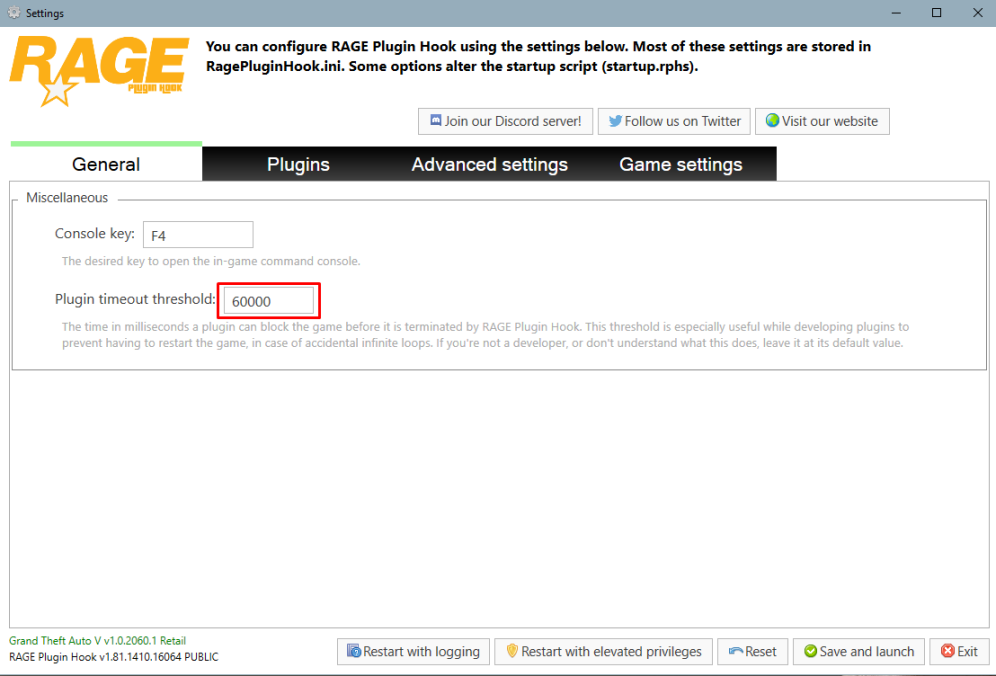
First of all set your PluginTimeoutThreshold to 60000 instead of 10000. You can do so by clicking on the cog ⚙icon on the RPH splash screen. Retry. If it still crashes, rename mods to _mods and try playing again. Update Crazy Pursuits SpecialCallouts Move CalloutInterfaceAPI from Plugins\LSPDFR to main directory.
-
Remove ArrestManager and AssortedCallouts Move CalloutInterfaceAPI, ipt.Common and ragenativeUI to your main direcotry.
-
Please attach your latest RagePluginHook.log found in your main directory. It's a text file.
-
I see. Please refer to this thread in order to attempt to solve your problem.
-
That is certainly one of the more interesting issues I've seen. Can you attach a screenshot of your \lspdfr\data\ai folder please.
-
Alright let’s start at the beginning. You were instructed to rename your mods folder to _mods to prevent a faulty mod crashing your game. This means that your mods folder is no longer recognised by openiv/the game itself, hence why your cars are not showing up. Renaming _mods back to mods causes crashes. What you want to do is start fresh with a new mods folder, install the cars you want including all (potentially) necessary addons such as packfile limit adjuster, heap limit adjuster and a gameconfig.
-
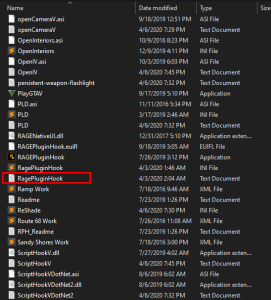
Please attach your RagePluginHook.log. It’s a text file found in your main directory.
-
Hey Ensure your RageNativeUI is up to date: https://github.com/alexguirre/RAGENativeUI/releases Simply drag and drop the .dll in your main directory. Also increase your plugin timeout threshold to 60000. You can do that by launching rage and clicking on the cog ⚙️icon on the splash screen. See the attachment for a visual guide.
-
It has been a while since I’ve messed with the vehshare. Have you tried looking for swedish license plates on gta5mods? It’s hard to help you with editing the textures without exactly knowing what you did.
-
Well, all of the plates appear on some car in the game.



