




Lennyy
Community Team
-
Joined
-
Last visited
Everything posted by Lennyy
-
Welcome back to the community! Please reinstall the manual version of LSPDFR from here. Drag and drop all of the archives files into your main directory.
-
Please do that 🙂
-
Fyi, as a „workaround“ you can use the flatbed instead.
-
Did you also delete your GTAV.exe before verifying your game files?
-
Delete your GTAV.exe and verify your game files.
-
If you feel that this topic has been pinned in error, please report this post.
-
Yes this started occurring after the latest update. As for the driving mod, I can‘t help you unfortunately.
-
There is an ongoing issue with STP and its towing function
-
-
-
Your topic has been moved to GTA V Support, this is not LSPDFR related. Please post in the correct location in the future.
-
Update/Install RageNativeUI https://github.com/alexguirre/RAGENativeUI/releases
-
-
Other than checking their site, you can join one of the many discord servers that are usually very quick with pinging their members.
-
Glad I could help!
-
Create a new folder in this directory called LSPDFR. Move everything except EUP folder, EUPMenu, the three BackWeapon files and the two LSPD FirstResponse files into that newly created folder. Attach a screenshot when you’re done to verify you did it correctly. Your topic has been moved to LSPDFR 0.4 Support. Please post in the correct location in the future.
-
Your topic has been moved to GTA V Support, this is not LSPDFR related. Please post in the correct location in the future.
-
Not until SHV has updated.
-
Please view the big red banner on the forum. SHV hasn’t updated yet. This topic has been moved to the appropriate forum. Please post in the correct location in the future.
-
C'est la, juste SHV maintenant.
-
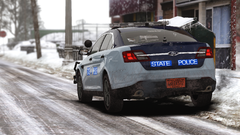 Snow patrols are truly the best!
 -
Tastenbelegung LSPDFR 2024 - Stand: 30/07/2024 Da es zur Zeit keine aktuelle Liste der Standard-LSPDFR Tastenbelegung gibt, hier eine aktualisierte Fassung der alten Liste von Kyrilenko. Tastenbelegung von anderen Plugins entnimmst du bitte deren .ini bzw. der Downloadseite. Allgemeines RPH Konsole - F4 Einsatz Annehmen - Y Interaktionsmenü - M Verstärkung anfordern - B Garage betreten - E Umkleide betreten - E Interaktionen Person anhalten - E halten Person ansprechen, verwarnen, nach Ausweis fragen, folgen lassen, gehen lassen - E (Interaktionsmenü) Person durchsuchen - Q halten Person festnehmen - E halten Person freilassen - E halten Person auf den Boden bringen - Mit Waffe zielen und E halten Person hinknien - Festnehmen und Q Verfolgung starten - B halten Person überprüfen - M (Interaktionsmenü) -> Police Radio -> Request Records Check oder Polizeicomputer im Fahrzeug (Q) Im Fahrzeug Ein-/Aussteigen - F Blaulicht einschalten - E Martinshorn ausschalten (nur Blaulicht) - J Yelp - E halten Polizeicomputer öffnen - Q Fahrzeug anhalten - Hinter Fahrzeug fahren und Shift, dann Blaulicht einschalten (E) Verfolgung starten - B halten Verfolgung Optionen - (Während Verfolgung) N Solltest du weitere Hilfe benötigen, erstelle bitte ein neues Topic und stell dort dein Problem ausführlich dar! Falls dir noch Tastenbelegungen einfallen die in der Liste nicht auftauchen, sende mir bitte ein DM oder poste unten einen Kommentar.
-
Your topic has been moved to LSPDFR 0.4 Support. Please post in the correct location in the future.
-
Maybe this is what you are looking for: This topic has been moved to the appropriate forum. Please post in the correct location in the future.
-
I’ve never used something other than SimpleTrainer.


