


Creators: Due to background reprocessing of files, approvals and file security checks may be delayed. Thanks for your patience.


LukeD
Friends of LSPDFR
-
Joined
-
Last visited
Everything posted by LukeD
-
Hello guys, I'm bringing forward a discussion to the community today after recently reading an article on Hexus (see link further down). I will post some images from the article for those who can't load the link for whatever reason (mobile users etc) Here is the article And here is some images from the article. (There is a youTube video in the article which I will embed here for simplicity.) http://www.youtube.com/watch?v=G0K41ZWd-vo Basically, gaming peripheral company Razer has released a concept design for a fully modular gaming PC. I've no idea where they intend to go with this concept, if it does become a release or not but I am interested to see what PC gamers of all variety think about the idea. PLEASE KEEP THIS TO YOUR OWN OPINIONS I don't want to fill this thread with people hating on each other's comments, unless of course you have some valid evidence to back up your theory. So I'll start it off with my opinions I think the idea behind it is pretty neat, a simple self contained pc that makes upgrading easy for the novice users, like installing a keyboard you just plug in and go. however the downfall is I expect a high price range for these specially built parts, as well as the issue that you are taking away the complex nature of building a computer, and thus people would lose the interest in computing in general. I love it's design a hell of a lot, and would be very tempted to buy one just for that. It's concept only at the moment, but the whole thing just looks uber cool in my opinion, especially with that GUI on the front of the power pack. Based on looks and ideas I would give it an 8/10 with room for adjustment depending on price etc. So, what do you guys/girls/androids think? Is it good or bad? and what would you rate it?
-
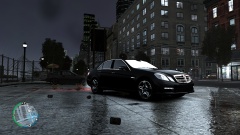
From the album: Other Uploads
-
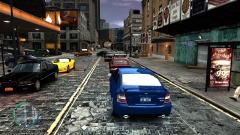
From the album: Other Uploads
-
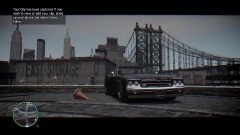
From the album: Other Uploads
-
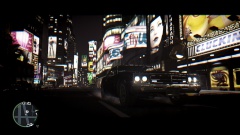
From the album: Other Uploads
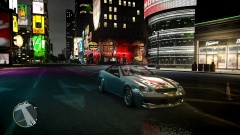
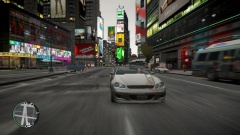
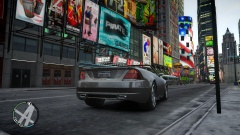
This was taken through steam a while ago, sadly I can't remember if I was on the 1.0.4.0 patch or the 1.0.70 patch, I also can't remember what textures and ENB mod I was using :( -
From the album: Other Uploads
-
From the album: Other Uploads
-
From the album: Other Uploads
-
Ohhh I see, now it all makes more logical sense. I was going on the assumption that the vehicle entity was being classified as the pursuit target which meant only 2 police cars would be chasing, but its based on the suspects not the vehicle. Thanks for that, i'm going to copy what you said as a quote across onto the support topic I made about it so others will benefit from it too. Cheers
-
It's no surprise your benchmark results are very good, using the lowest settings. However something I find particularly intriguing, my benchmark tests for a 1GB graphics card with high settings on most gives me an average of 55fps, but with high memory usage. Your's with low settings is only performing slightly better than mine on high. That interests me because the higher the settings, obviously the more cpu and memory usage is required and thus the lower your fps will be. Definitely run the command lines ineseri has given you and see how they affect your gameplay, and then get back to us with your opinions on how it ran afterwards. I'm mildly suspicious of a corrupt driver.
-
"And not the NOOSE Officer because he walks like a twat!" Didn't see that coming, had a mild laughing fit. Will no proceed to watch the rest of the video, first minute usually makes or breaks the video for me, that made it. :)
-
Using the command line things like memrestrict 0 won't do a lot given that you have 2GB of video memory and are using 380MB you can turn vsync on, see if that helps. Do me a favour, load gta iv, then go to display (or graphics) and click "benchmark" and run the benchmark test. Post the results here. You can find a file with all the results in to copy and past in My Documents > Rockstar Games > GTA IV> Benchmarks Just off guesswork though I would say either your graphics card is very unhappy, or you have some seriously outdated drivers. Alternatively you could have installed a dodgy car model, by that I mean a badly make one that uses more than it needs to load it in. but with a 2GB card you should be able to load every car in the game modded, with ENb and all sorts before you get fps drops.
-
I will succeed :P On topic, LMS, I did 5 trials of different pursuits just to see what happened. #1 - Too many cops appeared, roughly 5 extra squad cars and roughly 3 or 4 extra cops #2 - Only 2 units ever stayed in the chase + me (perfect) #3 - 1 extra squad car joined the chase (fine with this) #4 - Chase ended too quickly for it to be picked up by AI (event was caused by another mod) #5 - 2 cop cars joined, chase ended outside a police station so all other foot police joined, 1 extra cop car showed up at the very end. Conclusion, it does seem to be working alright, but in the smaller, more compact areas of the map more police units seem to get in on the action. Most noticeable for too many police being present is in Broker. So if you're reading this and wondering how to get better chases, set the maximum number of cop cars in a chase to 2 or 3, and AVOID Bohan. I'll continue to see how it goes in different map areas and publish my findings :) EDIT: I received the following answer from Sam: Solved.
-
I HAVE DEFEATED INESERI MWUHAHAHAHAHA! Lol. :P Well, if that is being limited I would hate to see that same picture with the default settings lol. I mean what were they, 10 cars, 20 cops? *runs away screaming* I'll give it some more testing and see what happens on average, I'll let you know, if I come back in like an hour with a million more screenshots then I sincerely apologise for making your life harder :)
-
Sorry, would have replied 20 minutes ago but lcpdfr decided to shut me out. Nevermind. Erm, its located in the gta iv directory in steam, in a folder called lcpdfr. Program Files (x86) > Steam > steamapps > common > grand theft auto iv > GTAIV > lcpdfr > [ini file is here] It is being read, because it knew I was in hardcore mode and knew to turn the maximum time between callouts from 600 to 300. There is no data protection being applied to the directory, and had worked before 1.0a :)
-
I made the point in my tweaks suggestions to reduce the number of police cars that can join a pursuit, and the people kindly responded with saying there are 2 settings in the .ini file to do this. After 1.0a hotfix came out it seems to be completely ignoring this. I set mine personally down to [Pursuits] AllowRoadblocks=True MaximumCopCarsInPursuit=2 ForceAnnihilatorHelicopter=False MaximumCopsInPursuit=6 Yes, 2 cop cars maximum and 6 police officers maximum. Please observe the following screenshot of a pursuit... EDIT: I turned around and there was a further 2 cop cars in the street behind mine. User "the loot" has also confirmed his doesn't appear to be limiting them either. If anyone knows how to fix this I would greatly receive the knowledge. Side note...Ineseri, figure this one out :P
-
Already on it..:)
-
Bumping this because I don't think the ini file is working properly for the pursuits. I made the point in my tweaks suggestions to reduce the number of police cars that can join a pursuit, and the people kindly responded with saying there are 2 settings in the .ini file to do this. After 1.0a hotfix came out it seems to be completely ignoring this. I set mine personally down to [Pursuits] AllowRoadblocks=True MaximumCopCarsInPursuit=2 ForceAnnihilatorHelicopter=False MaximumCopsInPursuit=6 Yes, 2 cop cars maximum and 6 police officers maximum. Please observe the following screenshot of a pursuit... Help :(
-
I did something similar to what the loot was saying, except I don't use my 2nd copy. If you go into the steam folders in program files, find gta iv and if it's the same as mine you will see "grand theft auto iv" and inside that the actual game files inside another folder "GTA IV" I went and copied that entire folder and named it GTA IV BACKUP. You can zip it then to save some space, or if you go to steam and use "add non-steam game" and then point it to the copied directory, find the exe file and that should work for you. :) EDIT: One thing I would say in preference, the loot mentions as another option to just copy the files you change. that's fine, but for me I prefer to copy the entire directory, because if you change a file and then forget you changed it 2 months later and then suddenly go to change something else which affects that. You're stuffed. Whereas if you have the entire directory you can just copy it back across and get steam to check the integrity of the files (if it's all a clean backup then it will take like 10 minutes to go through it all)
-
During install it should have asked you for your lcpdfr.com log in name and password. If you entered them correctly it should have continued fine and when connected it will use your username. If you did a manual install then it's something to do with the API key in the .ini (I think, don't quote me on that) EDIT: It is see manual snippet below To add your API Key, you must first generate one on your LCPDFR.com user account. To do this, go to the LCPDFR website, located at www.lcpdfr.com and follow these steps: 1. If you have an LCPDFR account, sign in with it. If not, you can create one in a matter of seconds. 2. Once logged into your account, head to: www.lcpdfr.com/page/csapikeygen 3. Follow the instructions on the page to generate your API key for LCPDFR. 4. Copy your new API Key, and add it to the LCPDFR Configuration File
-
Sorry guys, I found another bug :P Ok so it isn't so much of a bug as a something that should be changed. See image... Text in the top right after a failed pursuit says "the suspect has escaped" Text in top left says "good job, officer!" You could leave this text to be perfectly honest, it's just funny that it congratulates you for failing to keep up with a suspect lol
-
That would be a cool idea, riding around with a partner behind you on a bike too. The kind of mechanic is available to in the EFLC, because of TLaD, but I don't know if it's easily accessible. But I do agree it would be awesome :)
-
I would recommend going to somewhere like Game (or whatever the equivalent is in your area) and paying to have a layer of the disk's surface removed. It doesn't cost all that much, what it does is laser cut off a very very thin layer off the disk, so that the scratches are not as bad. No you don't lose any data, and no it is not guaranteed to work. But if it does work you'll be able to run it off the disk again no problem. Warning though, if you do have a layer removed it can't be done again so if you scratch it again you're stuffed. EDIT: I had it done on my copy of GTA IV I had on Xbox 360 a few years ago, worked like a charm afterwards.
-
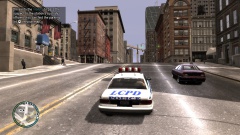 I was quite surprised to find they were both criminals, in a taxi lol. My honest reaction after I pulled them over and ran their names was "this just keeps getting better and better" :)
 -
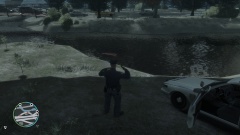 In all seriousness though he had died by the time I was out of the car lol.


