




LukeD
Friends of LSPDFR
-
Joined
-
Last visited
Everything posted by LukeD
-
What. On. Gods. Earth. Is. That. 0.o
-
That's why you get 2 of them and put one above the other :D
-
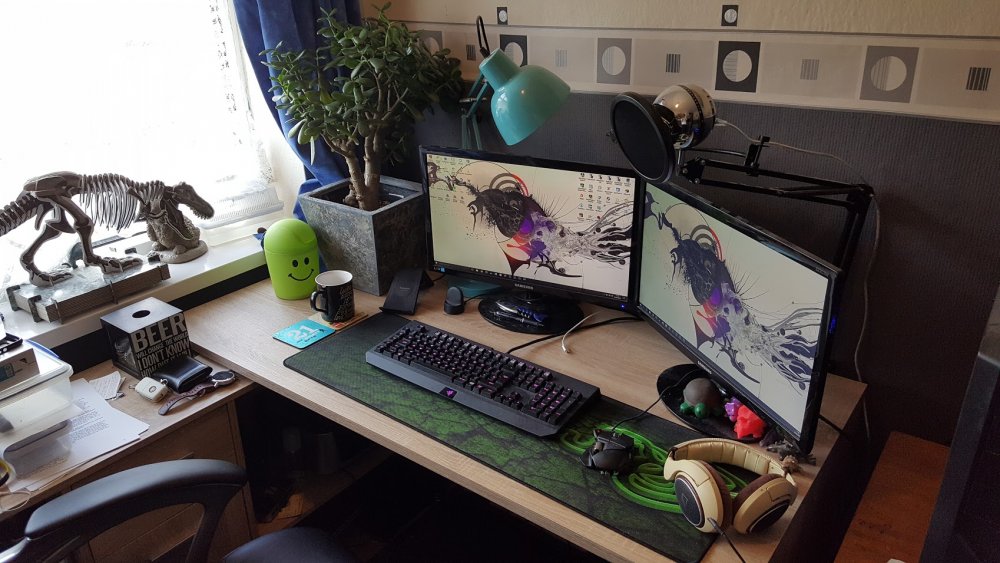
Out of curiosity, why didn't you get the goliath extended mouse mat? Then you can fit the keyboard on it too like mine:
-
Closing to prevent adverts, we're not a clan advertising service. This topic has been closed by LCPDFR.com staff because it is a website, clan, or group ad. Our site isn't an advertising service - please do not use it as one. If you want to share your website, group, or clan, please keep that limited to your profile and signature. If you feel that this topic has been closed in error, please report this post.
-
http://www.lcpdfr.com/forums/forum/888-support-information/?do=add
-
Well that's not true either. I'm using RPH 0.45 with LSPDFR and several plugins along with a couple of RPH plugins. This is in combination with ENB Series, ReShade version 2.0.3.1121 and NaturalVision 1.3. And finally LA Road 2.0 and the LA Road patch. I also installed NaturalVision in the mods folder if that helps. EDIT: And also VisualV seeing as NaturalVision requires that too.
-
Works fine for me, launch GTA V first and give it a moment to hook in before you then launch RagePluginHook. See if that works for you. Also moving this to support for you.
-
 Please try to play nicely folks. No need for throwing random derogatory comments. Nothing wrong with someone critiquing work or someone else asking them to justify it, just play nicely.
 -
This topic has been moved to the appropriate forum. Please post in the correct location in the future.
-
First of all you posted in the wrong forum section so nobody is going to reply. Second of all LCPDFR is outdated and no longer maintained because the vast majority of us are working on GTA V now not IV so support is further limited. Finally lose the attitude, this is full community ran support if people are able to help you they will. Have some respect and be patient, if you can't do that uninstall the mod and enjoy not playing it. Your topic has been moved to LCPDFR Support Requests. Please post in the correct location in the future.
-
If you feel this topic has been closed in error, please report this post.
-
Duplicate thread
-
Hello there -- welcome to LCPDFR.com and thanks for trying out LCPDFR! Please do the following: Make sure you aren't using a crack - We don't support cracks or people using pirated softwareUpdate GTA IV to 1.0.7.0 (the latest version of the game, or 1.1.2.0 for EFLC) - These patches are needed. Make sure that you run the game as an administrator.Make sure that your GTA IV root folder (and every subdirectory) is not set to "read-only"Ensure that AdvancedHook.dll, ScriptHook.dll, ScriptHookDotNet.asi and Dsound.dll OR Xlive.dll are in the GTA IV ROOT folderEnsure that there is a folder titled 'LCPDFR' in the ROOT GTA IV folder.Check that all the above files exist, if they do not, reinstall LCPDFR with the MANUAL installation.Ensure that you are using up to date versions of every LCPDFR dependency and LCPDFR itself.Install these: https://www.microsoft.com/en-us/download/details.aspx?id=30653 , https://www.microsoft.com/en-us/download/details.aspx?id=30679 In some cases, your issue is resolved after following the above steps. If it did help, please let everyone know in the topic that your issue is resolved. If you do have to post a topic, do the following; Give a clear, detailed description of the problem.Explain any circumstances surrounding the problem.State what solutions you have tried.Post ALL relevant logs (LCPDFR.log, Scripthook.log, ScriptHookDotNet.log, AdvancedHook.log).Include as much information as possible.Post your system specifications.Post what other mods you are using. This includes car and script mods.Post a screenshot of your GTA IV or EFLC game directory. Please note that failure to follow these instructions may cause this thread to be closed.
-
Your topic has been moved to LCPDFR Support Requests. Please post in the correct location in the future.
-
If you feel this topic has been closed in error, please report this post.
-
Duplicate thread
-
There is no need to offer payment in exchange for mods. This is a free community. This topic has also been moved to the correct forum section.
-
There is no discussion to be had here, this barely even constitutes a status update to be honest. Closing as there is no need for this thread to exist. If you feel this topic has been closed in error, please report this post.
-
Search Warrant and Arrest Manager not loading means it's thrown an error, check the RagePluginHook.log file. The same callouts happening means callouts aren't being registered. Try forcing several through by pressing X and see if they show up at all. When you launch RagePluginHook via its EXE file hold shift until the settings dialogue appears.
-
This topic has been moved to the appropriate forum. Please post in the correct location in the future.
-
Remove those arguments from commandline.txt Also, moving this to GTA V Support rather than General.
-
The location where you originally posted this was Tutorials & Questions relating to mod development (i.e when people need help with making mods). What you needed is the GTA V general Support section so that's where I placed it. Hope this helps you in future when posting :)
-
This topic has been moved to the appropriate forum. Please post in the correct location in the future.
-
 @Breally989 I have deleted your comment due to the obscene size of the log file you posted causing immense lag when I try to edit it. If your log file is that big please consider deleting it and starting a new one or cutting it down in size BEFORE posting it. Additionally, everyone, please remember to either ATTACH the .log file to your post OR post the contents of the log file inside a spoiler. Thanks.
- 851 comments
- 108 reviews
-
-

- 3
-
-
If you can't figure out some of these things I suggest you go back and download the examples from the RagePluginHook website and study them carefully. I would also recommend you read the documentation and make use of the object browser in Visual Studio. These are very basic things that are easily found with a little bit of searching. http://ragepluginhook.net/Documentation.aspx I would also consider using the RPH forum for these requests, as this is the forum for LSPDFR API developers not the "how to get started with RPH" forums.


